Where to Find Free Game Assets in 2026 (20+ Sources)
A useful asset source gives you three things: art that fits your game, files that work in your engine, and permission for the way you plan to publish. A free download answers only the price question.
Start with Kenney for cohesive game packs, Quaternius for stylized models, and Poly Haven or ambientCG for realistic materials. Use specialist libraries for sound, music and animation, where the license and technical requirements can differ considerably. The official sources linked below were reviewed on November 8, 2026; check the selected item again when you acquire it.
Browse by the asset you need
Our asset library and free game assets by category provide starting points for characters, vehicles, weapons and props, wood textures, footsteps and HDRI skies. Open the original source to confirm its license, included files and download requirements.
Source searches: Poly Haven · Sketchfab · Freesound · Kenney · AmbientCG.
Quick Reference
| Need | Start with | What to check before importing |
|---|---|---|
| A consistent low-poly world | Kenney, Quaternius | Pack style, scale, skeleton and included animations |
| Realistic models and materials | Poly Haven, ambientCG | Texture resolution, map conventions and runtime cost |
| A specific unusual model | Sketchfab, BlendSwap, Poly Pizza | Item license, creator, download availability and dependencies |
| Pixel art and tiles | Kenney, itch.io, OpenGameArt | Native grid, complete animation set and pack-specific terms |
| Sound effects | Kenney, Freesound, Sonniss GDC | Per-file license or bundle terms, variation and clean edits |
| Music | Incompetech, Pixabay, Jamendo | Game-use permission, credits and Content ID records |
| Humanoid animation | Mixamo, Quaternius | Rig compatibility, retargeting and root motion |
| Shader code | Three.js examples, drei-vanilla | Code license, separate demo assets and engine compatibility |
For a deeper explanation of the legal terms, see Game Asset Licenses Explained. CC0 reduces copyright conditions; it does not clear every trademark, likeness or privacy issue.
3D Models
Poly Haven
Best for: realistic props, environment materials and HDRIs.
Poly Haven publishes its downloadable assets under CC0. Its license page distinguishes those assets from website content such as logos, text and example renders, which are not all covered by that dedication. API access also has its own terms.
Use the model preview to judge its silhouette and material needs, then choose a file format your loader supports. Photorealistic scans can require texture reduction, simpler collision and mesh cleanup for your scene. Start with the smallest practical texture set; a detailed source asset is not proof of acceptable mobile performance.
Kenney
Best for: building a coherent game from a small number of themed packs.
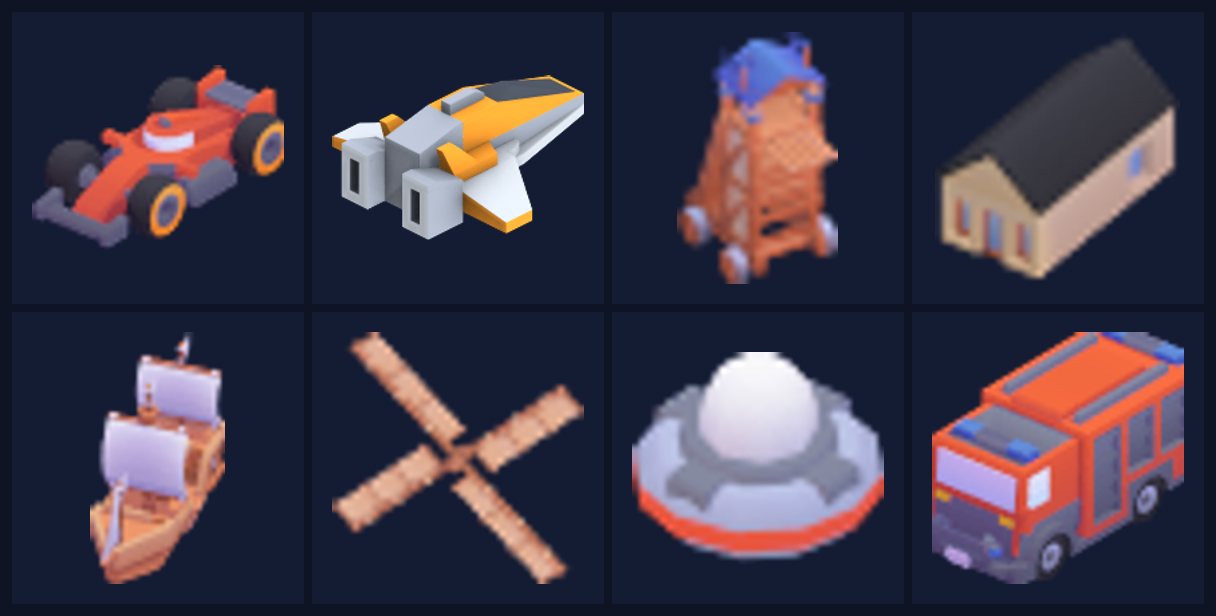
Kenney covers models, sprites, interface elements and audio. The support page says game assets on its asset pages use CC0 and do not require credit. Keep the license file supplied with the pack; the Kenney logo is a separate matter.
Choose one pack family for your first level: Space Kit for ships and stations, Nature Kit for outdoor props, or a matching UI pack for menus. Consistency in proportions and palette often saves more time than finding the most elaborate individual model. Check actual file formats and animation contents on the pack page rather than assuming every download includes GLB or a rig.
Quaternius
Best for: stylized characters, creatures, vehicles and modular environments.
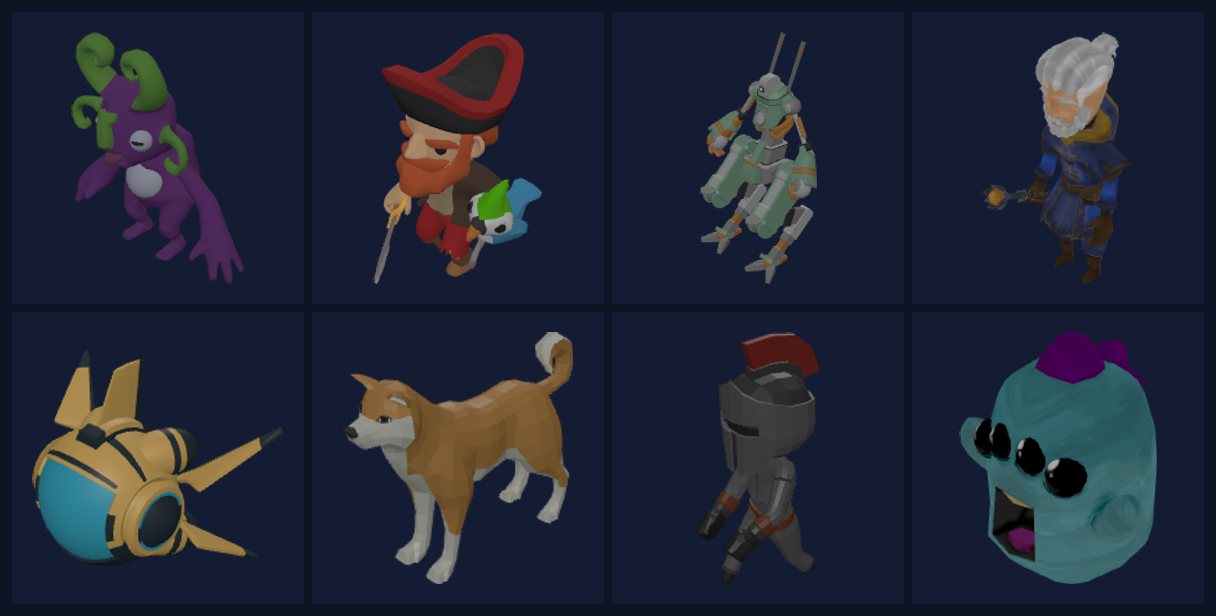
Quaternius’s FAQ identifies its models as CC0 and permits modification and commercial use. Packs are useful when you need several related objects with compatible proportions and materials.
Check whether your chosen character includes a skeleton, skin weights and the actions your game needs. A rigged model is not necessarily supplied with attack, death and locomotion clips. The separate Universal Animation Library is a useful option for compatible humanoid rigs; review the files included in the specific free or paid download.
Sketchfab
Best for: searching for a particular object and inspecting it in a 3D viewer.
Sketchfab contains both viewable and downloadable work. A visible model or an embedded viewer does not grant permission to extract it. Use downloadable results, inspect the item’s license and creator, and retain the original URL and required credit.
Its official Download API guidelines require user authentication for API downloads and preserving licensing and attribution information. Do not plan a production pipeline around anonymous downloading. Check geometry, texture size, missing external files and whether recognizable brands or characters introduce rights beyond the model’s copyright license.
BlenderKit
Best for: finding assets while working in Blender.
The provider now uses the name Blendkit, formerly BlenderKit. Its current license documentation distinguishes CC0 assets from assets under its Royalty Free license. The latter allows commercial work but restricts selling or redistributing the asset itself, including modified versions.
Check the asset’s license and whether it is available through the free offering before building around it. Blender materials and procedural nodes may need baking or simplification for a web engine. Open a sample export in your actual viewer before committing to a full scene.
Fab (Epic Games)
Best for: marketplace packs, environments, materials, effects and occasional free offers.
Fab carries free and paid listings. “Free” is a price; check whether the listing uses Fab Standard, CC BY or another stated arrangement. Under the official Fab Standard license summary, permitted use includes commercial projects and compatible tools beyond Unreal Engine, while standalone redistribution is restricted. Personal and Professional tiers grant the same usage rights; Reference-Only access does not provide the source-format files.
Check supported formats and dependencies. An Unreal project with engine-specific shaders or Blueprints is not automatically a usable GLB scene. For time-limited offers, save the acquisition record and applicable terms rather than assuming the listing will stay free.
BlendSwap
Best for: Blender scenes and models you can inspect and adapt.
BlendSwap’s terms describe different Creative Commons options. Read the selected file’s license; the site name does not establish whether a download is CC0, attribution-only, NonCommercial or ShareAlike.
Inspect the .blend file for linked textures, fonts, add-ons and external references. A scene can contain components with separate permissions. Test whether modifiers, procedural materials and lighting survive your export, and record any components you replace.
Poly Pizza & Icosa Gallery
Best for: stylized props and discovering work preserved from Google Poly.
Poly Pizza requires downloaders to follow the Creative Commons license attached to the content at download time; see its terms. Keep the model’s creator and source information with the file.
Icosa Gallery explains its Google Poly preservation work on its creator information page. Its license page includes CC BY, CC BY-ND and CC0, with some directly linked works reserved against reuse. Do not assume an archived model is public domain. ND needs particular care if your game requires modifications or adaptations.
Synty Studios (POLYGON)
Best for: paid stylized packs when a consistent art direction justifies the cost.
Synty is a paid alternative to the free collections, not a generally free catalog. Read the license overview and the license attached to your purchase channel. The current one-time purchase license includes seat limits, restrictions on redistribution, and specific restrictions concerning AI and game-creation software.
That matters if you are building an editor, a template, an asset generator or a platform that gives other users access to the source content. Permission to ship a finished game does not establish permission for those products. Store and subscription arrangements should not be treated as interchangeable.
CGTrader
Best for: finding a specific model when general-purpose free packs do not cover it.
CGTrader offers marketplace listings with differing terms. Its Royalty Free explanation allows incorporation into a game subject to restrictions, including safeguards against extracting the asset. The terms distinguish Royalty Free, Editorial and other conditions.
Check the actual free listing’s license, available formats, topology, rig and textures. A product intended for visualization may need substantial work for real-time use. For a browser game, consider how the license’s asset-protection requirements fit your delivery method before choosing it.
TurboSquid
Best for: specialized models and professional source files.
TurboSquid’s licensing overview describes permitted uses and restrictions, including the distinction between standard and Editorial content. Do not infer commercial permission merely because a model has a zero price or a Royalty Free label somewhere on the site. Read the terms applicable to the selected download.
Check whether the advertised result depends on a particular renderer, plug-in or texture package. A photorealistic preview does not mean the same appearance will survive a glTF export. Recognizable products and logos can require rights beyond those in the model itself.
Poly Ronin
We could not verify a current, usable download catalog and license at Poly Ronin during this review. It is not one of our current recommendations. If you retained an earlier download, rely on its actual license record; an archived “free” description is not enough to establish permission.
Textures & Materials
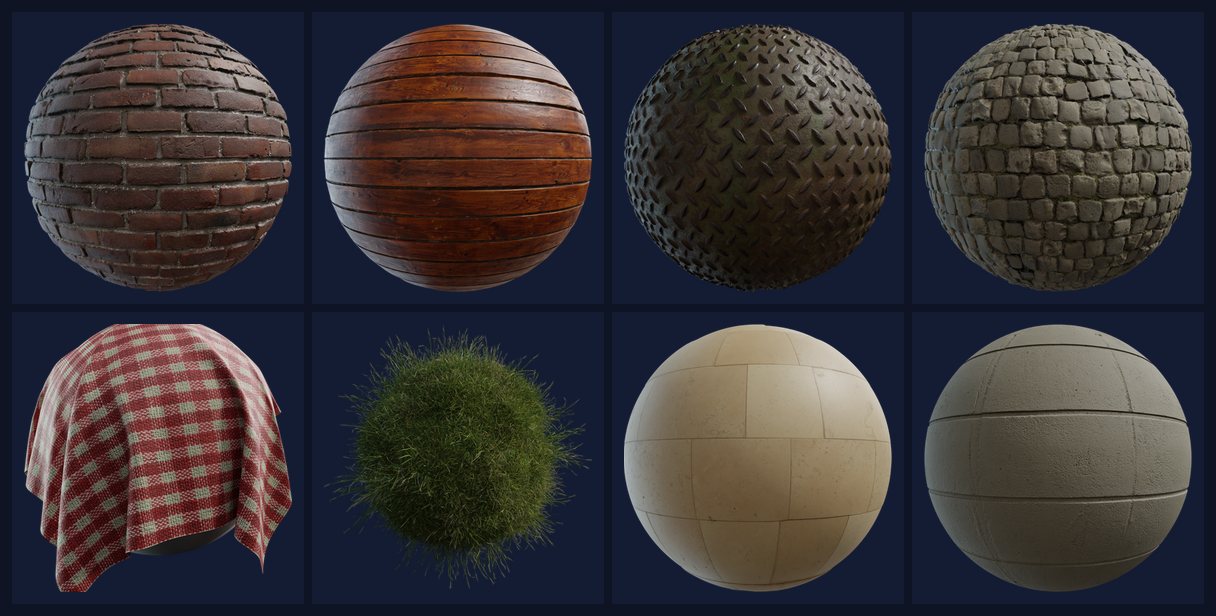
Poly Haven (Textures)
Poly Haven’s texture catalog supplies materials covered by its CC0 asset license. Choose the maps your shader actually uses: usually base color, normal and roughness, with metalness, ambient occlusion or displacement where appropriate.
Confirm normal-map orientation and the engine’s color-space expectations. Use color data and non-color data correctly, inspect visible seams, and set the material’s physical scale. A stone texture stretched across an entire building will look wrong even at high resolution.
AmbientCG
ambientCG is another strong starting point for PBR surfaces and lighting assets. Its license documentation covers downloadable assets and material preview renders under CC0.
Match the maps and resolution to your material system. Displacement is not a substitute for a collision mesh, and a full-resolution HDRI can be an unnecessary first-load cost. Test smaller variants at the actual camera distance before using the largest files.
Sprites & 2D Art
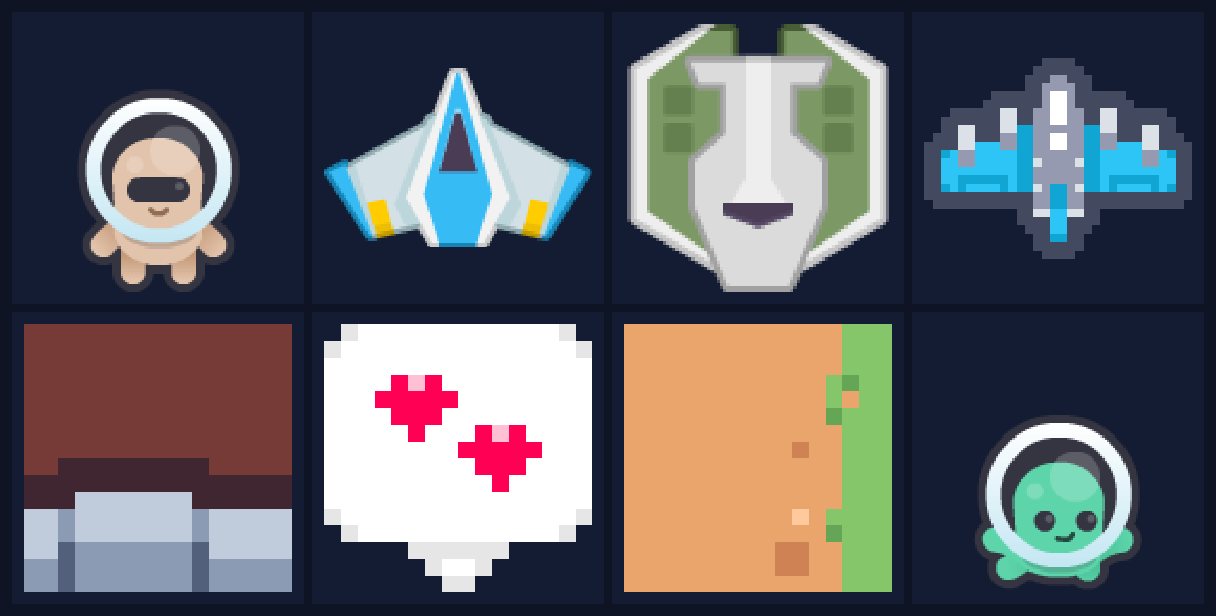
Kenney (2D)
Kenney’s asset collection includes tiles, characters, icons and UI packs under the terms described in its CC0 support guidance. Pick a native grid and a compatible palette before mixing packs.
Check tile spacing, atlas margins and sprite pivots when importing. For pixel art, configure nearest-neighbor sampling and integer scaling where practical. Our pixel art rendering tutorial covers the browser rendering side.
itch.io
itch.io’s asset listings are individual creator offerings, so the license belongs to the pack, not to the marketplace. Read the description and included license, including differences between free demos, paid extras and older versions.
For example, Pixel Adventure is published under CC0, while the current Tiny Swords files have custom terms that differ from the separately labeled older CC0 download. A creator’s reputation or another pack’s license does not resolve that distinction. See our sprites and tilesets guide for pack-level comparisons.
OpenGameArt
OpenGameArt is useful for community sprites, tiles, sounds and coordinated art projects. Check the submission’s license choices, credit instructions and included components. When a creator genuinely offers the same work under alternative licenses, choose one you can satisfy; when a pack contains differently licensed works, each component still needs attention.
The Universal LPC character generator’s licensing instructions illustrate why this matters: its component artwork uses several licenses, and the generator provides credits for the selected parts. Export those records along with your sprite sheet instead of labeling all LPC art with one license.
Audio & Sound Effects
Freesound
Best for: specific recordings, ambience and unusual effects.
Freesound’s FAQ explains its per-sound Creative Commons licensing, including CC0, CC BY and CC BY-NC, with some legacy material. Filter for a license compatible with your use, then save the sound page, author, license version and any required attribution.
Listen for background music, intelligible speech and recording noise. An uploader’s license label does not guarantee rights to everything captured in a recording. Trim and test sounds in context, using a few variations for repeated actions.
Kenney (Audio)
Kenney’s audio packs follow its game-asset CC0 policy. They are a practical first choice for a coherent set of interface clicks, impacts and arcade-style feedback.
Audit the exact actions your game needs before downloading a large collection: confirmation, cancellation, damage, reward and transition sounds often establish the basic sound palette. Match their perceived volume in gameplay rather than normalizing every sound to the same peak.
Sonniss GDC
The Sonniss GDC bundles provide sound libraries under a custom GDC bundle license. It permits commercial incorporation into finished projects without attribution, but restricts redistribution as sounds, sample libraries, templates or SDK content. It also prohibits AI-training uses specified in the license.
Choose these for sound design inside a finished game. Do not upload the archive to a public asset repository or include it as reusable content in a game-making tool. Keep the bundle’s license and the selected files together.
Music
Jamendo
Jamendo’s artist guidance describes several Creative Commons licenses. A free track’s exact license determines whether commercial use or adaptation is permitted; free Jamendo music is not uniformly “personal use only.”
Paid licensing also needs the right scope. The official individual-license guide states that Online and Standard licenses do not cover video games or mobile apps. Choose permission covering your game, platforms and territories rather than assuming any paid synchronization license is sufficient.
Incompetech and Pixabay
Incompetech provides track-specific credit guidance and a paid licensing option when its free-license attribution arrangement does not suit the project. Copy the actual credit generated for the music you select.
Pixabay’s content license summary allows broad uses while restricting standalone redistribution and identifying rights that may need separate clearance. Its FAQ explains that Content ID claims can still occur with licensed music. Save the source page and any download certificate; a valid license is not a promise that an upload will never be claimed.
Our sound and music guide covers more sources, music-specific restrictions, attribution and playback preparation. In particular, do not assume a site’s stock-music license is the same as its sound-effects license.
Character Animations
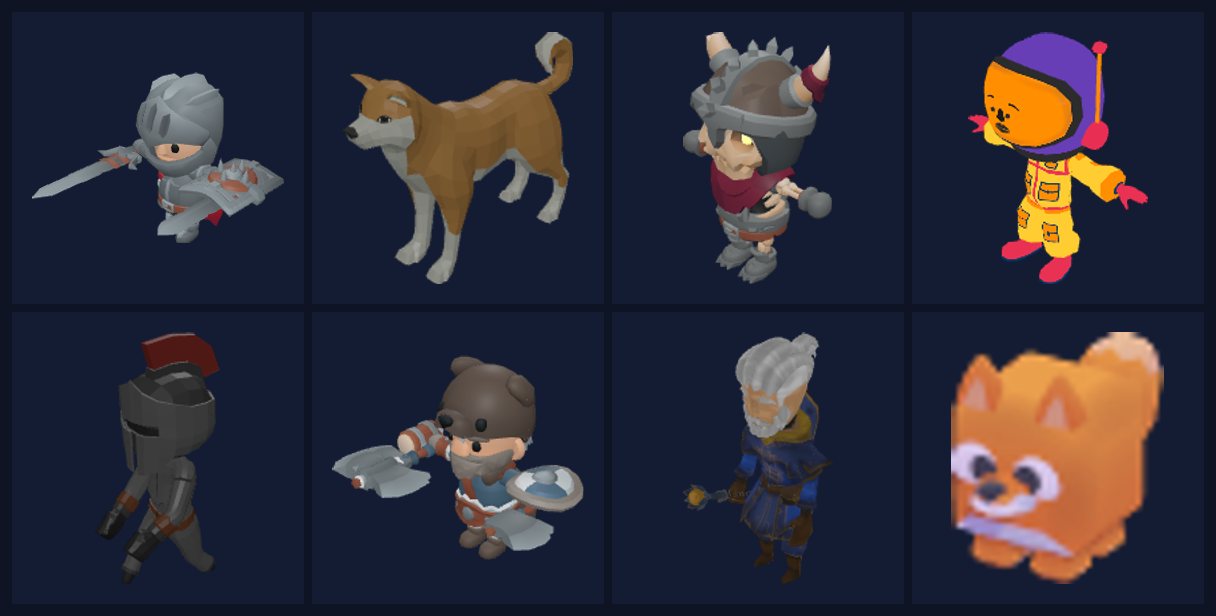
Mixamo
Adobe’s Mixamo FAQ permits use of its characters and animations in personal, commercial and nonprofit projects, including video games. It requires an Adobe ID. Its automatic rigging workflow is designed for humanoid biped characters, so do not assume it will rig a quadruped or an arbitrary creature.
Download and back up your files. Test one idle and one moving clip before processing an entire library: compare the skeleton, orientation, scale, root motion and hand positions. A retargeted animation can play successfully while still producing foot sliding or poor contacts.
For a CC0 alternative, inspect the Quaternius Universal Animation Library. In Cinevva, explore the Auto Rigger and character animation library, then test the exported result in your game. The animation and rigging guide explains the workflow in more detail.
Shaders & Effects
Shadertoy
Best for: studying procedural effects and finding techniques to adapt when permission permits.
Shadertoy exposes shader code, but public visibility is not itself a permissive license. Read the shader’s own notices, its dependencies and the site’s terms. We could not verify those terms in the retrieved page during this review, so this guide does not treat the site as a blanket source of commercially reusable code.
Porting can require replacing input textures, uniforms, coordinate conventions and multiple render passes. Measure the effect at your intended screen resolution and on mobile hardware; a striking full-screen demo can be too expensive for gameplay.
Three.js Examples
The Three.js repository publishes its code under the MIT license. Preserve the required notice when reusing licensed code. Models, music, textures and other demonstration files can have separate licenses; check their provenance independently.
Use the examples to understand a feature, then reduce the example to the parts your game needs. Match the example to the Three.js version used by your project and verify any changed imports or renderer behavior.
pmndrs/vanilla
The current repository is pmndrs/drei-vanilla; its package is @pmndrs/vanilla. It provides reusable Three.js helpers, including materials and effects, under an MIT license.
Read each helper’s setup and dependencies rather than pasting an isolated screenshot demo. Check renderer compatibility, render targets and additional passes, and preserve the code’s license notices. As with Three.js examples, separately supplied artwork needs its own permission.
Generating Assets with AI
Generation can fill gaps when an existing pack does not contain the object you need. It also adds work: inspect geometry and materials, keep proportions consistent, check sprite animation continuity, and test audio for loops and unwanted content.
Review the generator’s current terms, your account plan and the rights in any uploaded references. Permission to use an output, copyright protection for that output, and freedom from third-party claims are different questions. For Cinevva, consult generation and export rights and the additional music-generation terms, rather than assuming promotional credits and purchased usage have identical permissions.
See the AI 3D model comparison and AI asset generation guide for workflow choices. Keep a record of the tool, date, plan, inputs and terms alongside generated assets.
Asset Type Cheat Sheet
I need a spaceship
Start with a themed Kenney or Quaternius pack. Check whether you need a cockpit, animated parts or only an exterior silhouette. Use Sketchfab or a marketplace when the general-purpose packs do not fit, with an individual license and performance review.
I need a consistent art style for my whole game
Choose one primary pack family, then match additional assets to its palette, proportions and detail level. Kenney and Quaternius are useful free starting points; Synty is a paid option with its own product restrictions.
I need realistic textures
Try Poly Haven and ambientCG. Match physical scale and lighting first, then decide the texture resolution. Verify the map types required by your material system.
I need sound effects
Use Kenney for a compact coherent palette, Freesound for specific recordings, or Sonniss for sound-design material. Record licenses before renaming or processing files.
I need character animations
Try Mixamo for compatible humanoids or Quaternius for a CC0 library. Check the rig and retarget a few representative actions before adopting the set.
I need pixel art
Pick the native tile size, perspective and character scale first. Kenney, itch.io and OpenGameArt offer different styles; our 2D guide compares concrete packs and their terms.
I need UI elements
Start with a matching Kenney UI pack or a licensed icon set. Check readability at actual mobile size, contrast, button states and any separate font license.
I need a wide variety of random models
Search Sketchfab, BlendSwap, Poly Pizza and marketplace catalogs. Budget time to normalize scale, materials and attribution; variety does not imply that the files will work together without preparation.
License Guide
CC0 (Public Domain)
CC0 dedicates copyright and related rights to the public domain to the extent possible, with a fallback license. It does not require attribution, but it does not clear trademark, privacy or publicity rights or imply the creator endorses your game. Preserve provenance even when no credit is required.
Royalty-Free License
Royalty-free describes a licensing arrangement, not one universal license. Read its scope: permitted products, seats, source-file distribution, templates, subscription timing and excluded uses. A free download and a one-time payment can both carry important restrictions.
CC-BY (Attribution)
CC BY 4.0 permits commercial use and adaptation subject to its conditions. Provide appropriate credit, the license link, required notices and an indication of changes. Keep the exact version: a BY 3.0 file should not be casually relabeled BY 4.0.
CC-BY-SA (ShareAlike)
CC BY-SA 4.0 adds conditions when you share adapted material. Including an unchanged work in a collection is different from creating an adaptation; it does not automatically license every unrelated part of your game under SA. Conversely, embedding the file does not automatically avoid SA. Music synchronized with moving images has a specific adaptation rule. See the Creative Commons FAQ and assess the actual use.
CC-BY-NC (Non-Commercial)
CC BY-NC 4.0 limits use to purposes that are not primarily directed toward commercial advantage or monetary compensation. Charging zero does not by itself make an ad-supported, promotional or business project noncommercial. Obtain separate permission or choose a commercially usable alternative if your planned use is outside or unclear under the grant.
Editorial Use Only
Editorial restrictions are different from general game-use permission. Do not choose editorial-only models for ordinary entertainment gameplay merely because the game is free. Read the item’s actual terms and assess depicted brands, people and designs separately. See TurboSquid’s licensing guidance for one provider’s distinction.
Workflow Tips
1. Check the license first
Before production work, save the source URL, creator, exact license/version, selected download/version and acquisition date. Record required credits, modifications and any plan or receipt relevant to permission. If the pack includes different component licenses, keep them separate.
2. Optimize for web
Import one representative asset and compare it at the final camera distance. Reduce unnecessary geometry, texture dimensions, material slots and animation tracks. Choose supported compression with your loader and target browsers in mind. Keep an editable master so optimization can be adjusted later.
3. Organize your assets
Use a small predictable structure:
assets/
  sources/       # original packages and provenance records
  working/       # editable conversions and source projects
  runtime/       # files actually loaded by the game
  licenses/      # license texts, receipts and credit records
Public repositories should contain only files whose licenses permit that distribution. A private archive and a shipped runtime build serve different purposes; do not copy a restricted source pack into a public template by accident.
4. Keep attribution records
For every attributed asset, record title, creator, source URL, license URL/version and changes. Generate the credits screen or bundled notices from those records. Retain even optional credits internally so a renamed texture or trimmed sound remains traceable.
5. Test performance
Test the actual first-load path and a representative busy scene on your target devices. Measure download size, loading time, texture memory, draw calls and frame behavior. For audio, inspect decoded memory as well as compressed file size. Avoid universal polygon or megabyte rules: a scene’s bottleneck depends on how its assets are used.
Summary Table
| Source group | Main use | License decision |
|---|---|---|
| Kenney, Quaternius | Coordinated game art and some audio/animation | CC0 asset policies; retain the selected pack’s record |
| Poly Haven, ambientCG | Materials, HDRIs and realistic source assets | CC0 assets; website/API scope is separate |
| Sketchfab, BlendSwap, Poly Pizza, Icosa | Individual models | Exact model license, attribution and provenance |
| Blendkit, Fab, CGTrader, TurboSquid | Marketplace files | Item terms, permitted product and redistribution limits |
| Synty | Paid coordinated art packs | Purchase-channel license, seats and excluded uses |
| itch.io, OpenGameArt | Sprites, tiles and community art | Pack/component license and version |
| Freesound | Recordings and effects | Per-sound license and captured third-party content |
| Sonniss | Sound-design libraries | Finished-project use under its custom bundle license |
| Incompetech, Pixabay, Jamendo | Music | Track terms, game scope, credits and claim records |
| Mixamo | Humanoid rigging and animation | Adobe’s terms and character compatibility |
| Three.js, drei-vanilla | Code and rendering helpers | MIT notices; demo media checked separately |
Common Questions
Where can I find free 3D models for games?
Kenney and Quaternius are practical first stops for stylized game packs; Poly Haven is useful for realistic source assets. Sketchfab and community or marketplace sites add variety, but require closer checks of the specific file’s license and technical fit.
Are free game assets okay to use in commercial games?
Only when the applicable permission covers your use. CC0 and CC BY can support commercial use, with their respective conditions and rights limitations. NC, editorial and custom restrictions need separate consideration. Keep evidence for the exact file, not just the provider’s name.
What is the best site for free game sound effects?
Kenney is a manageable starting point for a matching set; Freesound is useful for individual recordings; Sonniss provides broader sound-design material. Their licenses differ, so choose according to both the sound and your intended distribution.
Where can I get free character animations?
Mixamo supports compatible humanoid workflows, and Quaternius publishes a CC0 animation library. Verify the current free download’s contents, retargeting and root-motion behavior. You can also explore Cinevva’s animation tools.
Which free game asset sites are CC0?
Kenney, Quaternius, Poly Haven and ambientCG publish assets under CC0 policies described above. That does not turn every page, logo, paid service or externally linked file into CC0. Other catalogs may contain CC0 items alongside different licenses.
Choose a visual style, gather compatible assets, and test them in a playable scene.
Related
- Free game assets by category: models, textures, sprites, sounds and HDRIs
- Best Free 3D Model Sites for Games: the 3D sources in depth
- Sketchfab vs Poly Haven vs Kenney: choosing a 3D source
- Free 2D Sprites, Pixel Art and Tilesets: packs, grids and import checks
- Free PBR Textures, Materials and HDRIs: material sources
- Free Sound Effects and Music for Games: audio terms and preparation
- Free Character Animations and Auto-Rigging: animation workflows
- Best AI 3D Model Generators: model-generation options
- Best AI Asset Generators for Games: generation across asset types
- AI Game Prompt Ideas: ideas for a first playable prototype
- Game Asset Licenses Explained: rights, credits and release records
- Online Game Development Courses: learning modeling and game art
- Pixel art rendering: sprites in the browser
- Streaming asset loading: progressive loading and caching
- Three.js + USDC in the Browser: loading USD assets