Blender 5.3 imports and renders Gaussian splats natively, and can't export them yet
On September 16 Sergey Sharybin merged the pull request that gives Blender native Gaussian splat support. Blender 5.3 can now import a splat capture from a PLY or SPZ file, store it as a point cloud with a new type, and render it in Workbench, EEVEE, and Cycles. The alpha runs until September 30 and the release is scheduled for November 10. Until now, splats in Blender meant an add-on such as BlendSplat or a geometry-nodes trick that drew a camera-facing quad per point and fell over past a few million of them. The pull request, the 5.3 release notes.
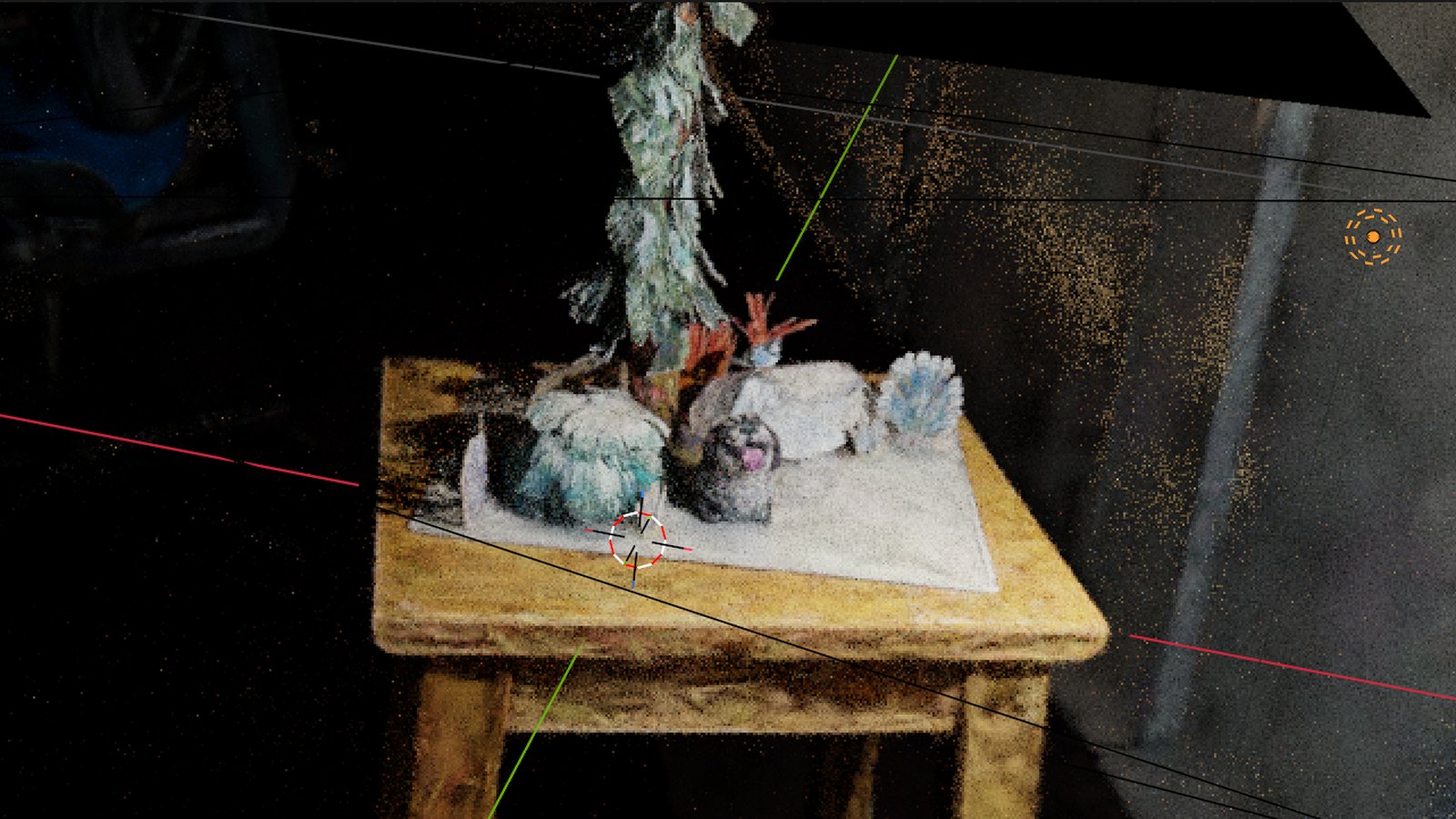
A splat capture in the Blender 5.3 viewport, from the release notes. Image: Blender Foundation.
What landed
The design is simple and worth knowing because it decides what you can do with a splat once it's in the scene. A splat is a point cloud. The PointCloud data-block gains a Type option with two values, Points and 3D Gaussian Splats, and the second one carries extra attributes per point: scale as a vector, rotation as a quaternion, radiance:base holding the base color and opacity, and a radiance:sh_N series for the higher spherical-harmonic bands that make a splat look different from different angles. Because it's a point cloud, geometry nodes can read and write all of that.
Import covers PLY, where the importer detects a splat from the attributes it finds, and every SPZ version up to 4. SPZ files get their coordinate system converted to Blender's up-and-forward convention on the way in, with the caveat in the notes that not every tool writes SPZ the way the spec says, so you may have to rotate. On the geometry-nodes side there's a new Set Point Cloud Type node, a new Import SPZ node, and the Import PLY node now outputs a point cloud when it detects a splat and a mesh otherwise. USD import also picks up the Gaussian splat schema that OpenUSD standardized.
Rendering works in all three engines. By default a splat renders through an emissive shader driven by its radiance attribute, and you don't have to build that material yourself. You can replace it, though, and that's the part with creative consequences. Wire the attribute into a Diffuse BSDF instead and the capture responds to the lights in your scene.
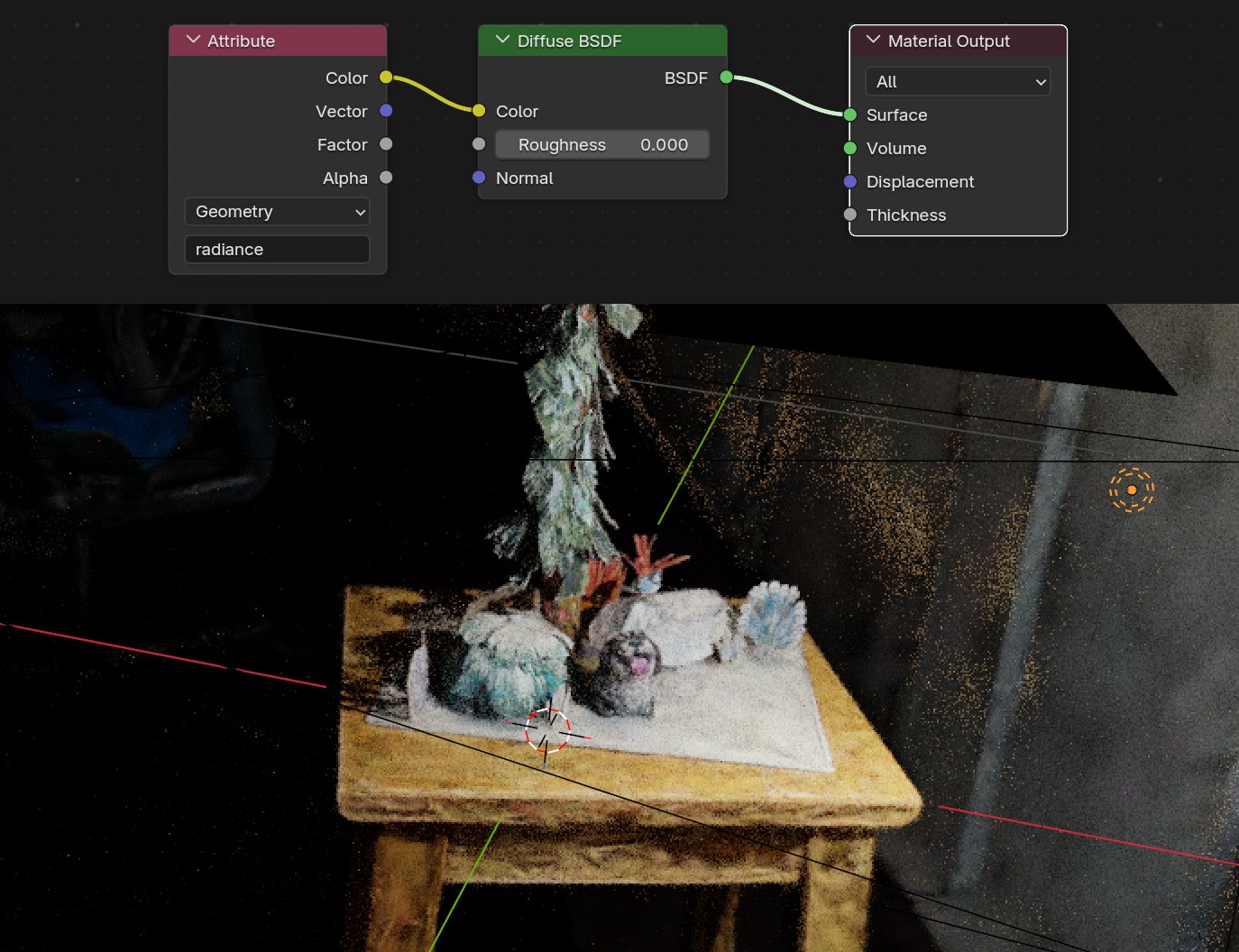
Relighting a capture: the radiance attribute feeds a Diffuse BSDF, so a scene light falls across a scanned table. Image: Blender Foundation.
What didn't
There is no export. A splat goes into Blender and stays there, or renders to pixels. The release notes say so plainly, and the rest of the current limits are documented too: performance isn't where the team wants it, the pipeline assumes sRGB so a low-opacity, high-radiance splat can render wrong in Cycles and EEVEE, and Apply Transform doesn't yet update the scale, rotation, or spherical-harmonic attributes, so baking a transform into a splat corrupts it. The design task set a target of handling ten million points comfortably and then pushing toward a hundred million, and the notes are honest that 5.3 is the first step on that curve rather than the destination.
The design task also says where this is going. The splat point cloud type will eventually change how transforms and rigging behave on the object, which is the first time we've seen a mainstream tool put "rig a splat" on its roadmap. And the format choices line up with the standardization work happening elsewhere: Niantic's SPZ, the Khronos KHR_gaussian_splatting glTF extension, and the OpenUSD schema. Design task #159470.
Why this lands on us
Splats have gone from a research demo to a format with a toolchain in about eighteen months, and this month closed the loop. SuperSplat 3.0 edits them in a browser on WebGPU. PlayCanvas and Babylon.js render them in an engine. Now Blender loads them into the same scene as your meshes and lights them. What's missing is the arrow out of Blender, and the practical route into a web game is still capture, SuperSplat, engine, with Blender used for rendering and look development rather than as a pipeline step.
For the creators who use our Blender add-on, the immediate use is set dressing. Scan a room or a prop, drop it into the scene, light it with your own lights, and render your stills and turntables against something real. Getting that capture into a playable game is a different problem, and the honest state of the art is that a splat is scenery: you can walk past it, you can't collide with it, and you can't rig it. Blender putting rigging on the roadmap is the first sign that the last part may change.
If you're on Blender for game work generally, our Blender 5 for game artists guide covers what changed in the 5.x series, and the add-ons guide lists what still needs an add-on and what doesn't.
References
- Blender: PR #163102, Integration of gaussian splats for IO and rendering
- Blender: 5.3 release notes, Rendering, 3D Gaussian Splats
- Blender: design task #159470, Integration of gaussian splats
- Radiance Fields: Blender 5.3 will bring native 3D Gaussian splat import and rendering
- 80.lv: Blender 5.3 is getting native 3D Gaussian splat support