Series of 8
8 Free Browser Horror Games You Can Play Tonight
Eight free browser horror games on itch.io, from a five-minute survey to an hour-long computer mystery. Creator links, sourced playtimes and content notes.
Try Please Answer Carefully for a five-minute story, Dreader for mouse mazes with flashing imagery, or last seen online for a longer computer mystery. All eight games below have free browser builds on their creators' pages. No download or separate installer is required to start the web version.
Cinevva publishes this guide and operates Arcade.
A scary game can begin with something as ordinary as a web form. That is the attraction of this selection: a small, familiar task gives you a reason to stay long enough for it to become uncomfortable.
Pick by time and type of horror
| Game | What you're getting into |
|---|---|
| Please Answer Carefully | A five-minute survey about stalking |
| Dreader | Short mouse mazes. Photosensitivity warning. |
| Assessment Examination | A 10–15 minute test of who to trust |
| The Open House | A property tour with something wrong inside |
| Exhibit of Sorrows | Circus puzzles and cruelty toward dolls |
| make sure it's closed | A very short garage-door vignette |
| the uncle who works for nintendo | A sleepover story with five endings |
| last seen online | A computer mystery, about an hour |
The exact times above come from creator descriptions. The other games have no precise duration listed. Content notes identify specific warnings we could establish. They aren't a complete account of every disturbing scene or visual effect.
The videos below can reveal puzzles and endings, and may contain flashing or distortion. If you want to discover a story yourself, use the game's title link to play first.
Please Answer Carefully: a survey about stalking
Please Answer Carefully looks like a modest web survey. Its gray page and radio buttons make participation feel almost automatic. The creator, litrouke, uses that familiar routine for a five-minute horror game about stalking.
The opening menu uses the survey's own format. Select an option, then click the arrow to advance. Even asking for the content warning becomes a matter of filling out a form. That small detail gives the interface a character before the story begins.
Read Content warning before choosing Begin game. The mouse handles the interaction, and the creator's five-minute estimate makes this an easy first choice for a brief break.
Dreader: a maze inside a dark room
Photosensitivity warning: the creator warns that Dreader's flashing lights and stripes may be unsuitable for people with photosensitive epilepsy. The gameplay video below includes those effects.
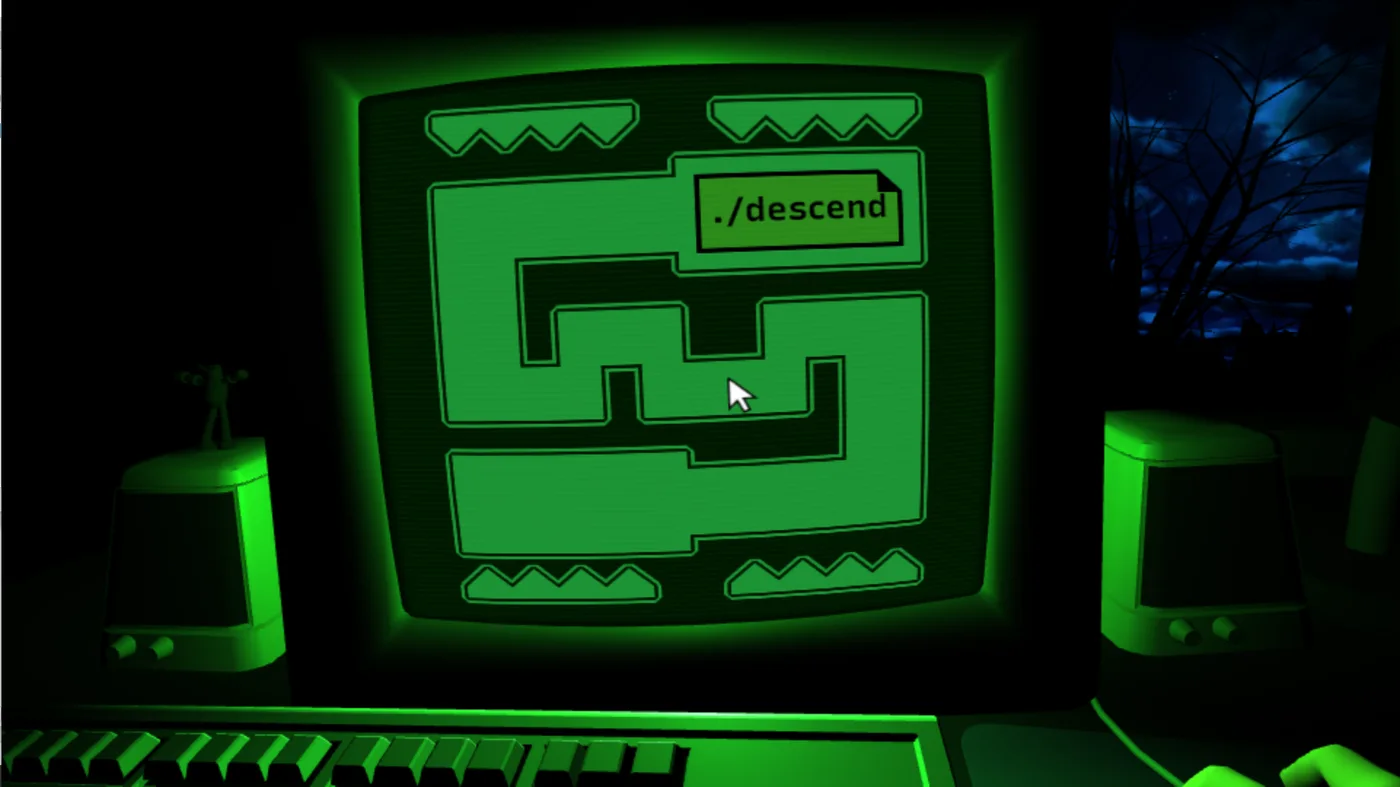
Dreader puts a mouse maze on a green monitor inside a dark room. The creator's screenshot shows the route in the center, with a window still visible beside it. Concentrating on that small task leaves the rest of the room at the edge of your attention.
The controls use only the mouse. Donitz calls it a short game and gives no precise completion time. The narrow route in the screenshot explains its appeal to someone who likes a careful movement challenge.
The cover image shows its visual style without animation. We haven't completed any of these games, so we can't confirm that the other seven avoid similar effects.
Assessment Examination: decide who looks trustworthy
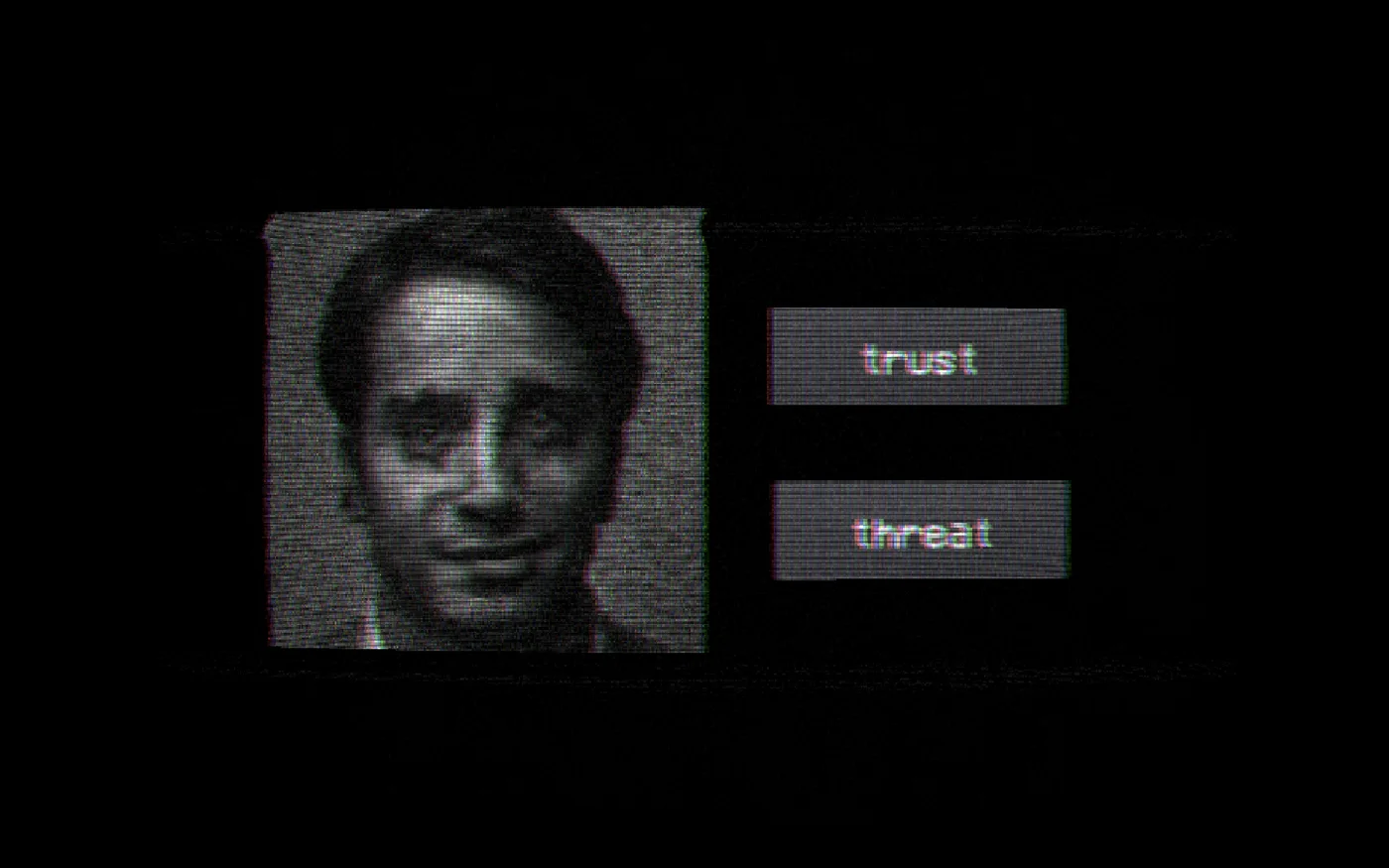
The Authenticity Assessment Department in Assessment Examination would like to test your judgment. Its creator screenshot shows a face beside two choices: trust or threat. The grainy portrait gives you very little information on which to base that decision.
Wenderly Games gives the examination a 10–15 minute running time in its description. It uses mouse input, with F for fullscreen.
The premise suits an appetite for analog horror: an organization has asked you to follow its procedure, and its materials already look questionable. Expect distorted faces and the visual noise of an old recording.
The Open House: take a closer look at the property
The Open House presents itself as a real-estate viewing tool for a house on Hollow Oak Lane. Rooms have labels, the interface offers property information, and the setting gives you a respectable reason to inspect someone else's kitchen.
A virtual tour encourages careful looking. The kitchen screenshot below gives you cupboards to inspect and a view through the sliding door. Labels and an information panel keep the estate agent's presentation in place. That ordinary setting is the reason to choose this one.
The creator flags WebGL compatibility problems, suggesting another browser or the optional standalone version. A separate notice says a segment will display your default system username. It doesn't identify which build that applies to. Read it before streaming, recording or sharing your screen.
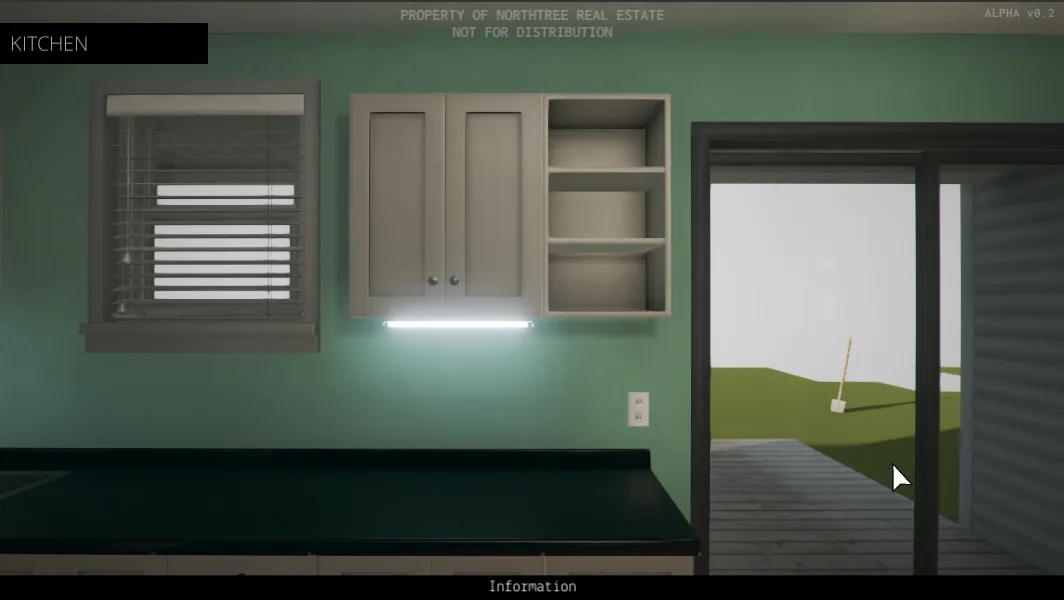
Exhibit of Sorrows: the exhibits need your help
Exhibit of Sorrows welcomes you to a circus display full of interactive dolls. The opening screen has bright decorations and a board of instructions. The mouse operates the exhibits. The story includes cruelty toward dolls.
In a design diary, developer adayofjoy describes operating a pump to earn a key, and explains how unpleasant events follow deliberate player actions. The act of keeping a button held becomes part of the horror.
Artist Theresa Kao developed its children's-book appearance around those mechanics. The illustrated rooms make this a particularly distinctive choice for someone interested in the artwork as well as the puzzle.

make sure it's closed: watch the garage door
make sure it's closed takes a childhood fear and gives it a small place to live: a garage, a parked car and a door that needs closing. The title tells you the job. The open space beyond the door explains why you'd like to finish it.
The creator marks it as an especially short session. Treat it as a tiny horror vignette. Its opening message explains that a faulty fuse can leave the door stuck, giving you a practical reason to stay and watch it close.
The opening recommends headphones. The developer also notes that some browsers can render the lighting too dark, and suggests another browser or the optional standalone version if that happens. Begin with the web build if you want to play without an installer.
the uncle who works for nintendo: stay for the sleepover
You are eleven, staying at your best friend's house. Your friend has impressive games and an uncle who works for Nintendo. He is coming over at midnight. The uncle who works for nintendo takes that familiar playground boast seriously enough to make an evening of it.
The creator lists five endings. The opening warns about extensive sound use, occasional control of browser behavior, and no mobile optimization. Its content notice says there are no jump scares, and flags emotional abuse and possible suicide in some routes. Use a desktop browser and read that notice before starting.
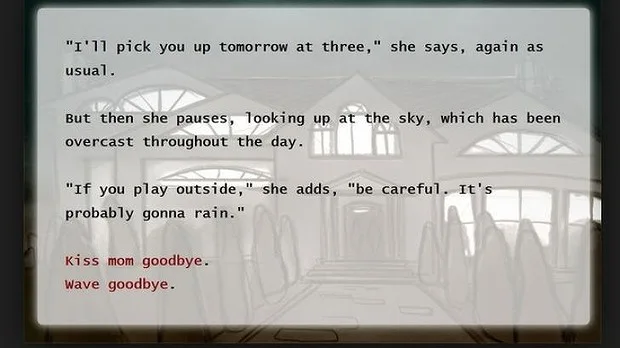
Click through the story's choices and pay attention to the people around you. The creator's opening image has your mother arranging tomorrow's pickup and warning about rain. It is a familiar way to begin an overnight visit.
last seen online: somebody left their computer behind
last seen online starts with an old computer bought at a garage sale. Its previous owner has left files and traces of a life for you to investigate. Qwook and sochinstudio turn that desktop into an escape room, with puzzles hidden among the things you open.
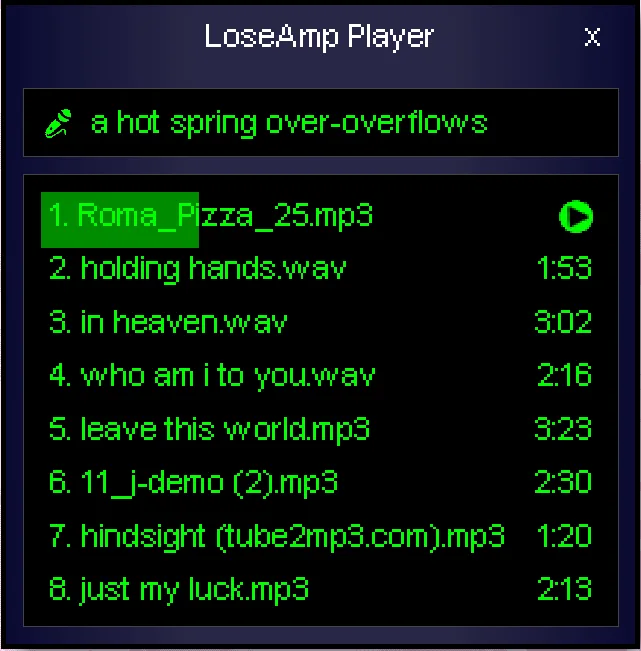
The recreated software gives the mystery its texture. A music player has a playlist with filenames that look personal. A stranger's saved material becomes something you can browse. The creators say every puzzle can be solved using information inside the game.
Set aside about an hour, the session length listed by the creator. A pause menu and saving are documented, along with separate music and sound-volume controls. We didn't test save restoration. The opening warns that it is unsuitable for children or anyone easily disturbed. Keyboard and mouse input is listed, as is touch input, which we haven't tested.
Getting the browser version started
Six of these itch.io pages show Run game or Run examination above the description. Exhibit of Sorrows and the uncle who works for nintendo load directly in the page. A download button farther down may offer a separate desktop build. Support and donation buttons are optional for the linked web versions.
Start with a comfortable sound level before putting on headphones. All eight web builds reached an opening screen in our automated Chromium checks on one Mac. Those checks established desktop launch behavior. Phone compatibility and complete playthroughs remain untested.
Series of 8
This is part of Cinevva's Series of 8, with eight picks in each guide. For a change of mood or a game to share, try:
- Multiplayer browser games to play with friends
- Free games for a Chromebook
- Cozy browser games for a quiet break
- Free game websites, compared
Our broader free browser games selection is the starting guide for other genres.
Creator information and opening screens checked November 21, 2026. Videos sampled November 22, without complete viewings. Video labels follow the uploaders' titles and descriptions. Game descriptions draw on creator pages, published images and the limited opening interactions noted above.