How to Optimize GLB Files for the Web: Draco, Meshopt, and KTX2 (2026)
Last updated: September 2026.
To optimize a GLB for the web, work in this order: shrink the textures first (cap them at 1024 or 2048, re-encode as WebP for download size or KTX2 for GPU memory), quantize the vertex data, compress the geometry with Meshopt (or Draco when the last few hundred kilobytes matter more than decode time), simplify the mesh if the triangle count is still silly, then prune, dedupe and join what's left. One command does most of it: gltf-transform optimize in.glb out.glb --texture-compress webp. The order matters because textures are usually 80 percent or more of the file and all of the video memory.
Quick answer
- Texture-heavy model (most models): resize to 1024 or 2048, then
gltf-transform webp. If it stutters or crashes on phones, convert to KTX2 instead, in the browser with the KTX2 compressor or withgltf-transform etc1s/uastc. - Geometry-heavy model (scans, CAD, AI-generated):
gltf-transform simplify, thenmeshopt. Draco compresses a bit smaller but decodes slower and needs a ten times larger decoder. - Animated character: Meshopt, not Draco. Draco leaves animation tracks and morph targets untouched.
- File has to open in an engine you don't control:
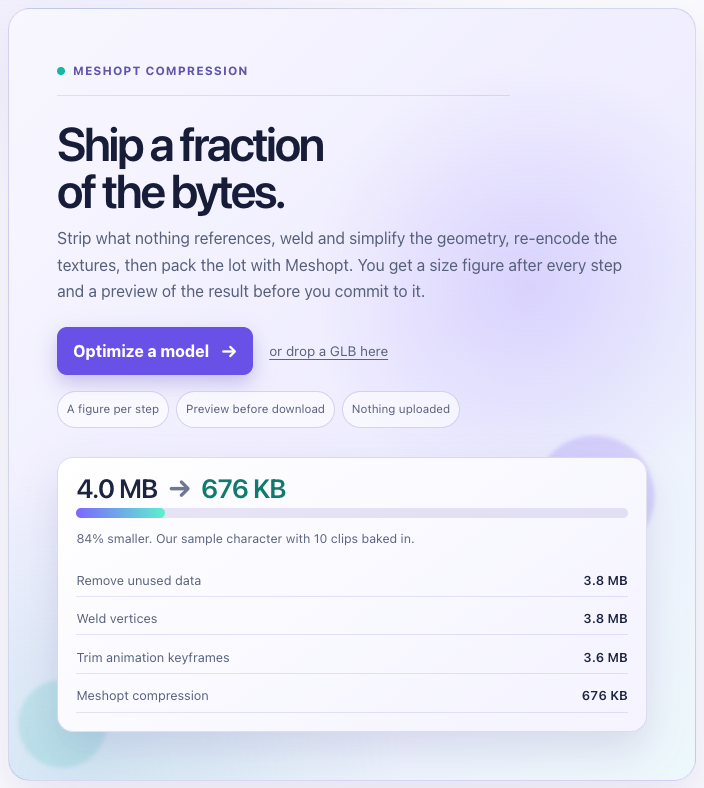
gltf-transform quantize. No decoder, onlyKHR_mesh_quantization, which every loader here reads. - No terminal: the GLB optimizer runs prune, weld, join, simplify, texture resizing to WebP and Meshopt in your browser with a size readout per step.
Quick reference
| Quantization only | Meshopt | Draco | |
|---|---|---|---|
| Extension | KHR_mesh_quantization | EXT_meshopt_compression (+ quantization) | KHR_draco_mesh_compression |
| What it compresses | Vertex attributes (fewer bits) | Vertices, indices, morph targets, animation | Triangle-mesh geometry only |
| Size on our 28 MB test model | 22.8 MB (8.1 MB gzipped) | 5.1 MB (3.3 MB gzipped) | 2.6 MB (2.5 MB gzipped) |
| Decoder | None | 32 KB JS module with inline WASM | 192 to 286 KB WASM plus 58 KB wrapper, 719 KB JS fallback |
| Decode speed | Instant, the GPU reads it directly | About 1 GB/s with WASM SIMD, per the spec | Considerably slower than Meshopt, per glTF-Transform docs |
| Needs gzip/brotli on the server | Helps a lot | Yes, designed for it | Little gain |
| Loaders | three.js, Babylon.js, PlayCanvas, glTFast | three.js r122+, Babylon.js 5.0+, glTFast (extra package), not PlayCanvas | three.js, Babylon.js, PlayCanvas, glTFast (extra package) |
The same numbers as bars, with the gltfpack and simplify results from the bake-off alongside.
Where the bytes go in a GLB
Run gltf-transform inspect model.glb before anything else. It lists every mesh with vertex count and attribute types, every texture with its encoded size and gpuSize, and every animation with its keyframe count. The numbers in this guide come from the tool docs and extension specs plus a bake-off we ran this week with gltf-transform 4.5.0 and gltfpack 1.2 on two real files, and they show the two shapes you'll meet.
A 2.2 MB Sketchfab prop (a low-poly cup) had 680 triangles and 39 KB of geometry. The other 2.18 MB was three 1024×1024 PNGs, so textures were 98 percent of the file, and inspect estimated 5.59 MB of VRAM for each once mipmapped. That's the common case for hand-made assets.
A 28.7 MB TRELLIS.2 output was the opposite: 978,226 triangles and 27.5 MB of float32 geometry with only 1.1 MB of textures. But those two textures were 4096×4096, which inspect puts at 89.5 MB of VRAM each. Models from the 3D model generator and its peers routinely arrive like this, dense and over-textured, so they need the geometry steps as well as the texture steps.
Note that encoded texture size and GPU size are unrelated. A 4 MB PNG and a 200 KB WebP of the same 2048×2048 image both become about 22 MB in video memory, raw pixels plus mipmaps. Only KTX2 changes that number.
The six steps below run in this order because each one shrinks what the next has to work on.
Step 1: textures
Two separate problems, two separate fixes.
Download size is fixed by resizing and re-encoding. Few props need more than 1024×1024, and a hero character rarely needs more than 2048. gltf-transform resize --width 1024 --height 1024 caps dimensions without ever upscaling, and gltf-transform webp re-encodes with sharp. On the cup, WebP alone took the file from 2.23 MB to 246 KB. Resizing to 512 first took it to 96 KB with no visible change on a prop that size. WebP needs EXT_texture_webp, which the web engines read and Unity's glTFast does not (its feature table says it "will not become supported").
GPU memory and upload time are fixed only by KTX2 with Basis Universal supercompression, which keeps the texture in a GPU block format all the way into VRAM at 4 to 8 times less memory than raw RGBA. It gets its own section below because the settings matter.
One caution from the bake-off: gltf-transform optimize defaults to --texture-compress auto, which re-encodes textures in their original format. On the cup that made the PNGs larger and the file grew from 2.2 MB to 2.8 MB. Pass webp or ktx2 explicitly.
Step 2: quantize
Quantization stores each vertex attribute in fewer bits. A position goes from three 32-bit floats to three 16-bit integers with the scale and offset folded into the node transform (or into inverseBindMatrices for skinned meshes). The KHR_mesh_quantization spec puts a typical vertex at roughly 20 bytes instead of 48. It's a ratified Khronos extension with no decoder: the GPU reads the integer attributes directly, so quantized files are cheaper in VRAM as well as on the wire.
glTF-Transform's defaults are 14 bits for positions, 10 for normals and tangents, 12 for UVs, 8 for colors and weights. gltfpack's are 14, 8, 12 and 8. Both are invisible except on a giant single mesh, where 14 bits across the whole extent can show as faceting. Alone, quantization is modest: our 28 MB model dropped to 22.8 MB raw and 8.1 MB gzipped. Its real job is to be the first half of Meshopt, and the safe output when the destination loader is uncertain. Draco quantizes internally with the same defaults, so don't run quantize before draco.
Step 3: Meshopt or Draco
Both are lossy geometry codecs that decode to plain buffers before GPU upload, so neither makes the model render faster. They shrink the download. The differences are what they compress, how fast they decode, and how much decoder you ship.
Meshopt (EXT_meshopt_compression) works at the bufferView level, so vertex attributes, indices, morph target deltas and animation keyframes all get compressed. It's designed to sit on top of quantization and under gzip or brotli: the codec makes the bytes regular and the CDN's general-purpose compressor does the rest. The spec quotes decode speeds around 1 GB/s with WebAssembly SIMD, and the three.js decoder is a single 32 KB module. On the test model: 5.1 MB raw, 3.3 MB gzipped, at the default --level high.
Draco (KHR_draco_mesh_compression) compresses triangle-mesh primitives only. Animation, morph targets, points and lines pass through untouched. It compresses harder, 2.6 MB on the same model, and gzip barely helps because the output is already dense. The cost is decode time and decoder weight: glTF-Transform's docs say plainly that Meshopt decoding is considerably faster, and the WASM decoder three.js bundles is 286 KB (192 KB for the glTF-branch build) plus a 58 KB wrapper, with a 719 KB JavaScript fallback. Draco also reorders and can change the number of vertices.
So: Meshopt for anything animated, anything with morph targets, anything where load time on a phone is the point, and anything served with brotli on. Draco when the asset is a static mesh, geometry dominates, and 20 to 30 percent off the wire is worth a slower first frame. Not sure? Meshopt. gltfpack's -cc (Meshopt in its stronger mode) landed at 4.4 MB raw and 3.1 MB gzipped on the same file.
Step 4: simplify
If the model is still large after compression, it has too many triangles, and no codec fixes that. Both tools use the meshoptimizer simplifier, which takes a target ratio and an error bound and stops at whichever it hits first.
gltf-transform simplify --ratio 0.25 --error 0.01 aims for 25 percent of the vertices within 1 percent of the mesh radius of deviation. On the 978k-triangle model that gave 244,556 triangles and 8.1 MB before compression, identical at game distance. The optimize defaults are more aggressive than you'd guess: --simplify-ratio 0 with --simplify-error 0.0001, meaning "remove as much as possible within 0.01 percent error". On the same over-tessellated model that collapsed it to 6,582 triangles, because the generator had spent nearly a million triangles on flat surfaces. Weld before simplifying (optimize does), because split vertices stop the simplifier at seams.
gltfpack's -si 0.25 is the same idea, with -se 0.01 as the default error limit, -sa to hit the ratio regardless of quality, and -slb to lock border vertices so modular meshes don't open gaps. Hard-surface props tolerate 50 percent easily, scanned and AI-generated meshes usually tolerate 90 percent removal, and rigged characters need care near joints because collapsing vertices also collapses skin weights.
Step 5: prune, dedupe, join, instance
These are free wins and optimize runs all of them. prune removes materials, textures, accessors and nodes nothing references, and converts single-colour textures into material factors. dedup merges identical accessors and textures an exporter wrote twice. flatten collapses the hierarchy and join merges meshes that share a material, which is what turns 200 draw calls into a handful. instance (from 5 copies up) converts repeated meshes into EXT_mesh_gpu_instancing, and palette merges materials that differ only in colour.
Don't join or flatten a rigged character or anything your game moves in parts, because the parts vanish into one mesh. gltfpack's escape is -kn (keep named nodes) and -km (keep named materials).
Step 6: animation
Exporters often bake a keyframe on every frame. gltf-transform resample drops keyframes that sit on the line between their neighbours (tolerance 1e-4 by default), which is lossless in practice. gltfpack's -af 30 resamples every track at 30 Hz and quantizes translations to 16 bits, rotations to 12 and scale to 16 (-at, -ar, -as) before Meshopt compresses them. On a typical character with a handful of clips this is a small step. On a motion library it can be most of the bytes.
The command lines
glTF-Transform's CLI is npm install --global @gltf-transform/cli, or npx @gltf-transform/cli. One shot:
gltf-transform optimize in.glb out.glb --texture-compress webp --texture-size 1024That runs, in order, dedup, instance, palette, flatten, join, weld, simplify (ratio 0, error 0.0001), resample, prune, sparse, texture compression at a 1024 cap, and Meshopt at level high. Add --compress draco for Draco, --compress quantize for quantization only, --no-join --no-flatten for rigged or articulated models, --simplify false if the silhouette matters more than the bytes, and --texture-compress ktx2 if KTX-Software is installed.
The individual steps when you want control:
gltf-transform inspect in.glb
gltf-transform resize in.glb a.glb --width 1024 --height 1024
gltf-transform webp a.glb b.glb --quality 80
gltf-transform weld b.glb c.glb
gltf-transform simplify c.glb d.glb --ratio 0.5 --error 0.001
gltf-transform meshopt d.glb out.glb --level high
Swap the last line for gltf-transform draco d.glb out.glb (--encode-speed and --decode-speed run 0 to 10, default 5, lower is smaller) or gltf-transform quantize d.glb out.glb.
gltfpack is npm install -g gltfpack or a native binary from the meshoptimizer releases, which the README recommends for large files. Its defaults already quantize, optimize vertex order for the GPU cache and merge meshes:
gltfpack -i in.glb -o out.glb -cc -si 0.5 -tw -tl 1024 -kn-cc is Meshopt in the higher compression mode (-c is the fast mode, -cf adds an uncompressed fallback for loaders without the decoder). -si 0.5 halves the triangles within -se 0.01. -tw converts textures to WebP and -tl 1024 caps their size. -kn keeps named nodes. For KTX2 swap -tw for -tc (ETC1S) or -tc -tu (UASTC), which needs a gltfpack build with Basis Universal linked in.
If neither CLI is an option, the browser tool runs the same sequence.
KTX2: ETC1S or UASTC
KTX2 is Khronos's container for GPU textures. With Basis Universal supercompression the texture is transcoded at load time to whatever block format the device has (BC on desktop, ASTC or ETC2 on mobile) and stays compressed in memory. The glTF extension is KHR_texture_basisu.
Basis has two modes. ETC1S is the small one: the Basis README puts it at roughly 0.3 to 3 bits per pixel on disk with a JPEG-like quality dial (1 to 255, default 128), and it lands in memory at 4 bits per pixel in formats like BC1 and ETC1. Use it for base colour on props. UASTC is the quality one: 8 bits per pixel in memory, a 19-mode subset of ASTC 4×4, quality levels 0 to 4 (default 2, which glTF-Transform's help lists at 47.47 dB). UASTC files are large on disk, so pair them with Zstandard: glTF-Transform's uastc defaults to --zstd 18, and ktx create --zstd takes 1 to 22.
The arithmetic for a 2048×2048 texture with mipmaps: about 22 MB as RGBA8, about 5.6 MB as UASTC, about 2.8 MB as ETC1S transcoded to a 4 bpp format.
Three rules bite. Normal and data maps want UASTC and linear. glTF-Transform warns that RGB normal maps and occlusion/roughness/metalness maps can look bad under ETC1S, and the spec requires colour textures tagged sRGB and non-colour data tagged linear. glTF-Transform sets that per slot for you. In the KTX2 compressor it's the sRGB toggle, on for colour, off for normal and data maps. Dimensions must be multiples of 4, powers of two recommended. Generate mipmaps. The spec says a KTX2 used with mipmapped minification should carry the full pyramid, or the engine has to decompress and build them at runtime. Mipmaps are on by default in glTF-Transform and the browser tool, and --generate-mipmap in ktx create.
The glTF-Transform commands need the ktx binary from KTX-Software, 4.4.0 or later:
gltf-transform uastc in.glb a.glb --level 2 --zstd 18 --slots "{normalTexture,occlusionTexture,metallicRoughnessTexture}"
gltf-transform etc1s a.glb out.glb --quality 128
UASTC on the data slots first, ETC1S on the rest. That split, ETC1S for base colour and emissive and UASTC for normals and ORM, is the usual one.
Loading the result
Every codec except quantization needs a decoder on the client.
three.js. GLTFLoader reads KHR_mesh_quantization and EXT_texture_webp with no setup. For the others you attach decoders, which ship in the three package under examples/jsm/libs/ as draco/, basis/ and meshopt_decoder.module.js. Copy draco/ and basis/ to a public path, then:
import { GLTFLoader } from 'three/addons/loaders/GLTFLoader.js'
import { DRACOLoader } from 'three/addons/loaders/DRACOLoader.js'
import { KTX2Loader } from 'three/addons/loaders/KTX2Loader.js'
import { MeshoptDecoder } from 'three/addons/libs/meshopt_decoder.module.js'

const draco = new DRACOLoader().setDecoderPath('/libs/draco/')
const ktx2 = new KTX2Loader().setTranscoderPath('/libs/basis/').detectSupport(renderer)
const loader = new GLTFLoader()
  .setDRACOLoader(draco)
  .setKTX2Loader(ktx2)
  .setMeshoptDecoder(MeshoptDecoder)
DRACOLoader picks the WASM decoder when the browser supports it and falls back to JS. detectSupport(renderer) lets KTX2Loader choose the transcode target for the device's GPU.
Babylon.js. The glTF loader handles Draco, Meshopt (since 5.0, no setup) and KTX2 by downloading decoders from https://cdn.babylonjs.com and running them in web workers. To self-host, set Tools.CDNBaseUrl, or point the individual configs: DracoDecoder.DefaultConfiguration (wasmUrl, wasmBinaryUrl, fallbackUrl), MeshoptCompression.Configuration.decoder.url, and KhronosTextureContainer2.URLConfig for the KTX2 transcoder set. With npm, @babylonjs/ktx2decoder bundles the transcoders.
PlayCanvas. Draco is configured with dracoInitialize({ jsUrl, wasmUrl, numWorkers, lazyInit }), and the Editor can Draco-compress at import. KTX2 goes through basisInitialize({ glueUrl, wasmUrl, fallbackUrl }). EXT_meshopt_compression is not in the GLB parser as of engine 2.x (the 2020 feature request is still open), so for PlayCanvas pick Draco or quantization-only output.
Unity. The official importer is glTFast (com.unity.cloud.gltfast). KHR_mesh_quantization works out of the box, Draco needs com.unity.cloud.draco, KTX2 needs com.unity.cloud.ktx, and Meshopt needs com.unity.meshopt.decompress. WebP is unsupported by design, so for a Unity target use KTX2.
Targets for a mobile web game
There's no spec for this, but there are numbers that keep phones happy. Keep the whole first scene under about 10 MB over the wire and stream the rest (the streaming asset loading tutorial covers the tiers and the code). Keep texture VRAM under 150 to 200 MB, which is four or five 2048 textures as RGBA8 or thirty as ETC1S. Keep props under 5,000 triangles, a hero character under 30,000 to 50,000, and draw calls in the low hundreds. Use 1024 textures for props and 2048 only for what the camera gets close to. Serve GLBs with brotli or gzip on, because Meshopt and quantized output rely on it.
Verify before you ship
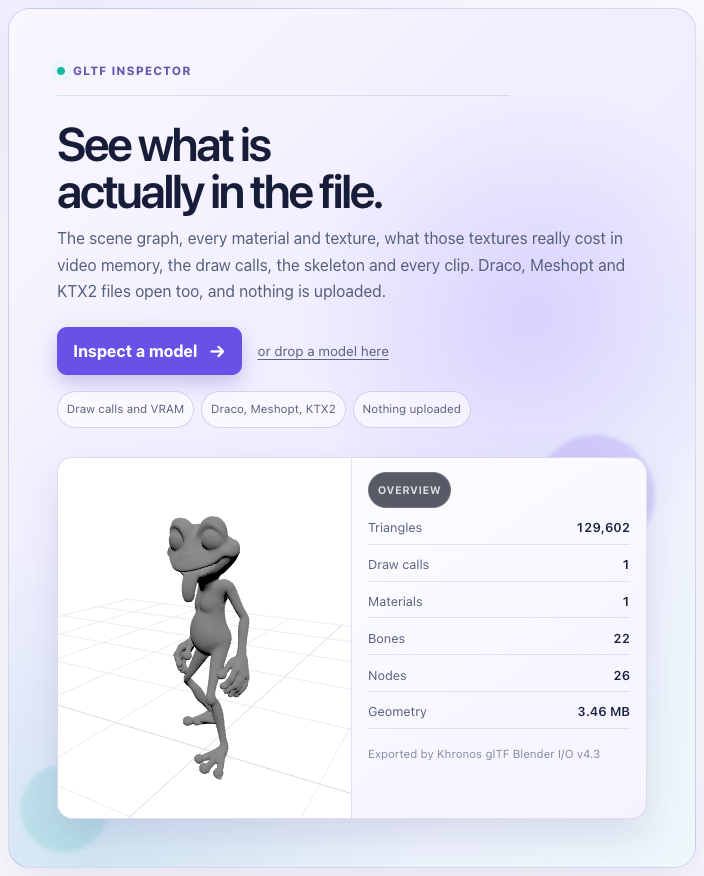
File size is the easy number. Open the result in the GLB viewer and read the rest: the Extensions panel confirms EXT_meshopt_compression, KHR_draco_mesh_compression or KHR_texture_basisu actually made it into the file, the Textures tab lists each texture with its real VRAM cost largest first, and the status bar shows live draw calls and triangle count. Then check silhouettes and UV seams for simplification artefacts at the distance the player sees them, and play any animations to make sure joining didn't fuse a part that should move. If the source wasn't a GLB to begin with, run the FBX or OBJ through the FBX to GLB converter first, so you're compressing the file you'll actually load.
Common Questions
How do I reduce GLB file size?
Run gltf-transform inspect to see whether textures or geometry dominate. If textures, resize to 1024 or 2048 and convert to WebP or KTX2. If geometry, simplify and then compress with Meshopt or Draco. gltf-transform optimize in.glb out.glb --texture-compress webp does the whole sequence, and the browser GLB optimizer does it with no install.
Draco vs Meshopt: which is better?
Meshopt for most web games. It decodes far faster, ships a 32 KB decoder instead of a few hundred kilobytes of WASM, and compresses animation and morph targets, which Draco skips. Draco produces smaller files for static meshes (2.6 MB against 3.3 MB gzipped on our 28 MB test model) and is the one PlayCanvas supports, so it wins when the asset is a static scan and geometry is most of the bytes.
What is KTX2 and how is it different from Basis?
Basis Universal is the compression codec, with two modes, ETC1S and UASTC. KTX2 is the Khronos container file that holds Basis-compressed texture data plus mipmaps and metadata, and it's what glTF references through KHR_texture_basisu. Older pipelines used a bare .basis file. Use .ktx2.
Should I use ETC1S or UASTC?
ETC1S for base colour and anything not seen up close: small files and 4 bits per pixel in VRAM. UASTC for normal maps, roughness/metalness/occlusion and hero textures, with Zstandard supercompression on so the download stays reasonable. Tag colour textures sRGB and data textures linear, or the normals will shade wrong.
How do I compress glTF textures?
For download size, gltf-transform resize then gltf-transform webp. For GPU memory, gltf-transform etc1s or uastc with KTX-Software installed, or drop the PNGs on the KTX2 compressor. Cap dimensions first either way: a 4096 texture is 89 MB of VRAM as RGBA8 and there's almost never a reason to ship one in a browser.
Why is my GLB too large for three.js on mobile?
Usually it isn't the file size, it's texture memory. Four 2048 RGBA textures are about 90 MB of VRAM before the scene has drawn anything, and phone browsers kill the tab past a few hundred. Convert to KTX2 so textures stay compressed on the GPU, cap them at 1024 where you can, and call KTX2Loader.detectSupport(renderer) so it transcodes to the device's format.
Does gltfpack do the same thing as gltf-transform?
Mostly. gltfpack is a single native binary from the meshoptimizer project that quantizes, reorders vertices for the GPU cache, merges meshes and Meshopt-compresses by default. glTF-Transform is a Node library and CLI with the same operations as separate scriptable steps, plus Draco output, which gltfpack doesn't write. On our test file their Meshopt outputs landed within about 10 percent of each other.
Related
- Streaming asset loading for web games: tiers, priority queues and progress bars for the files you just shrank
- Web Games Tech Stack in 2026: WebGL, WebGPU, Wasm and asset formats at the API level
- Free 3D Model Sites: where the models come from, and why they arrive heavy
- Best AI 3D Model Generators: what the generators output and how dense it is
- Three.js vs Babylon.js: both load Draco, Meshopt and KTX2, with different setup
- PlayCanvas vs Three.js: engine versus library, including asset pipelines