Appearance
Skip to content
Arcade › Life Prompt
Life Prompt
How to play
Click the game above and it runs right here in your browser. No download, no installer, no account needed. njdewitt13 built it with Cinevva, so it works on a phone or a tablet too.
Discussion
Nobody has said anything about Life Prompt yet. Play it, then tell njdewitt13 what you would add next.
Make your own game
Life Prompt was built by njdewitt13 with the Cinevva game creator: describe the game you want in chat, watch it get built, and play it in your browser minutes later.
Remix Life Prompt opens the real game in the creator and forks its actual files, chat and design doc, so you start from the code rather than from a description.
Read the build brief for Life Prompt
Cinevva's analyzer read this game's design doc and its source, then wrote the brief below. "Make your own" hands it to the game creator as your opening message, so you start from a real spec rather than a one-line idea.
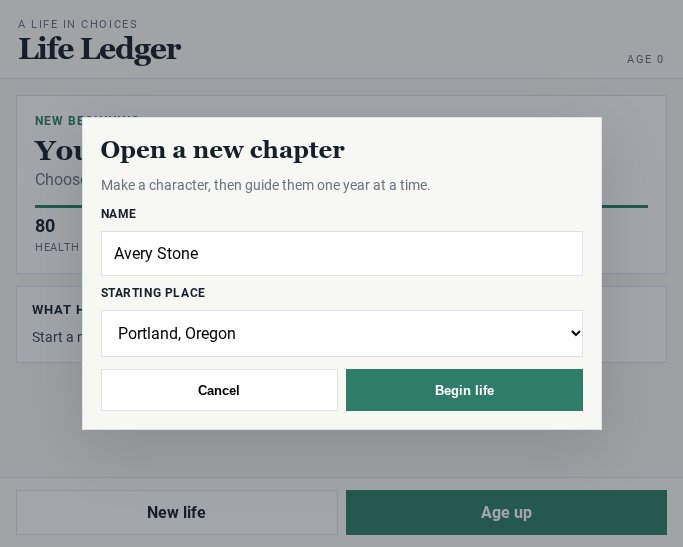
Create a responsive single-page terminal-style life simulator called “Life Prompt.” It should be an original choice-driven life game, not using BitLife branding or assets. Use a dark almost-black green background with subtle green radial glow and horizontal CRT scanlines. Center the app in a narrow mobile-friendly layout, with thin glowing neon-green borders, translucent dark panels, and a retro monospace/terminal visual style. Use a large bright green pixel/terminal heading “Life Prompt” at the top. Under it show a randomly generated citizen identity in muted green, formatted like “Quinn · Age 0 · Terminal Falls,” using first names from Alex, Sam, Riley, Jordan, Casey, Morgan, Taylor, Avery, Quinn, Sky and cities such as Pixelton, Byte Bay, Loop City, Terminal Falls, Sprite Harbor, and Vector Vale.

At startup create a new citizen at age 0. Initialize Health around 85–94, Happiness around 70–85, Smarts around 35–65, Popularity around 25–55, Karma around 45–64, and Money at $0. Display six stats in bordered cards: Health, Happy, Smarts, Popular as green horizontal percentage bars; Karma as another green bar; and Money as gold dollar text. On desktop arrange the stats in four columns; on small screens use two columns. Below the stats, show a large scrollable terminal log panel with large retro monospace text and entries prefixed with “> TAG:”. The initial log must say the citizen file was created and prompt the player to tap AGE UP to advance one year, explaining choices change stats and the ending. Keep the log scrolled to the newest entry and retain up to roughly 42 entries.

The main control is a large bright-green rectangular “AGE UP ↵” button in the header. Clicking/tapping it, or pressing Enter, advances exactly one year. While aging: increase age by 1; before age 45 health generally stays stable, from 45–69 reduce health by 1 each year, and from 70 onward reduce health by 3, with a 25% chance of a small health recovery. Randomly vary happiness by about -2 to +2. From age 18 onward add yearly money based on smarts and popularity (approximately (smarts + popularity) / 7). Add an “AGE” log entry. There is a 28% chance each year for a random background event such as catching a seasonal bug (health loss), receiving forgotten savings (money gain), making a new friend (happiness and popularity gain), staying up reading (smarts gain and health loss), helping with groceries (karma gain), or stepping on a toy brick (health and happiness loss), and log its effects.

After aging, sometimes present a choice event: do so on every even age or with roughly 45% probability on odd ages, unless the life has ended. Select age-appropriate authored situations from childhood (ages 0–6), school (7–12), teen years (13–18), young work (16–24), early adulthood (18–35), adult life (25–45), middle age (35–60), later middle age (45–70), senior years (60–90), legacy years (70–120), plus general surprises from ages 1–120. Include a large library of humorous original situations. Examples include finding a toy phone, eating a mystery cafeteria cube, starting a garage band with one spoon, applying for a part-time arcade job, choosing between a startup job/college/freelancing/travel, speaking at a sandwich conference, rescuing a cat from an average tree, rediscovering an abandoned project, or giving life advice to a kid. Also include many additional short situations such as talent shows, haunted backpacks, group projects, cracked phones, side hustles, rent and bills, presentations, mentoring, promotions, health checkups, career changes, old photos, community events, grandkids and legacy questions.

Each choice event must show the event text in the log and provide exactly four choice buttons, arranged two columns on wider screens and one column on mobile. Choice labels should be humorous and concise. Disable the AGE UP button while choices are pending and change its label to “CHOOSE...”. When the player selects a choice, apply its effects to Health, Happiness, Smarts, Popularity, Karma, and/or Money; clamp the five stat bars to 0–100 and never let money go below zero. Log the selected choice under “YOU” and a colorful “RESULT” line with the humorous consequence and bracketed signed effects, such as “[+5 smarts, -2 health].” Use green for positive results, red for negative results, muted green for system messages, and bright green for prompts. Once resolved, clear the choice buttons and restore “AGE UP ↵”.

End the life when health reaches 0, age reaches 100, or an old-age risk check succeeds after age 75, where risk increases approximately 1.2 percentage points per year past 75. On death, close the file: disable aging, change the button to “FILE CLOSED,” hide the choices, and show a “New Life” button in the footer. Add an END log line and calculate a final legacy score as money/10 + happiness + smarts + popularity + karma + health. Show one of these titles based on score: “Legend of the Terminal” for over 420, “Beloved Problem Solver” for over 330, “Comfortable Chaos Agent” for over 250, “Ordinary Sprite” for over 180, otherwise “Local Mystery.” Log the title, final score, and net worth. The New Life button or pressing R after death starts a fresh randomized citizen.

The footer should contain muted-green text: “Original Scratch-style life sim — not using BitLife assets or branding.” Use crisp rectangular controls, no rounded corners, green borders, accessible large tap targets, and a high-contrast retro UI. Implement with plain index.html/CSS/JavaScript and no build step. Expose window.getGameState() returning a copy of the game state and window.setGameState(patch) for applying debug/state patches, while preserving the visible behavior and stat clamping.