AI Skybox Generator: 360° Backgrounds for Games and VR
Generate stunning 360° environment skyboxes for games, VR experiences, and 3D scenes.
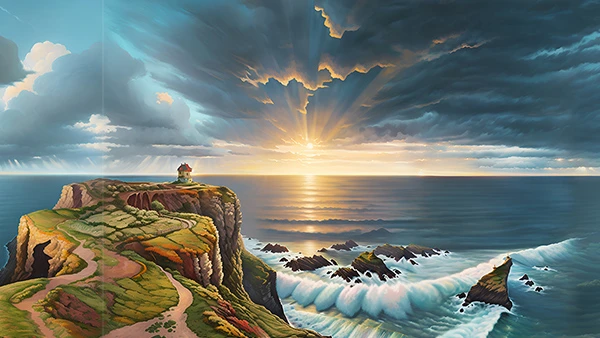
Sign in to Generate Skyboxes
Create stunning 360° skyboxes for your games and projects.
Features
- 8K Resolution — High-quality output suitable for production use
- Multiple Styles — Choose from various artistic styles
- Depth Maps — Included for parallax effects and 3D integration
Tips for Best Results
- Describe the environment, time of day, and weather
- Include mood and atmosphere details
- Mention specific elements you want to see (mountains, clouds, buildings)
Example Prompts
- "Sunset over a calm ocean with scattered clouds and distant islands"
- "Cyberpunk city at night with neon signs and flying vehicles"
- "Snowy mountain peaks under a clear blue sky"
Create a 360° background for a 3D scene
A skybox surrounds the camera with an environment image. It works well for distant skies, mountains and atmosphere that do not need to be modeled as nearby objects. It does not replace the geometry a player walks on or interacts with.
- Describe the environment, time of day, lighting and visual style.
- Generate the skybox and inspect the panorama in the preview, including the horizon and the join behind the camera.
- Download the environment image and, when provided, the depth map. Import the panorama using your engine's sky or environment settings.
Try: “A quiet desert at dusk, distant sandstone mesas, a low warm horizon, clear purple sky, no nearby objects.” Keep prominent objects away from the camera if you want the background to feel distant.
Is the result a 3D world?
The environment image is a panoramic background. A depth map can help with supported depth effects, but it is not a complete mesh with collision or walkable surfaces. Use the 3D model generator for individual objects and game assets for scene geometry.
Will every engine accept the download directly?
Sky and environment import settings differ by engine. Check whether your project expects a panorama or cubemap and convert if necessary. Preview the scene on your target device; a large background image can increase download size and texture memory. For a regular flat illustration, use the image generator.
Access, credits and commercial use
Sign in to generate and check the cost shown in the tool before submitting a request. See plans and pricing for your allowance and commercial-use terms, and the AI content policy for how Cinevva handles generated content. Use input material you have permission to use and review the result before publishing it.