Maxon Review lets collaborators mark up 3D models in a browser
Maxon’s public preview attaches feedback to a 3D model and its camera view. Creators need Maxon Plus, while collaborators can view for free.
Maxon opened the public preview of Maxon Review on November 23. You can send a collaborator a 3D model, let them rotate it in a browser and receive feedback pinned to the part they're discussing. For a character artist working with an art director, that keeps a note about a face or costume attached to the view that prompted it.
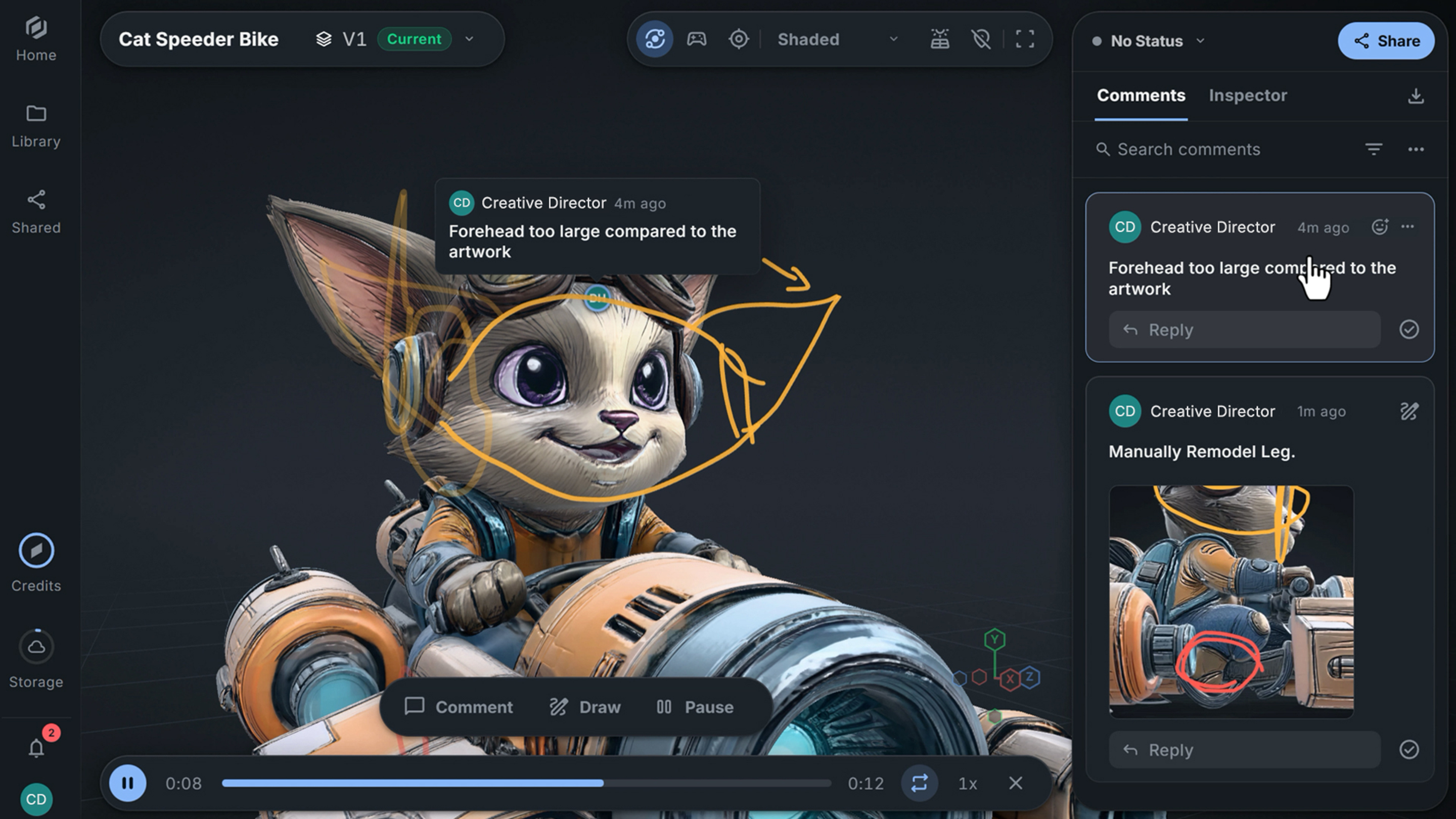
The browser viewer includes wireframe and UV-checker modes, material inspection and an object tree for isolating parts. Reviewers can draw on the model. Uploaded revisions retain comments and can be compared side by side. In Cinema 4D, a comment restores the camera view and viewport annotations used by the reviewer. ZBrush desktop shows feedback in a floating window, according to the launch announcement.
What the preview requires
Creating reviews requires Maxon Plus, a separate subscription starting at $10 or €10 a month. It isn't included in Cinema 4D, ZBrush or Maxon One. Collaborators can view for free and need a free Maxon account to comment. They don't need a 3D application or paid subscription.
Review uses no credits during the public preview, though uploaded media counts toward storage. Maxon says storage allowances may change and plans credit consumption for external collaboration after preview. Those terms matter if you're considering it for an ongoing client workflow.
The upload FAQ lists GLB, glTF, FBX, OBJ, STL and USD formats. Native .c4d and .zbr files can't be uploaded directly. Use the review panel in Cinema 4D or ZBrush to send a web-compatible version, or export a supported format from another 3D tool. You can use Review without using Maxon Plus's separate AI model and texture generators.