Ensō 1.1 brings new anime shading nodes to its free Blender build
Ensō Engine 1.1 is now free to download for Windows. See its new eye-depth control in action, and check what happens when a project returns to regular Blender.
Mix 3D Design opened Ensō Engine 1.1 to everyone on November 20, after a week of early access for Patreon members. The free Windows build of Blender 5.3 adds 18 native nodes for anime-style shading, bringing its total to 25. For artists rendering character portraits, animation or game trailers, that puts more control over eyes, face shadows and hair directly in the shader editor.
The new Eye Parallax node shifts the iris texture behind the eye’s surface, giving a flat anime eye an impression of depth as the view moves. Light Select lets you choose which light shades a material, so a face and its hair can respond to different lights. Face Shadow adds controllable face shading, with Bake Face Map to turn it into a texture.
Check the file before handing it over
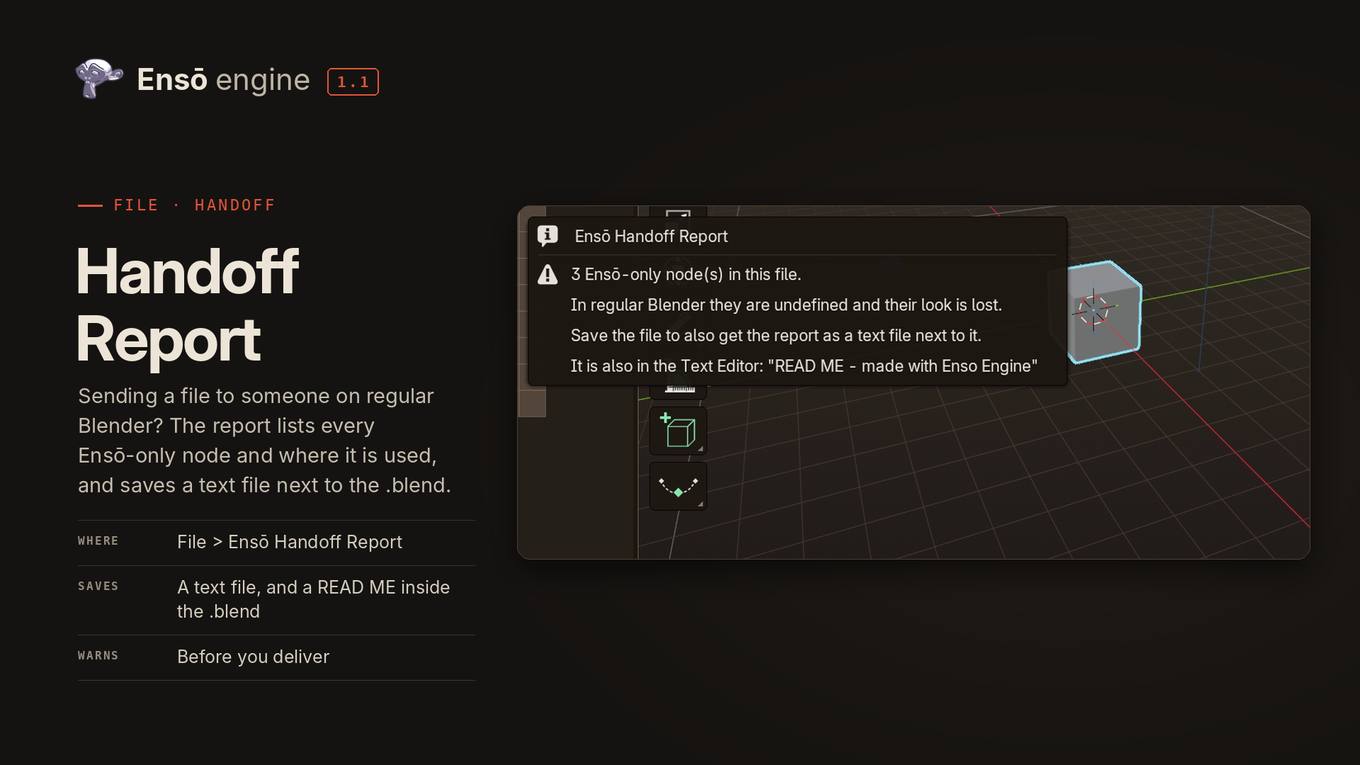
These nodes are part of Ensō’s custom build. A colleague opening the same project in regular Blender won’t get the same materials: Ensō-only nodes are undefined there. The new Handoff Report lists those nodes and where they’re used, saves a text report beside the .blend file and puts a readme inside it.
The public download is still labelled beta and comes as an installer or portable zip for 64-bit Windows 10 or 11. Ensō keeps its settings separate from Blender’s. Its source code is available under the GPL.
The native nodes and Handoff Report are included in the free engine. The separate Ensō NPR Pack costs €149 as a one-time purchase and adds shader presets, skies, an ocean, rain and other tools. Those paid extras appear alongside the free features on the showcase page.