Appearance
Skip to content
Arcade › MK Fighter
MK Fighter
How to play
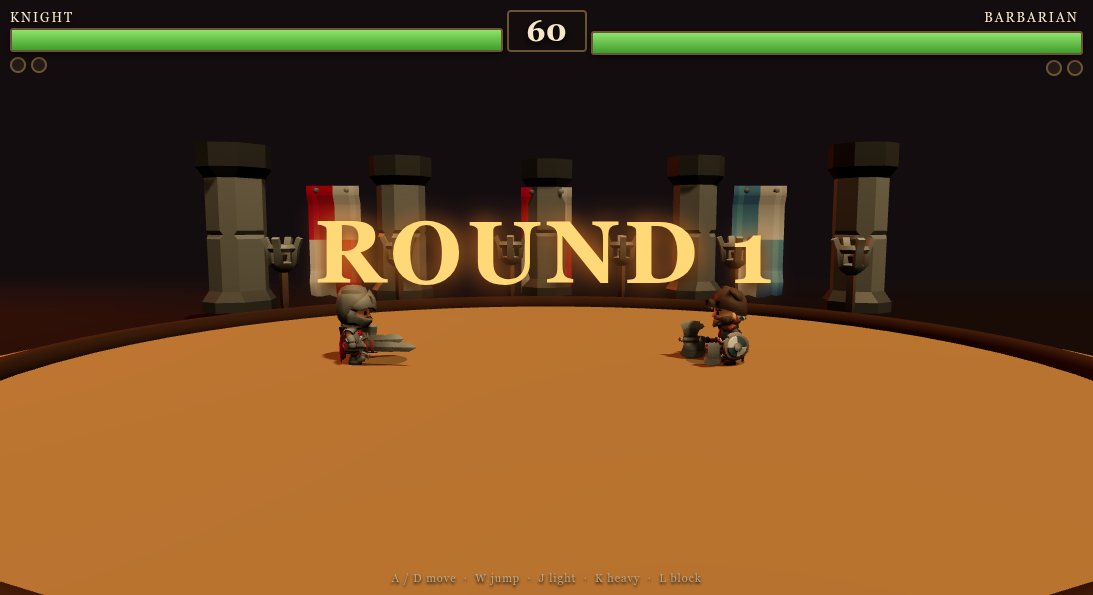
Click the game above and it runs right here in your browser. No download, no installer, no account needed. Ariya 4Game built it with Cinevva, so it works on a phone or a tablet too.
Discussion
Nobody has said anything about MK Fighter yet. Play it, then tell Ariya 4Game what you would add next.
Make your own game
MK Fighter was built by Ariya 4Game with the Cinevva game creator: describe the game you want in chat, watch it get built, and play it in your browser minutes later.
Remix MK Fighter opens the real game in the creator and forks its actual files, chat and design doc, so you start from the code rather than from a description.
Read the build brief for MK Fighter
Cinevva's analyzer read this game's design doc and its source, then wrote the brief below. "Make your own" hands it to the game creator as your opening message, so you start from a real spec rather than a one-line idea.
Create a responsive 2D canvas fighting game titled "Stick Clash". Use a full-screen landscape-oriented arena with no scrolling camera: dark navy vertical-gradient background (#17243f at top to #0b1020 at bottom), a few subtle short horizontal background marks, and a dark blue floor strip occupying the bottom roughly 92 pixels with a thin lighter blue ground line. Keep the player and CPU visible in a side-view head-to-head layout.

The two fighters are simple rounded, stylized stick-like humanoids. The PLAYER is cyan/light blue (#55d6ff) and starts around 28% of the screen width; the CPU is pink (#ff6c91) and starts around 72%. Each has a circular head, a rounded rectangular torso, one forward arm angled down/out, and one short rear leg angled down/back, all in their team color. Add small dark navy rectangular facial/body marks: a horizontal eye-like rectangle on the face oriented toward the opponent and a small rectangle on the torso. Draw a soft dark oval shadow beneath each fighter. Fighters stand on the floor line and face each other; their displayed forward direction should change based on movement/target. The approximate fighter collision/display size is 54 wide by 118 high, with a 21-pixel-radius head and rounded torso.

At the top HUD, show a cyan PLAYER health bar on the left and a pink CPU health bar on the right, each with a dark rounded backing and an 18-pixel-tall rounded fill proportional to health. Put the labels PLAYER and CPU above their respective bars in bold pale text. Center the title "STICK CLASH" between/overlapping the bars in large bold pale text, and below it display the instruction "A / D to move   J to strike" in smaller muted blue-gray text. The HUD should scale with viewport width, with bar width capped around 280 pixels and inset about 24 pixels from the sides.

Core gameplay is a one-round duel. The human player moves horizontally with A and D and attacks with J. Clamp the player within about 38 pixels of either screen edge. The CPU automatically pursues the player: it moves toward the player when more than about 108 pixels away, faces the player, and when close has a small random chance each update to strike. The CPU moves somewhat slower than the player (player speed about 330 pixels/second, CPU about 250 pixels/second). Fighters do not jump, crouch, block, or use projectiles.

A strike can connect only when the attacker is alive, the attacker has not attacked within the last 0.34 seconds, the horizontal distance between fighters is less than 126 pixels, and their vertical positions are within 20 pixels. On a successful hit, damage is 5 plus the attacker's current combo count increment: the first chained hit deals 6, then 7, etc. A hit starts or extends a combo only if the next attack happens within 0.7 seconds of the prior attack; otherwise reset the combo. Reduce the opponent's health, never below zero, and briefly flash the damaged fighter. When either health reaches zero, stop active combat and show a translucent dark overlay with centered white text "PLAYER WINS" or "CPU WINS", followed by "Tap anywhere or press R to restart". Tapping anywhere after game over or pressing R resets both health values to 100 and returns the fighters to their starting positions.

Support touch/pointer controls for mobile in the bottom control area. In the floor/control strip, draw three large faint circular outlines labeled MOVE, MOVE, and HIT, centered around 17%, 50%, and 84% of the screen width respectively. A pointer press in the lower region (below roughly 68% of screen height) on the left third acts as left movement, a press in the middle section up to roughly 68% width acts as right movement, and a press on the right section acts as hit. Release clears the touch action; pointer capture/drag while held should keep the relevant action active. The keyboard controls should remain available. Prevent page scrolling and make the canvas fill the viewport on desktop and mobile. Use clean system sans-serif typography, bold labels, rounded shapes, restrained neon cyan/pink contrast, and simple flat vector rendering matching the supplied screenshot.