Appearance
Skip to content
Arcade › Cinevaa AI
Cinevaa AI
How to play
Click the game above and it runs right here in your browser. No download, no installer, no account needed. Stormix built it with Cinevva, so it works on a phone or a tablet too.
Discussion
Nobody has said anything about Cinevaa AI yet. Play it, then tell Stormix what you would add next.
Make your own game
Cinevaa AI was built by Stormix with the Cinevva game creator: describe the game you want in chat, watch it get built, and play it in your browser minutes later.
Remix Cinevaa AI opens the real game in the creator and forks its actual files, chat and design doc, so you start from the code rather than from a description.
Read the build brief for Cinevaa AI
Cinevva's analyzer read this game's design doc and its source, then wrote the brief below. "Make your own" hands it to the game creator as your opening message, so you start from a real spec rather than a one-line idea.
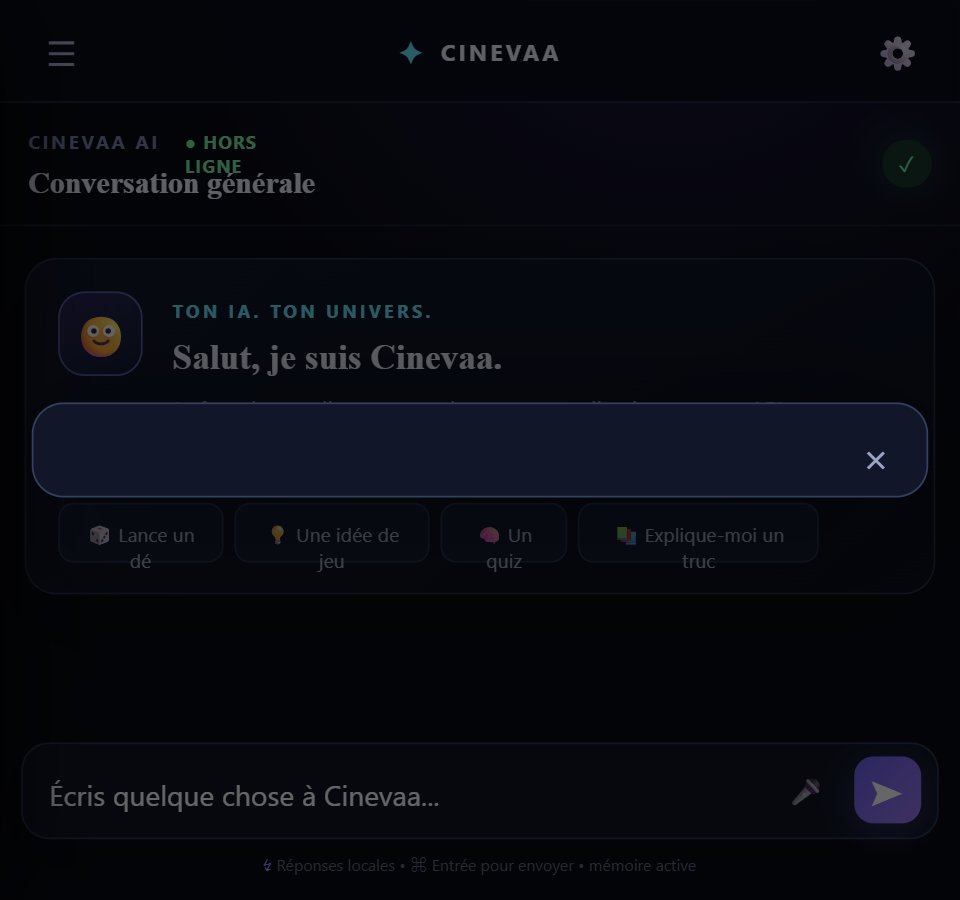
Rebuild a polished responsive web app called “Cinevaa AI”, an interactive French-language AI assistant interface rather than an action game. Use a dark, modern glassmorphism chat layout with a nearly black navy background, subtle radial accent glow, thin translucent borders, rounded panels, soft shadows, and a system sans-serif font. On desktop, show a fixed left sidebar about 292px wide with the Cinevaa AI brand (gradient rounded-square mark containing a star, title, and subtitle “assistant pas comme les autres”), a prominent “+ Nouvelle conversation” button, a history search field, a “Récent” conversation list, and a bottom “⚙ Paramètres” button. On mobile, hide the sidebar and provide a hamburger button that opens it as a slide-in drawer.

The main area has a translucent top bar. Its left side displays the active mode icon/name and a smaller French caption; its right side shows a green status pill (normally “● Prêt”, or a generation/search status), a mode-cycle button, and a plus button for starting a new conversation. The central scrollable chat area is constrained to roughly 880px and vertically centered when empty. The empty welcome screen displays a glowing rounded blue/purple square orb with a white sparkle, the heading “Coucou 👋” and “Je suis Cinevaa AI.”, explanatory text saying the user can choose a vibe and change mode at any time, then a responsive grid of eight clickable mode cards. Each card shows an emoji, mode name, and short description.

Implement these exact assistant modes and their accent colors/behavior: Normal 💬 blue (#59a7ff), caption “Ton assistant polyvalent”, natural reliable responses; DÉJANTÉ 🤪 purple (#d66cff), energetic humorous responses; Explorateur 🌐 cyan (#35d8e9), web/source-oriented responses; Prof 📚 green (#54d68c), structured educational responses; Idées 💡 yellow (#ffc857), brainstorming; Créatif ✍️ pink (#ff76bb), writing/story prompts; Quiz 🧠 orange (#ff7b55), quiz flow; Expérimental 🧪 indigo (#6b82ff), alternative reasoning. Selecting a card activates that mode and inserts a French assistant message announcing it. The top mode button cycles through the modes.

Conversations consist of user and AI message bubbles with small avatars (🙂 for user and a sparkle mark for AI), rounded asymmetric corners, readable line spacing, and animated message entrance. User bubbles use the current accent tint; AI bubbles use a dark panel. AI messages have “Copier” and “Régénérer” actions. Support basic markdown-like rendering visible in the implementation: bold text, headings, bullet lines, code blocks, and line breaks. While waiting, show a three-dot animated typing indicator. The composer is fixed at the bottom over a fade gradient: a sparkle tools button, auto-growing textarea with placeholder “Écris à Cinevaa AI…”, and a colored arrow send button. Enter sends, Shift+Enter inserts a newline. Beneath it show the hint “Entrée pour envoyer · Maj + Entrée pour un saut de ligne” and a web toggle/status labeled “🌐 Recherche web : serveur”.

Make the app functional: create new conversations, title a new conversation from the first user message, switch among saved conversations, search conversation titles, send messages, regenerate the latest response, copy AI text, and persist state in localStorage under a Cinevaa state key. The app should attempt POST /api/chat with JSON containing mode, message, recent messages, and settings; use a local truthful fallback when no backend/model is configured, explicitly explaining that no real remote AI or web search is being faked. Explorateur fallback responses should say the web connector is ready but no real Internet request occurred and may show a clearly labeled MDN connector source link. Mode-specific local fallback replies should visibly differ: humorous structured bullets for DÉJANTÉ, numbered concept/example/exercise teaching for Prof, a bouquet of simple/surprising/ambitious/weird ideas for Idées, a creative scene recipe for Créatif, a five-question quiz kickoff for Quiz, and three pragmatic/systemic/counter-intuitive angles for Expérimental.

Add a centered modal settings panel with rounded dark card and close button. Include controls for dark/light theme, default mode, font size range, animations toggle, history toggle, chaos/personality range, and web-search toggle. Theme changes should update background, panel, text, muted colors, and accent styling; font size should update the app; settings should persist. Use responsive breakpoints around 760px: desktop sidebar versus mobile drawer, compact top bar, two-column mode grid on mobile, and touch-friendly controls. Keep all UI labels and generated demo copy in French. Avoid inventing game-like scoring, enemies, avatars, or unrelated gameplay; the core experience is selecting an assistant personality and chatting in a persistent, locally stored conversation interface.