Appearance
PlayCanvas 2.24 adds dynamic skies and planar reflections
PlayCanvas released engine 2.24 on November 9 with a dynamic sky that can light a scene through a day-and-night cycle, planar reflections in its standard material, and more control over the order of rendering work. For browser-game developers, the update brings more of an outdoor scene's lighting and a reflective surface's behavior into the engine's own tools. Release notes.
A sky that changes the light on the ground
The new DynamicSkyEffect can draw daylight, stars, the moon, and moving clouds. It can also keep a directional light aligned with the sun and generate the environment lighting used by the scene's materials. As the sun moves, the sky, the light on objects, and their environment reflections can change together. That's useful for a level where time passes while the player explores. Dynamic sky documentation.
Clouds have two modes. The flat version uses a simple layer of noise. Volumetric clouds trace through a volume and are more expensive, with separate quality and resolution controls. Updating the environment lighting adds work too, so the engine lets developers control how much the sky must change before it regenerates that lighting. A slowly moving sun doesn't require a fresh lighting map every frame.
These settings matter for a game that has to run on phones as well as desktop GPUs. Start with the cheaper clouds and measure the scene on the devices you support before spending more frame time on the sky.
Reflections that include the room
Version 2.24 adds planar reflection inputs to StandardMaterial. A camera mirrored across a flat surface renders the scene into a texture, which the material uses for its reflections. The material keeps its lighting and shadows, and roughness can soften the reflected image. This suits a mirror, a polished floor, or a flat stretch of water. Implementation details.
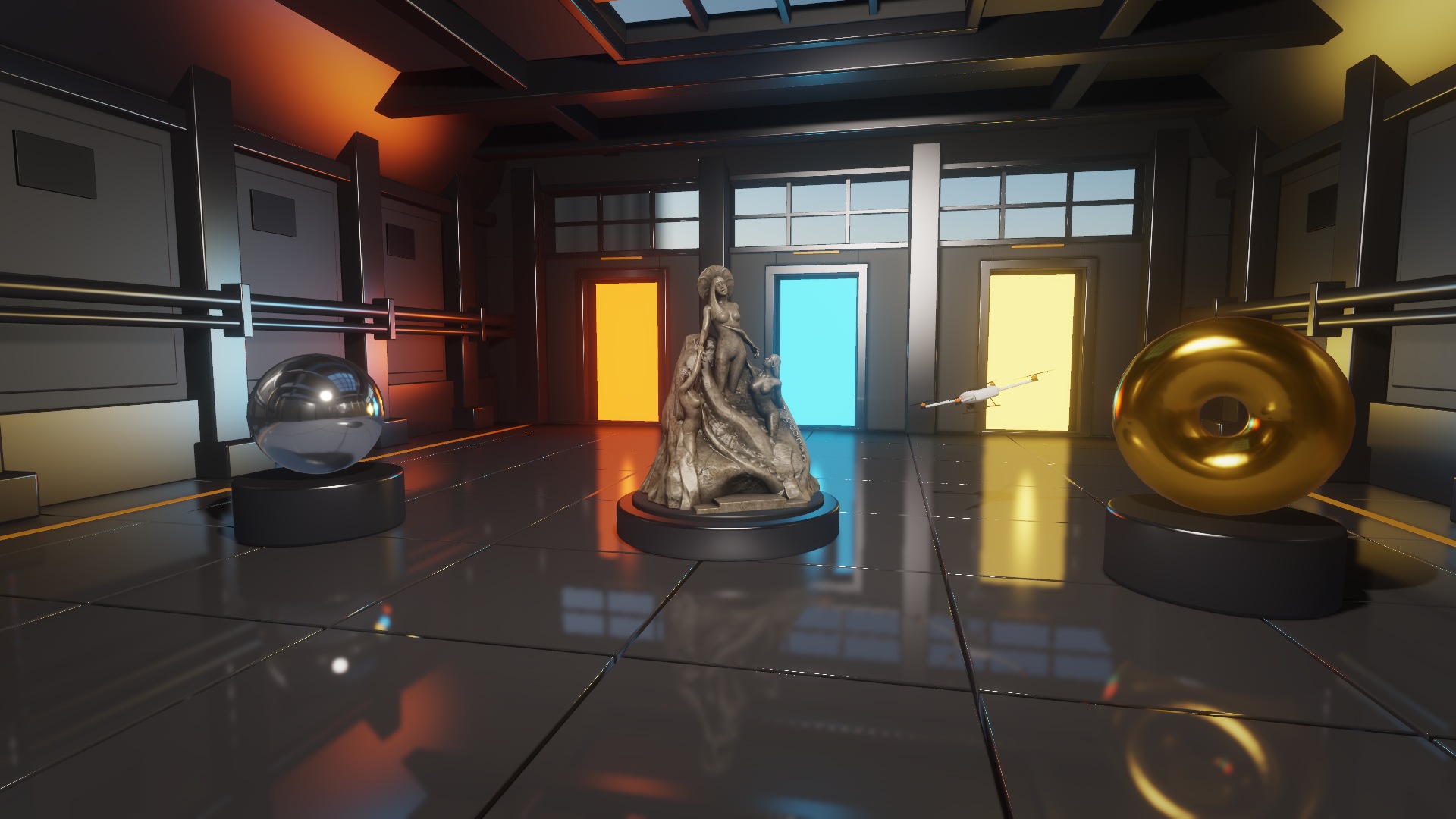
The extra camera renders the scene again. PlayCanvas's documentation recommends reducing the reflection resolution and limiting which scene layers that camera draws. A small reflective floor needn't pay to render every object in the level. Ambient lighting still comes from the material's environment map or the scene environment. Environment lighting and reflection costs.
More control over when effects run
The release also makes frame-pass APIs public and adds ComputePass for placing compute work at a chosen point in the frame. One concrete use is processing a camera's current depth and color output before drawing an overlay. The accompanying scanner example was changed so its overlay no longer follows the scene a frame late. Compute-pass change, 2.24 API changes.
Compute passes require WebGPU. On a WebGL device, the pass doesn't dispatch the work, so a game that supports both backends needs another implementation for an effect that depends on it. Compute-pass support.
PlayCanvas provides engine examples for trying the effects, including the dynamic sky and planar reflections.