Appearance
Skip to content
Arcade › Draft Diamond
Draft Diamond
How to play
Click the game above and it runs right here in your browser. No download, no installer, no account needed. Matthew Watson built it with Cinevva, so it works on a phone or a tablet too.
Discussion
Nobody has said anything about Draft Diamond yet. Play it, then tell Matthew Watson what you would add next.
Make your own game
Draft Diamond was built by Matthew Watson with the Cinevva game creator: describe the game you want in chat, watch it get built, and play it in your browser minutes later.
Remix Draft Diamond opens the real game in the creator and forks its actual files, chat and design doc, so you start from the code rather than from a description.
Read the build brief for Draft Diamond
Cinevva's analyzer read this game's design doc and its source, then wrote the brief below. "Make your own" hands it to the game creator as your opening message, so you start from a real spec rather than a one-line idea.
Create a playable browser game titled “Draft Diamond,” a quick baseball team-builder followed by a one-inning batting challenge. Use a Three.js 3D baseball stadium as the persistent background: a bright blue sky with light fog, a large green circular outfield, orange-brown infield diamond, four pale bases, pitcher’s mound and rubber, white foul lines, dark green segmented outfield fence, gray bleachers, and rows of small yellow/cyan/pink crowd spheres. Use a high, centered perspective camera looking from behind home plate toward center field; the home plate and batting boxes are in the foreground, the mound is near center, and the outfield/fence and bleachers recede into the distance. Include a simple blue batter stand-in at home plate with a skin-colored head and a visible wooden bat, a white baseball with red seams that pitches toward the batter and flies into the outfield after contact, and drafted team character models or simple colorful character substitutes positioned around the dugout edges. Include a slowly rotating trophy prop in the stadium. The visual style is clean, colorful, low-poly/stylized 3D with strong soft shadows, rounded dark translucent UI panels, yellow accent typography/buttons, and a large coral circular SWING button.

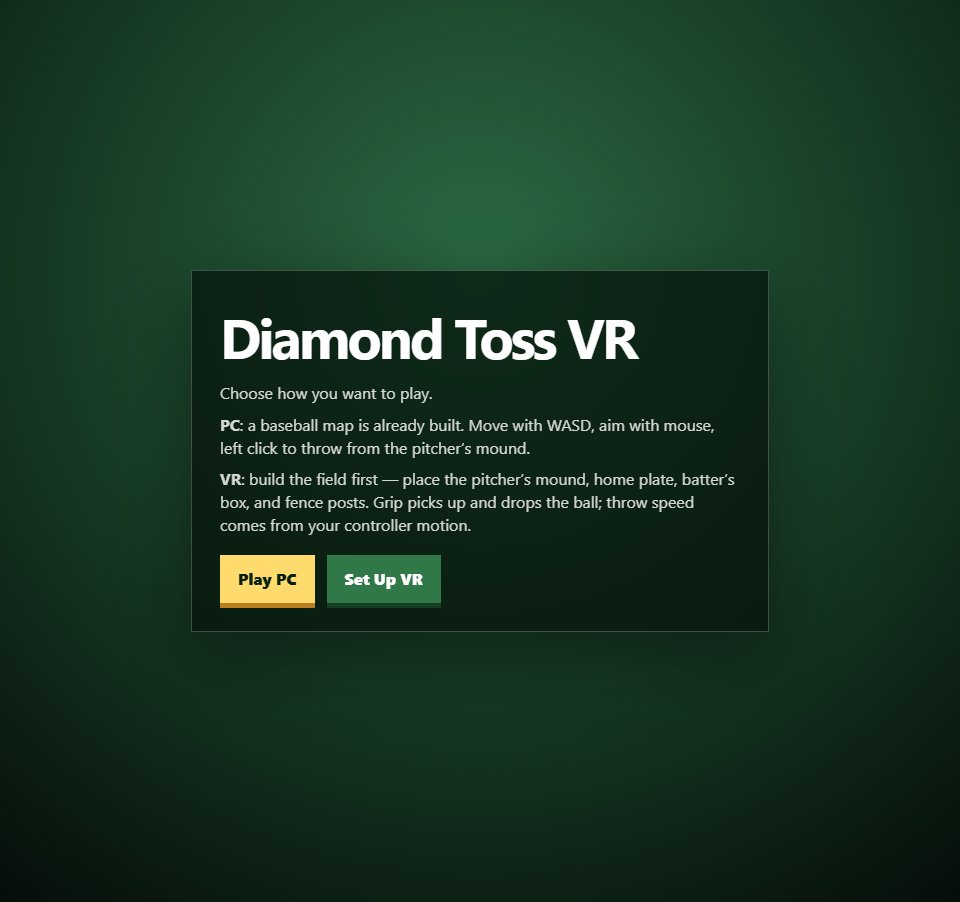
The game opens on a large centered dark green/black rounded menu panel. Show the title “Draft Diamond” in large bold yellow display type, explanatory text saying the player creates a club, drafts five prospects, then plays a quick inning, and that drafted batting, speed, pitching, and fielding affect play. Provide an editable team-name input prefilled with “Firehawks” (maximum 18 characters) and a yellow “Start Draft” button. Show instructional pills: “SPACE / Swing button = hit,” “Draft power hitters for big shots,” and “Speed turns singles into doubles.” Keep a top-left HUD box with the game title and team status, and a top-right HUD box showing draft progress and instructions.

When Start Draft is pressed, enter a five-round draft. Each round presents exactly three newly randomized prospect cards, and the player must choose one; after five picks, begin the game. Each prospect has a randomized first/last name, one of these roles—Slugger, Ace Pitcher, Speedster, Glove Wizard, Utility Star, or Contact Hitter—and randomized stats from roughly 30–99 for Bat, Power, Speed, Pitch, and Field, plus Potential from 55–99. Give role bonuses to the matching stat (Slugger power, Ace Pitcher pitch, Speedster speed, Glove Wizard field, Contact Hitter bat). Each card visibly shows the prospect’s name, role, OVR average of the five main stats, POT, five horizontal stat bars with numeric values, and a button such as “Draft [first name].” Show the current roster as rounded chips above the cards, round text such as “Draft Round 1 / 5,” and an “Auto Pick” button that selects the prospect with the best average stats plus a fraction of potential. Selecting a prospect displays a brief toast like “Drafted [name]” and generates three new prospects for the next round.

After the fifth selection, hide the draft panel and start the batting game. Reset score, count, bases, outs, and batter index. The top HUD should show “[Team] batting · [current batter name] ([role])”, “[Team] 0 | Rivals 0”, and an inning line such as “Top 1 · Outs 0 · Count 0-0 · Bases ○ ○ ○.” Place a pale Pause button at bottom-left and a large coral “SWING” button at bottom-right; Spacebar must also swing, and P must toggle pause/resume. At the start of each pitch, spawn the baseball around the pitcher’s position and move it forward toward home plate at a randomized speed. The pitch has randomized horizontal position; update its height with a subtle sinusoidal movement. The player must time a swing as the ball approaches the plate. Animate the wooden bat through a swing, play short click/impact sounds where available, and show centered toast feedback.

Resolve swings from timing/contact distance and the current batter’s Bat, Power, Speed, and Potential. A well-timed, high-chance hit can be a Home Run (4 bases), Triple (3), Double (2), or Single (1), with weaker contact becoming a foul or strike/whiff. On a successful hit, animate the ball on a high arcing flight toward a randomized outfield endpoint. Advance existing runners around the three bases, score runs when runners pass home, place the batter on the appropriate base, rotate to the next drafted batter, reset the count, and display feedback such as “Single!”, “Double!”, “Triple!”, or “HOME RUN!” plus runs scored. Fouls add a strike only until two strikes. Misses add strikes; three strikes create an out, rotate batters, reset the count, and show “Strikeout.” Pitches outside the horizontal strike area become balls; four balls create a walk, advance runners one base, rotate the batter, and reset the count. Continue until the team records three outs.

At three outs, end the top half and hide the ball. Simulate the Rivals’ bottom-half score rather than letting the player bat again: calculate a randomized CPU score reduced by the drafted team’s average Pitch and Field ratings. Show a toast such as “Rivals score [n]” or “Shutdown inning!”, then show a results panel. Results must say “[Team] Win!”, “[Team] Lose,” or “Extra-Inning Tie,” show “[Team] score — Rivals score,” and list team averages for Bat, Power, Speed, Pitch, and Field. Show the final five-player roster as chips including each player’s name, role, and OVR. Provide “Redraft Team” to return to the opening menu and “Play Rematch” to replay the batting game with the same roster. Keep the state-driven flow with menu, draft, play, and results modes, and make the HUD responsive for mobile screens.”