A short list of rendering techniques used in modern AAA games
By Oleg Sidorkin, CTO and Co-Founder of Cinevva

If you crack open the rendering pipeline of a 2026 AAA game, most of what you'll find traces back to a small set of techniques that ship across studios. The names change between engines, but the ideas are the same. Here's a short list of what's actually doing the work on screen, with a figure and a few deep technical references for each. I've refreshed it in September 2026 with what changed in Unreal Engine 5.8 and what now runs in a browser, and added a set of common questions at the end.
1. Physically based rendering (PBR)
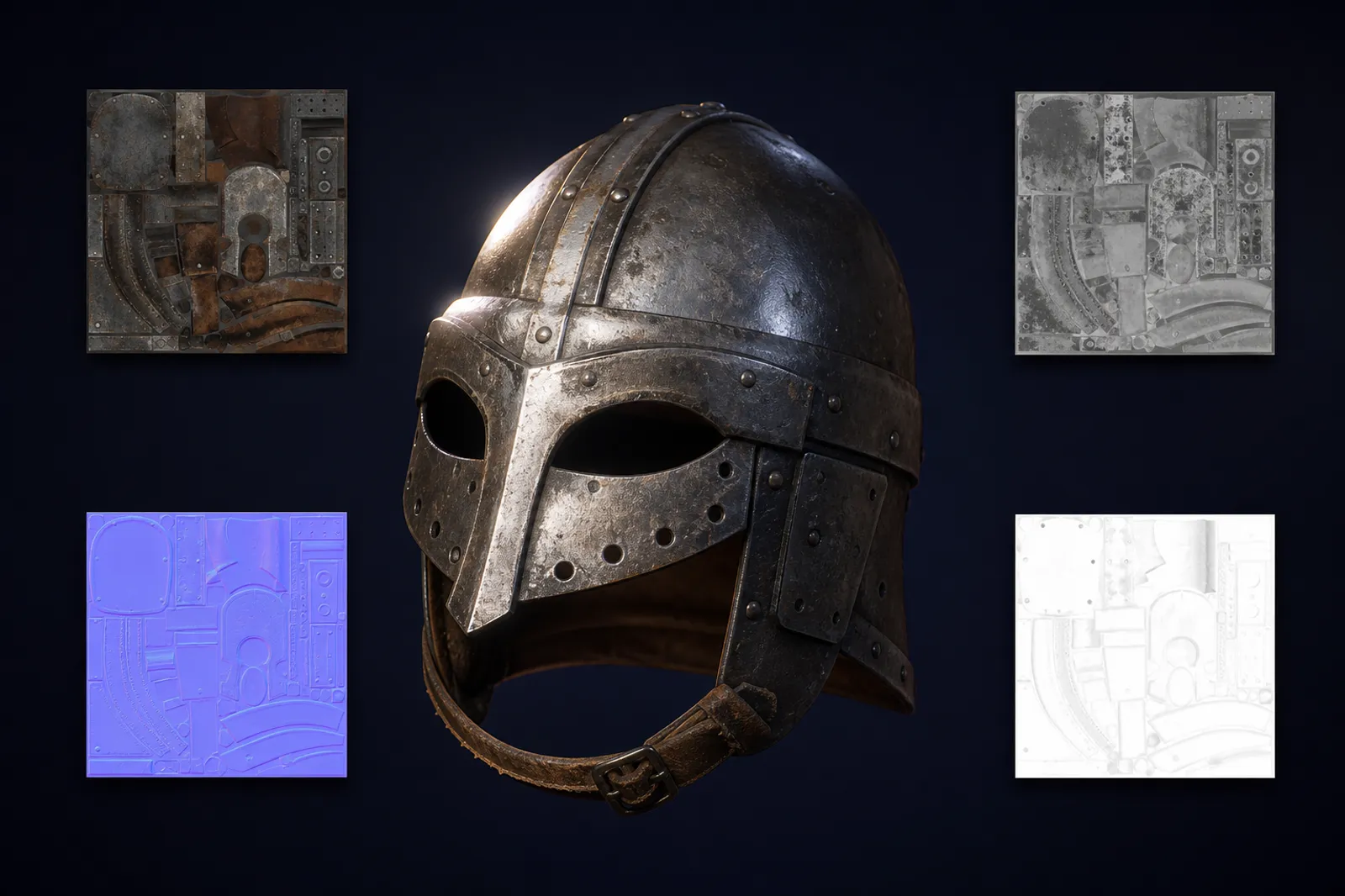
Materials are described by albedo, roughness, metallic, normal, and ambient occlusion textures, and lit by energy-conserving shaders (Cook-Torrance specular, Lambertian or Disney diffuse). It's the baseline every modern AAA engine assumes. If a surface looks consistent under sunlight, lamp light, and a flashlight, PBR is why.
Deep dives:
- Burley, Physically-Based Shading at Disney (the original "Disney BRDF" course notes, SIGGRAPH 2012).
- Karis, Real Shading in Unreal Engine 4 (SIGGRAPH 2013, the canonical UE4 PBR talk).
- Lagarde and de Rousiers, Moving Frostbite to Physically Based Rendering 3.0 (SIGGRAPH 2014, full Frostbite pipeline).
- Real-Time Rendering, 4th edition, chapter 9 (the textbook reference).
2. Deferred and visibility-buffer shading
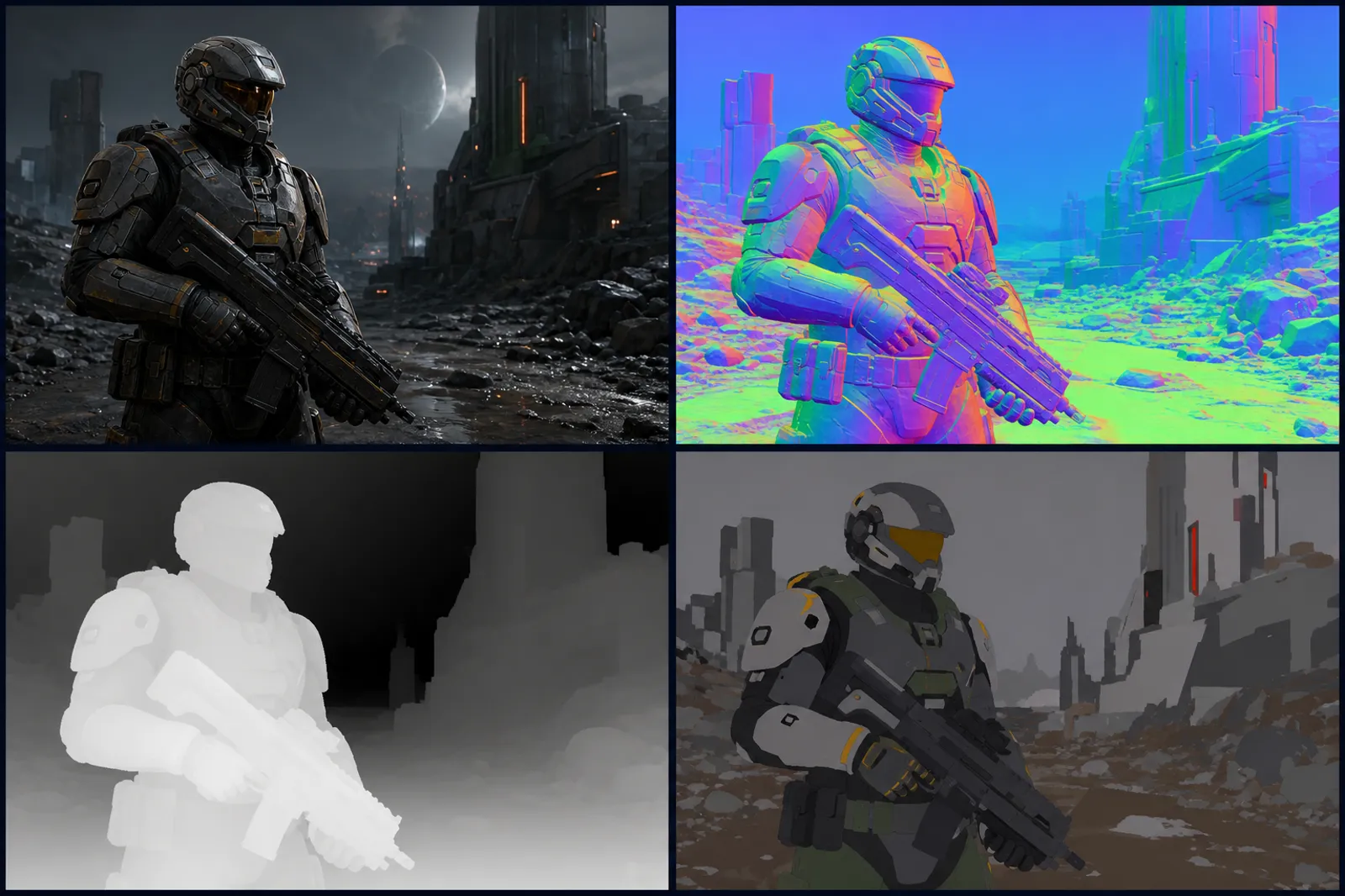
Geometry first writes attributes (normals, material IDs, depth) into a G-buffer or visibility buffer. Lighting runs as a fullscreen pass that reads those buffers and shades each pixel once. Visibility buffers (used by Nanite and similar) push this further by storing only triangle IDs and resolving material parameters per pixel later, which keeps overdraw cheap on dense geometry.
Deep dives:
- Engel, Deferred Shading (NVIDIA, the foundational talk).
- Burns and Hunt, The Visibility Buffer: A Cache-Friendly Approach to Deferred Shading (JCGT 2013, the original visibility buffer paper).
- Wihlidal, "Optimizing the Graphics Pipeline with Compute" (GDC 2016, Frostbite's compute-based deferred path).
- Karis, Stubbe, Wihlidal, A Deep Dive into Nanite Virtualized Geometry (SIGGRAPH 2021, includes the Nanite visibility buffer in detail).
3. Virtualized geometry (Nanite-style)
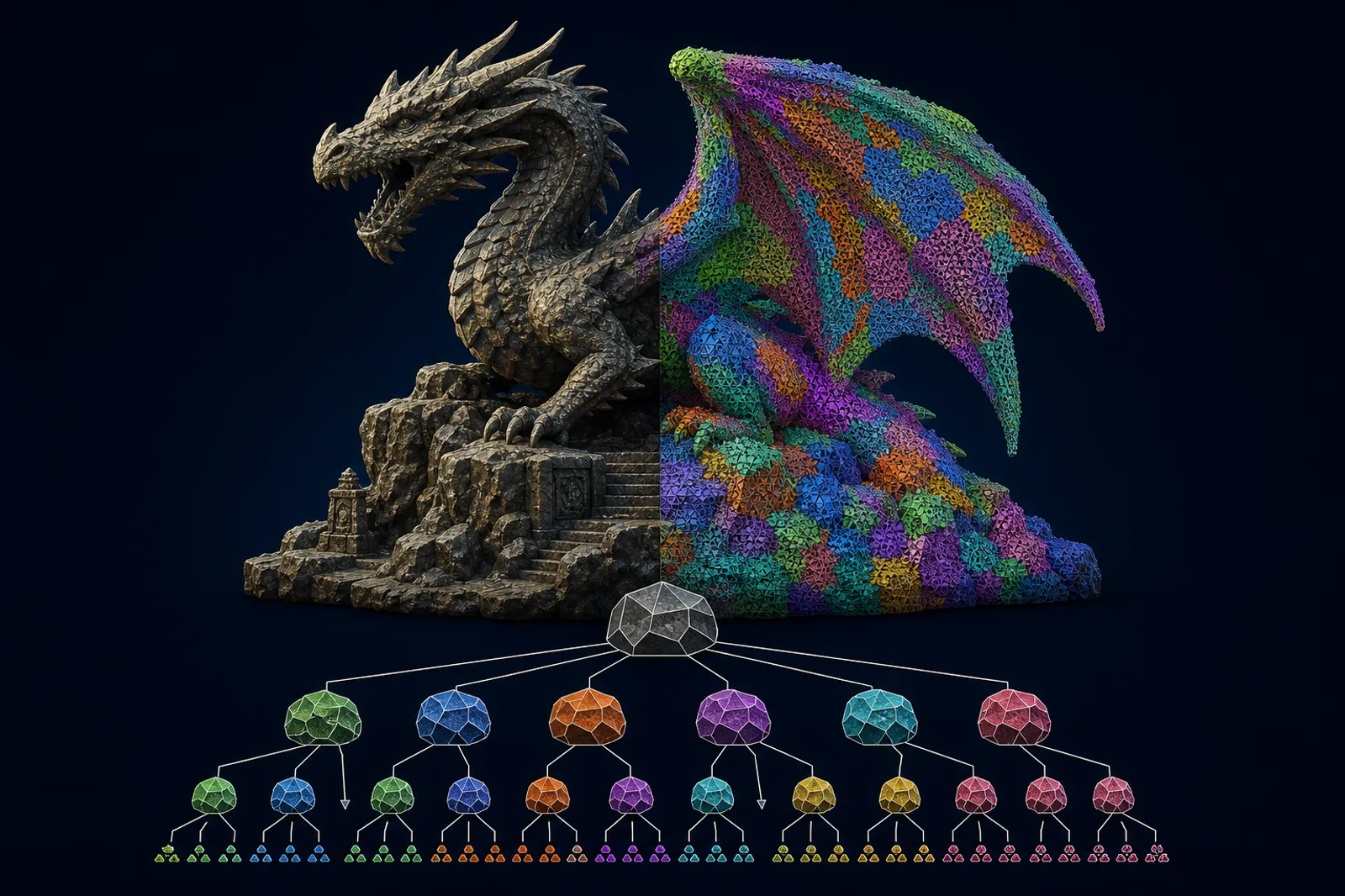
Meshes are pre-built into a hierarchy of clusters. At runtime the GPU streams and selects clusters at the resolution that matches each pixel, so you get sub-pixel-accurate detail without manual LODs. Unreal's Nanite is the most visible example. Other engines now ship their own variants. The practical result is film-quality assets in real time without LOD authoring. Unreal Engine 5.8, released in June 2026, pushed Nanite rasterization and culling performance on handheld platforms and added a per-pixel programmable distance control for foliage, per Tom Looman's 5.8 performance notes, and Epic has said 5.8 is the last 5.x release before development moves to Unreal Engine 6.
Deep dives:
- Karis, Stubbe, Wihlidal, A Deep Dive into Nanite Virtualized Geometry (SIGGRAPH 2021).
- Brian Karis, Nanite GDC 2021 talk (an accessible video walkthrough).
- Liktor, Geometry Rendering Pipeline Architecture at Activision (cluster-based rendering, 2021).
- Schied et al., Spatiotemporal Variance-Guided Filtering (related cluster culling techniques).
4. Real-time ray tracing for shadows, reflections, and AO
Hardware ray tracing (DXR, Vulkan RT) traces shadow rays, mirror and glossy reflection rays, and ambient occlusion rays against a BVH built each frame. Even a few rays per pixel beat what screen-space techniques can do, especially for off-screen reflections and contact shadows. Most games use it surgically, not for everything.

Deep dives:
- Microsoft, DirectX Raytracing (DXR) Functional Spec (the API reference).
- Wyman, Introduction to DirectX Raytracing (the SIGGRAPH course notes, very approachable).
- Boksansky and Marrs, Ray Tracing Gems II, chapters 17-19 (free PDF, modern DXR techniques).
- Stachowiak, Stochastic Screen-Space Reflections (Frostbite, the bridge from SSR to RT).
5. Software ray tracing (Lumen-style)
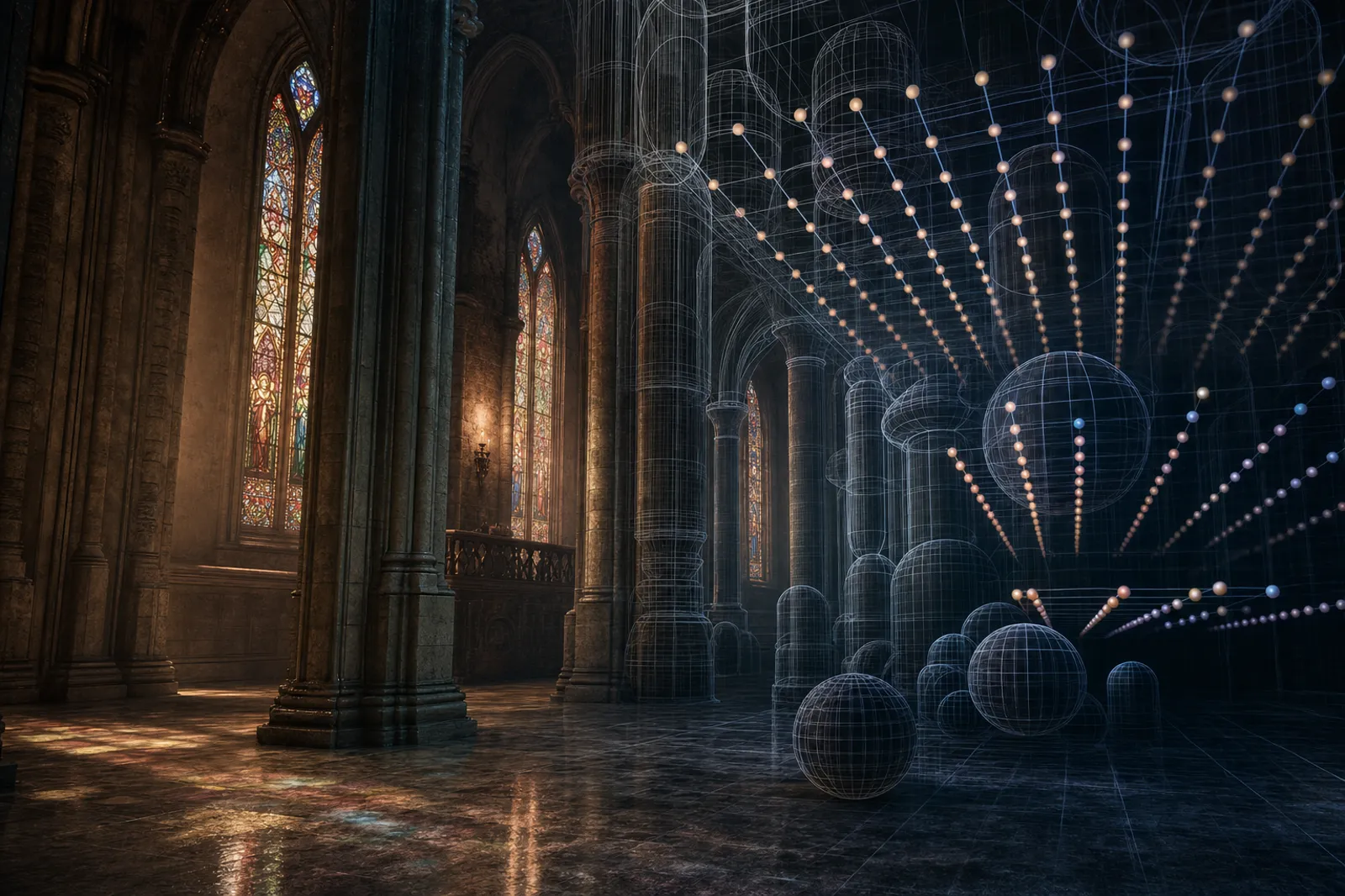
Not every player has an RTX card, so engines also ship distance-field or surface-cache fallbacks. Unreal's Lumen, for instance, traces against signed distance fields and surface caches for cheap diffuse GI, and only escalates to hardware rays when needed. It's how AAA games hit "ray-traced look" on consoles. UE 5.8 added a "Lumen Lite" mode, roughly twice as fast as Lumen's high-quality path and aimed at 60 fps on PlayStation 5, and promoted MegaLights, its stochastic many-light system, to production-ready, per CG Channel's 5.8 rundown.
Deep dives:
- Wright et al., Lumen: Real-Time Global Illumination in Unreal Engine 5 (SIGGRAPH 2022, the Lumen paper).
- Epic Games, Lumen Technical Details (official engine docs).
- Wright, Radiance Caching for Real-Time Global Illumination (SIGGRAPH 2021).
- Wright, Lumen GDC 2022 talk (video version).
6. ReSTIR and reservoir sampling
For direct and indirect lighting with thousands of light sources, ReSTIR (Reservoir Spatio-Temporal Importance Resampling) reuses light samples across pixels and frames. It's how games like Cyberpunk 2077 with Path Tracing keep noise low at one or two rays per pixel. Expect to see it in more engines as path tracing becomes the high-end target.

Deep dives:
- Bitterli et al., Spatiotemporal Reservoir Resampling for Real-Time Ray Tracing with Dynamic Direct Lighting (SIGGRAPH 2020, the original ReSTIR paper).
- Ouyang et al., ReSTIR GI: Path Resampling for Real-Time Path Tracing (HPG 2021, indirect-illumination ReSTIR).
- Lin et al., Generalized Resampled Importance Sampling (SIGGRAPH 2022, the math foundations).
- NVIDIA, Cyberpunk 2077 Path Tracing Tech Deep Dive (engineering blog).
7. Volumetric clouds, fog, and atmosphere
Skies are ray-marched through 3D noise and density volumes. Atmosphere uses precomputed scattering tables (Bruneton-style) for sun and moon transitions. Fog is a froxel grid (think a 3D texture aligned to the view frustum) that captures local lighting. Together they give you "weather as a system" instead of a skybox.

Deep dives:
- Schneider, The Real-Time Volumetric Cloudscapes of Horizon Zero Dawn (SIGGRAPH 2015, the canonical clouds reference).
- Hillaire, A Scalable and Production Ready Sky and Atmosphere Rendering Technique (EGSR 2020, the modern Bruneton successor used in UE5).
- Wronski, Volumetric Fog: Unified Compute Shader Based Solution to Atmospheric Scattering (SIGGRAPH 2014, Assassin's Creed 4 froxel fog).
- Hillaire, Physically Based and Unified Volumetric Rendering in Frostbite (SIGGRAPH 2015).
8. Cascaded shadow maps and virtual shadow maps
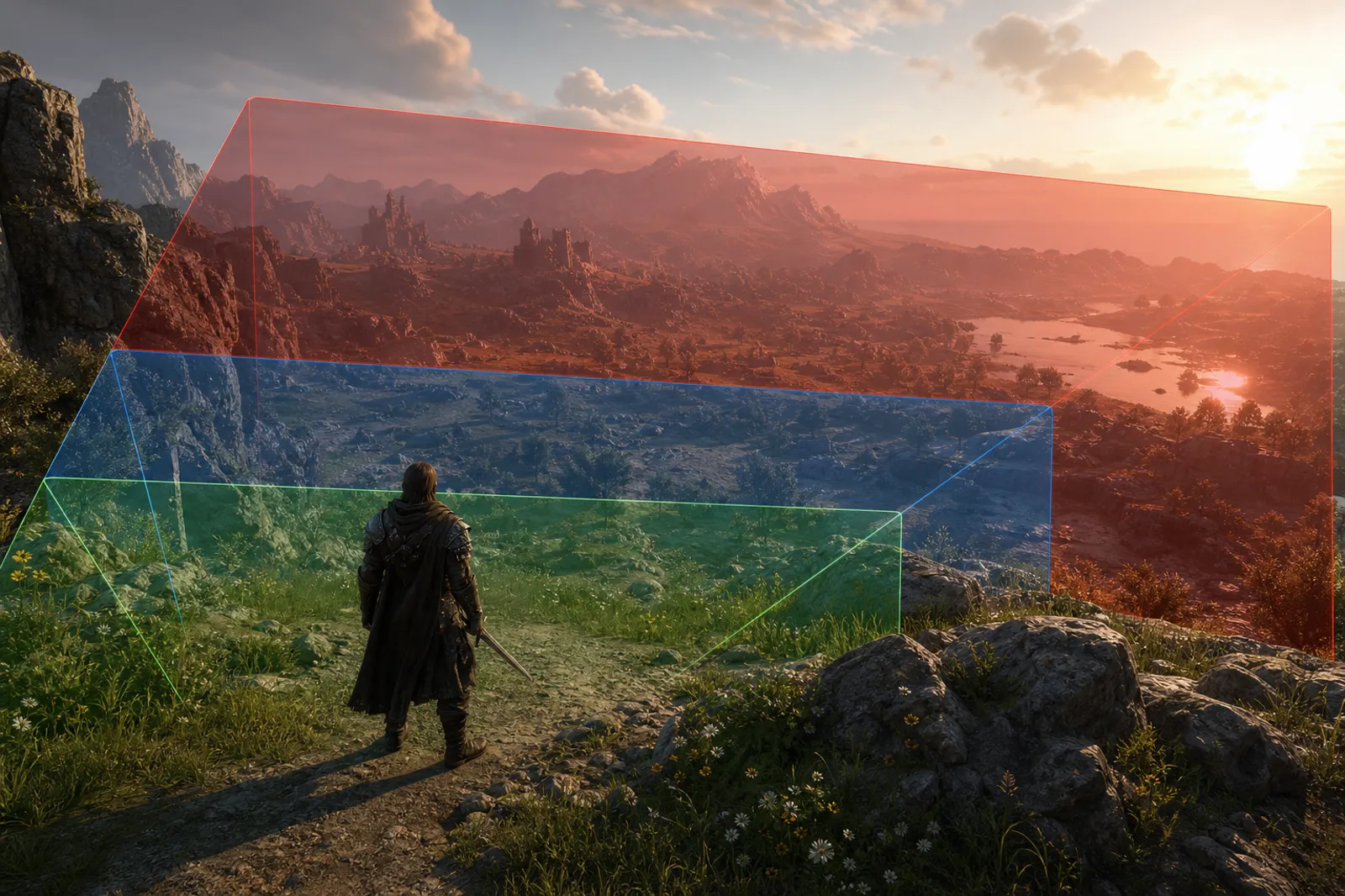
For sun shadows, cascaded shadow maps split the frustum into ranges and render each at appropriate resolution. Virtual shadow maps go further: a single huge shadow map is split into pages and only the pages visible from the camera get rendered. It's how AAA games keep crisp shadows near the player without a giant memory bill. Epic's VSM docs put the virtual resolution at 16k by 16k per light, and UE 5.8 added a prefiltered distant path that draws far shadow casters into the clipmap at much lower resolution, plus throttling for page invalidation, per Tom Looman's notes.
Deep dives:
- Dimitrov, Cascaded Shadow Maps (NVIDIA whitepaper, the standard reference).
- Microsoft, Common Techniques to Improve Shadow Depth Maps (DirectX docs).
- Wright, Virtual Shadow Maps in Fortnite Battle Royale Chapter 4 (SIGGRAPH 2023, the UE5 VSM talk).
- Epic Games, Virtual Shadow Maps documentation.
9. Screen-space effects (SSAO, SSR, SSGI, SSSSS)
Reading the depth and normal buffers cheaply gives you ambient occlusion (SSAO), reflections (SSR), one-bounce global illumination (SSGI), and subsurface scattering for skin (SSSSS). They miss off-screen detail, which is why ray tracing is taking over, but they're still everywhere as a fast baseline.

Deep dives:
- Mittring, Finding Next Gen: CryENGINE 2 (SIGGRAPH 2007, the original SSAO paper).
- McGuire et al., Scalable Ambient Obscurance (HPG 2012, modern SSAO).
- Stachowiak and Uludag, Stochastic Screen-Space Reflections (Frostbite, the SSR reference).
- Jimenez, Separable Subsurface Scattering (the technique used for skin in most AAA engines).
- Mara et al., Deep Screen Space (Activision, an SSGI lineage).
10. Temporal anti-aliasing and ML upscaling (DLSS, FSR, XeSS)
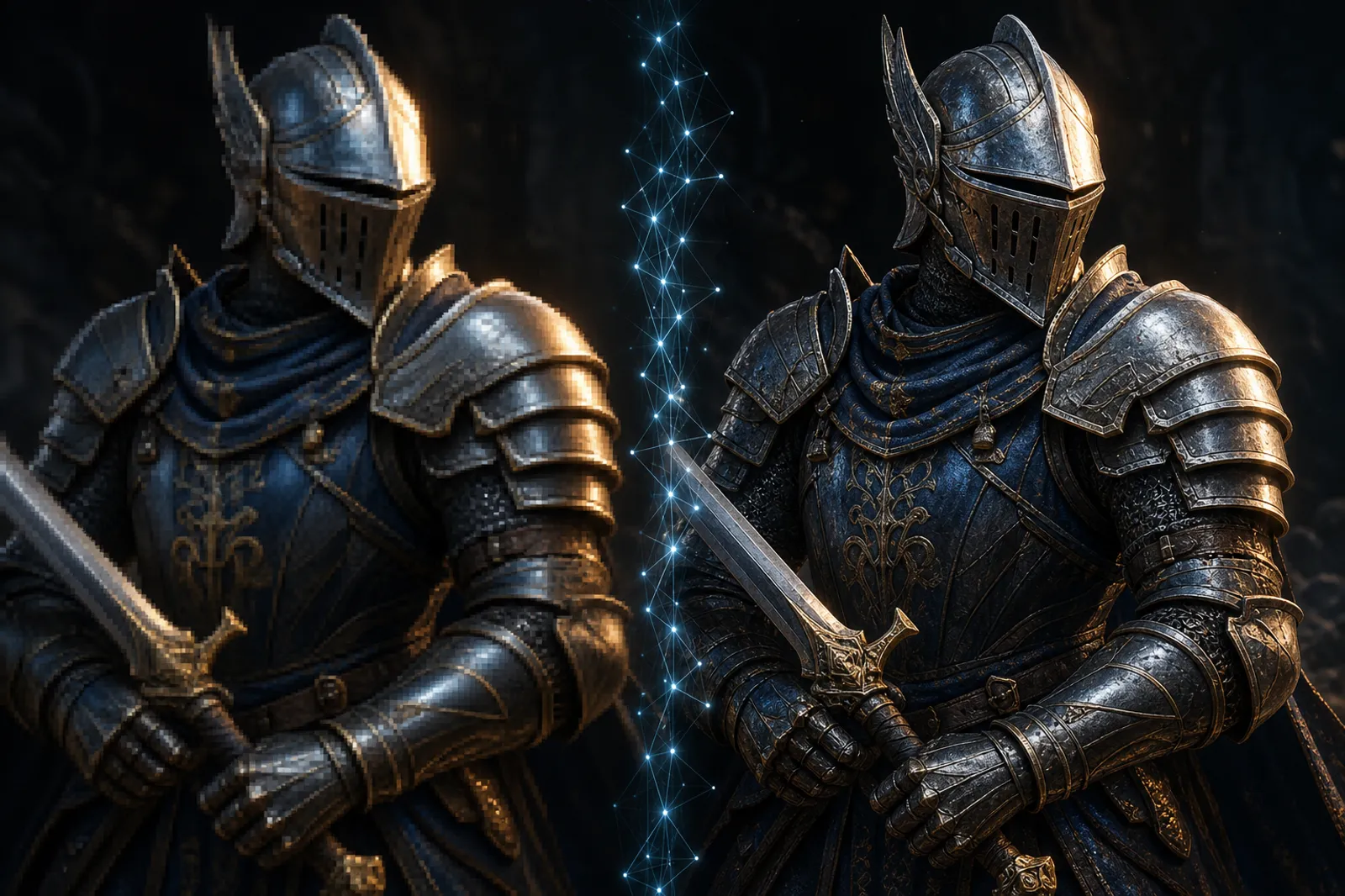
The frame is rendered at a lower internal resolution and reconstructed using motion vectors, depth, and history. ML-based upscalers (DLSS 4, FSR 4, XeSS) add frame generation on top, interpolating intermediate frames from optical flow. AMD's FSR "Redstone" extends FSR 4 with ML frame generation, ray regeneration, and a neural radiance cache on RDNA 4 hardware, which is the clearest sign that upscaling and denoising are merging into one neural stage. Most AAA titles now ship assuming an upscaler is on, which changes how you budget the rest of the frame.
Deep dives:
- Karis, High Quality Temporal Supersampling (SIGGRAPH 2014, the canonical TAA talk).
- Salvi, An Excursion in Temporal Supersampling (NVIDIA, on the path to DLSS).
- Edelsten, Truly Next-Gen: Adding Deep Learning to Games and Graphics (GDC 2019, DLSS architecture).
- AMD, FidelityFX Super Resolution 3 technical details and Intel, XeSS technical paper.
11. GPU-driven rendering and mesh shaders
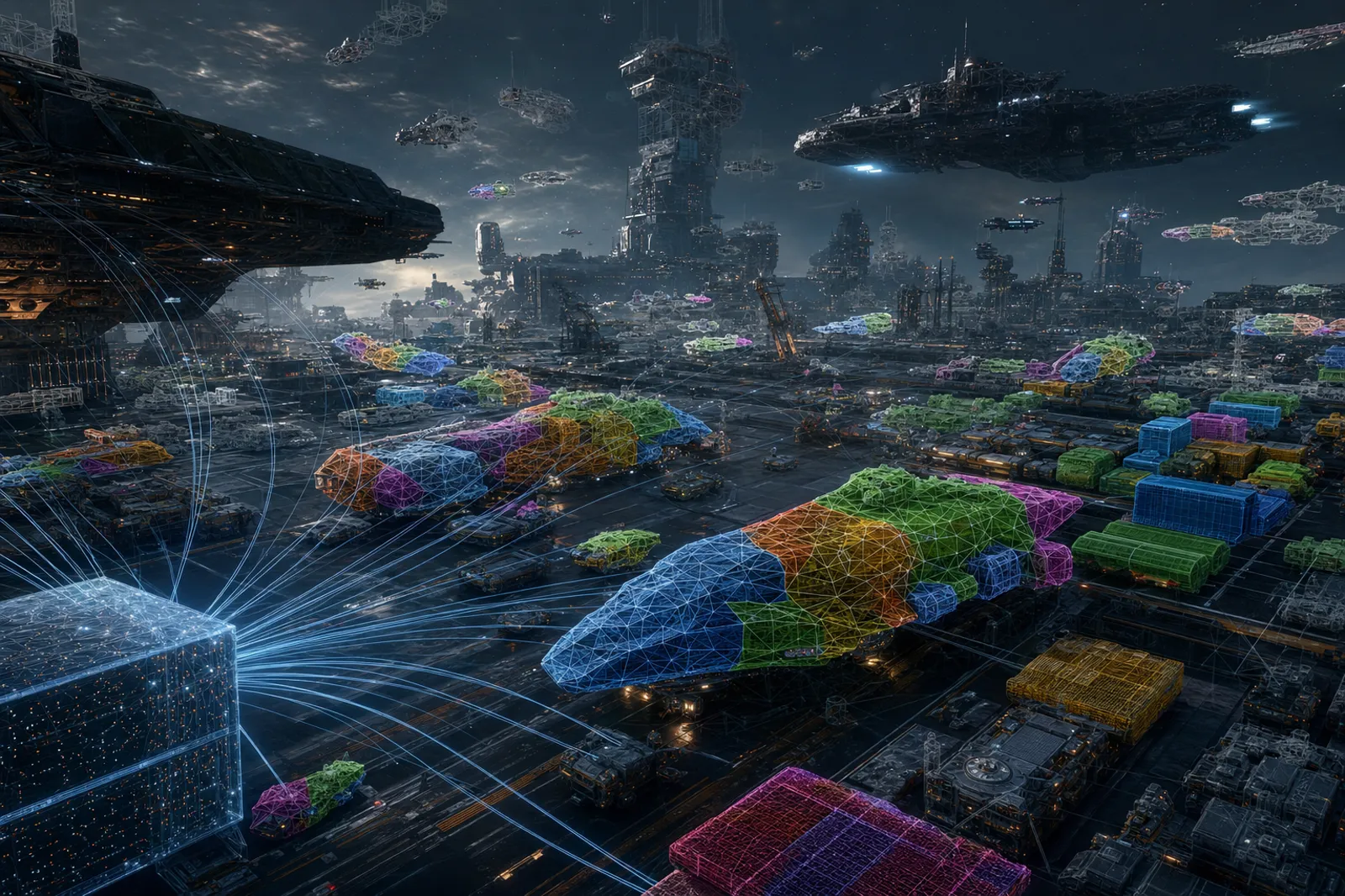
Culling, LOD selection, and draw submission all run on the GPU. Mesh shaders replace the vertex/geometry/tessellation pipeline with a more flexible compute-style stage that emits meshlets. Combined with multi-draw indirect, this keeps the CPU out of the per-object hot loop entirely.
Deep dives:
- Haar and Aaltonen, GPU-Driven Rendering Pipelines (SIGGRAPH 2015, the foundational Assassin's Creed Unity talk).
- Wihlidal, Optimizing the Graphics Pipeline with Compute (GDC 2016, Frostbite GPU-driven culling).
- Kubisch, Introduction to Turing Mesh Shaders (NVIDIA, the mesh shader primer).
- Pesce, A Whirlwind Tour of Mesh Shaders (and similar engineering blogs collected on Adrian Courrèges' RenderDoc tear-downs).
12. Hair, cloth, and skin rendering
Hair uses Marschner-style anisotropic shading with strand-based geometry (NVIDIA HairWorks, AMD TressFX, or engine-native systems). Cloth is simulated on the GPU with position-based dynamics and rendered with anisotropic specular. Skin uses screen-space subsurface scattering plus pre-integrated wrap lighting. These three are usually where you spot the budget gap between AAA and indie.

Deep dives:
- Marschner et al., Light Scattering from Human Hair Fibers (SIGGRAPH 2003, the foundational hair model).
- Chiang et al., A Practical and Controllable Hair and Fur Model for Production Path Tracing (Disney 2016, used widely in real-time approximations).
- Müller et al., Position Based Dynamics (the standard cloth simulation reference).
- Jimenez et al., Separable Subsurface Scattering and Real-Time Realistic Skin Translucency.
13. Decals, virtual texturing, and material layering
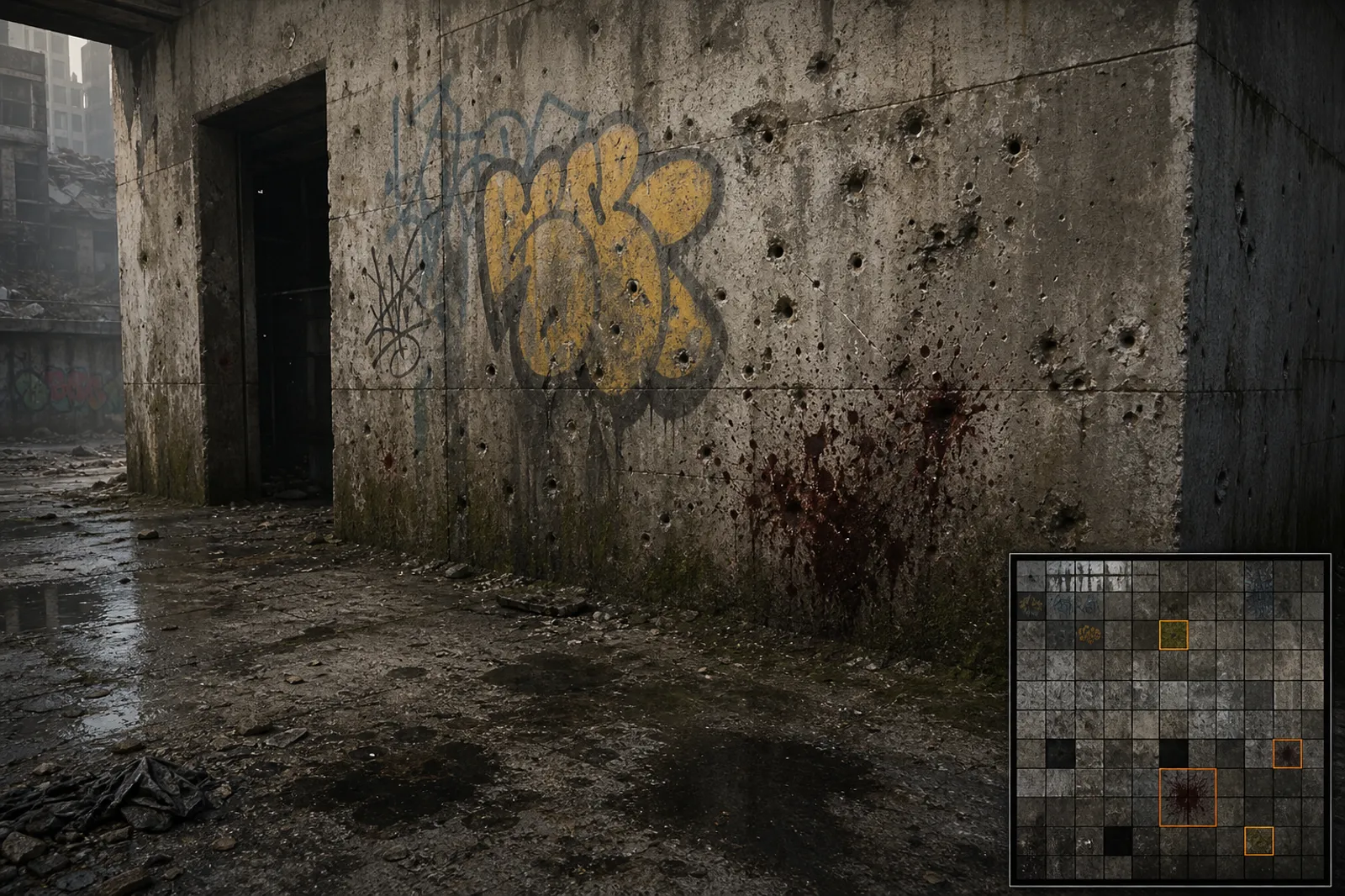
Surface variation comes from layered decals (bullet holes, dirt, blood, grime) projected onto the depth buffer, plus virtual textures that stream high-resolution detail just-in-time. Material layering blends multiple PBR sets per pixel using masks and triplanar projection, which is how a single rock looks like five rocks.
Deep dives:
- Pranckevičius, Deferred Decals and follow-ups (Aras' classic blog series).
- Mittring, The Technology Behind the "Unreal Engine 4 Elemental Demo" (SIGGRAPH 2012, includes virtual texturing details).
- van Waveren, id Tech 5 Challenges: From Texture Virtualization to Massive Parallelization (SIGGRAPH 2009, the MegaTexture talk).
- Williams, Material Layering in The Order: 1886 (GDC 2014, layered PBR materials).
14. Order-independent transparency
Hair, foliage, particles, and glass don't sort cleanly. AAA engines use techniques like weighted blended OIT, depth peeling, or per-pixel linked lists to render them correctly without a CPU sort step. It's quietly one of the most expensive parts of the frame on a foliage-heavy scene.
Deep dives:
- McGuire and Bavoil, Weighted Blended Order-Independent Transparency (JCGT 2013, the WBOIT paper).
- Bavoil and Myers, Order Independent Transparency with Dual Depth Peeling (NVIDIA whitepaper).
- Yang et al., Real-Time Concurrent Linked List Construction on the GPU (the per-pixel linked list reference).
- Wyman, Exploring and Expanding the Continuum of OIT Algorithms (HPG 2016, comparison survey).
15. Neural radiance caching and ML denoisers
The newest layer. NVIDIA's neural radiance cache learns indirect lighting per-scene and queries it instead of tracing more rays. ML denoisers (OptiX, Intel Open Image Denoise, custom in-house) clean up sparse ray-traced signals in milliseconds. Expect this category to grow fast over the next two years.
Deep dives:
- Müller et al., Real-Time Neural Radiance Caching for Path Tracing (SIGGRAPH 2021, the NRC paper).
- Schied et al., Spatiotemporal Variance-Guided Filtering: Real-Time Reconstruction for Path-Traced Global Illumination (HPG 2017, SVGF).
- Chaitanya et al., Interactive Reconstruction of Monte Carlo Image Sequences using a Recurrent Denoising Autoencoder (SIGGRAPH 2017, the first recurrent ML denoiser).
- Intel, Open Image Denoise documentation (open-source production denoiser).
What this means for the browser
We've shipped several of these techniques in WebGPU for our open-world browser engine. Cascaded shadow maps, GPU-driven instancing, triplanar PBR, screen-space fog, and clipmap-based virtualized terrain all run at 120 FPS in a tab. As of September 2026 WebGPU itself is on by default in Chrome and Edge since version 113, in Safari 26 across macOS, iOS, iPadOS, and visionOS, and in Firefox on Windows (141) and Apple Silicon Macs (145 and later), with Linux still in Nightly, per the gpuweb implementation status. Three.js ships its WebGPU renderer as the default path in r185 and Babylon.js 9 (March 2026) added clustered lighting and compute-shader volumetrics on top of it, per the Babylon.js 9.0 announcement. The rest (hardware ray tracing, mesh shaders, ML upscaling) still isn't in the WebGPU spec, so on the web those stay compute-shader emulations for now. For deeper dives, see our guides on browser open-world tech, landscape generation, WebGPU vs WebGL for games, and the web games stack for 2026. If you want to check what a given browser exposes, our WebGL/WebGPU checker reports adapter features and limits.
Common Questions
Which of these rendering techniques run in a browser with WebGPU in 2026?
Most of the ones that don't need a dedicated hardware unit. PBR, deferred and visibility-buffer shading, cascaded shadow maps, screen-space AO and reflections, volumetric fog and clouds, TAA, GPU-driven culling via compute shaders, order-independent transparency, and cluster-based geometry streaming all work in WebGPU today, and we run several of them in our browser engine. What's missing is anything that depends on a hardware stage the spec doesn't expose: hardware ray tracing, mesh shaders, and vendor ML upscalers like DLSS and FSR. You can emulate ray tracing and Nanite-style cluster culling in compute, and people do, but expect a large gap to native. Our WebGPU vs WebGL guide covers what that means for a game budget.
What are contact shadows in games?
Contact shadows are the short, sharp shadows where an object actually meets a surface: a foot on the ground, a cup on a table, the crease where a wall meets the floor. Regular shadow maps blur or miss them because of bias and resolution limits, so engines add a dedicated pass, usually a short screen-space ray march against the depth buffer, or in ray-traced renderers a few very short shadow rays. They're cheap and they're what stops objects from looking like they float. On the web, three.js has a contact shadow example that fakes them by rendering the object's depth onto a ground plane, which is fine for product shots and tricky for full scenes.
What is a virtual shadow map, and do browsers have them?
A virtual shadow map treats one huge shadow map (Unreal's is 16k by 16k per light, per Epic's docs) as a set of pages, and only allocates and renders the pages the camera can actually see, at the resolution each one needs. You get near-pixel-perfect shadows close up without paying for the whole map. No browser engine ships VSMs as of September 2026. Three.js offers cascaded shadow maps in its WebGPU renderer and PCSS soft shadows, and Babylon.js has a CascadedShadowGenerator. Building VSMs on WebGPU is possible in principle (it's compute plus indirect draws), but nobody has shipped a general one yet, so cascades remain the practical answer in a tab.
What are the best hair rendering techniques for web games?
Skip strand simulation and shade cards well. Real-time strand hair (TressFX, Unreal's groom system) needs compute-heavy simulation and order-independent transparency at scale, which is heavy even natively and has no off-the-shelf implementation in three.js or Babylon.js as of September 2026. The web-friendly stack is hair cards (a few dozen textured, alpha-tested strips) with anisotropic Kajiya-Kay or a simplified Marschner highlight written in three.js's TSL or Babylon's node materials, a two-pass alpha-test-then-blend render to keep edges soft, and a cheap ambient occlusion term baked into the card texture. If you need motion, drive a handful of bone chains rather than simulating strands. That gets you most of the look for a tiny fraction of the frame, which matters when your whole scene has a 16 ms budget on an integrated GPU.
Is this list still accurate in 2026?
Yes, and the changes since May 2026 are refinements rather than new categories. UE 5.8 (June 2026) made MegaLights production-ready, added Lumen Lite and cheaper distant virtual shadow maps, and is the last 5.x release before Unreal Engine 6. AMD's FSR Redstone folded frame generation, ray regeneration, and a neural radiance cache into one ML package, which confirms the direction of the last two sections. And WebGPU reached every major browser, so the "what this means for the browser" section above is now about which techniques to port, not whether the platform is ready.
Further reading across the whole stack
If you want to read one book, Real-Time Rendering, 4th edition is the standard reference covering most of the topics above. For ongoing research, the SIGGRAPH "Advances in Real-Time Rendering in Games" course archive (advances.realtimerendering.com) has free PDFs of the AAA-engine deep dives going back to 2006. For production tear-downs of how specific games render their frame, Adrian Courrèges' GPU profiling articles are required reading.