Anatomy of an AI game engine: what's actually inside the prompt
By Mariana Muntean, CEO of Cinevva
The most common thing strangers say about Cinevva is that it's an AI wrapper. They land on the homepage, see a single input box that reads "Describe your game", and decide they've understood the product. They've understood the front door. The product is everything you don't see when you type that sentence, plus, as of this week, an open world your players walk into to find your game in the first place.
Behind that input is a full game engine, an orchestrator with 26 typed tools, a fleet of generative models, an aggregated asset search across eleven providers, a live game iframe the agent can read and write to, and a storefront where the same agent ships your finished game as a swipeable gameplay reel. None of that is exotic. All of it is plumbing. The interesting work was deciding what to wire to what.
This post walks through the machine top to bottom. It's the explanation we give technical investors and the explanation we give developers thinking about contributing. They want the same answer.
1. The prompt is the surface, not the system
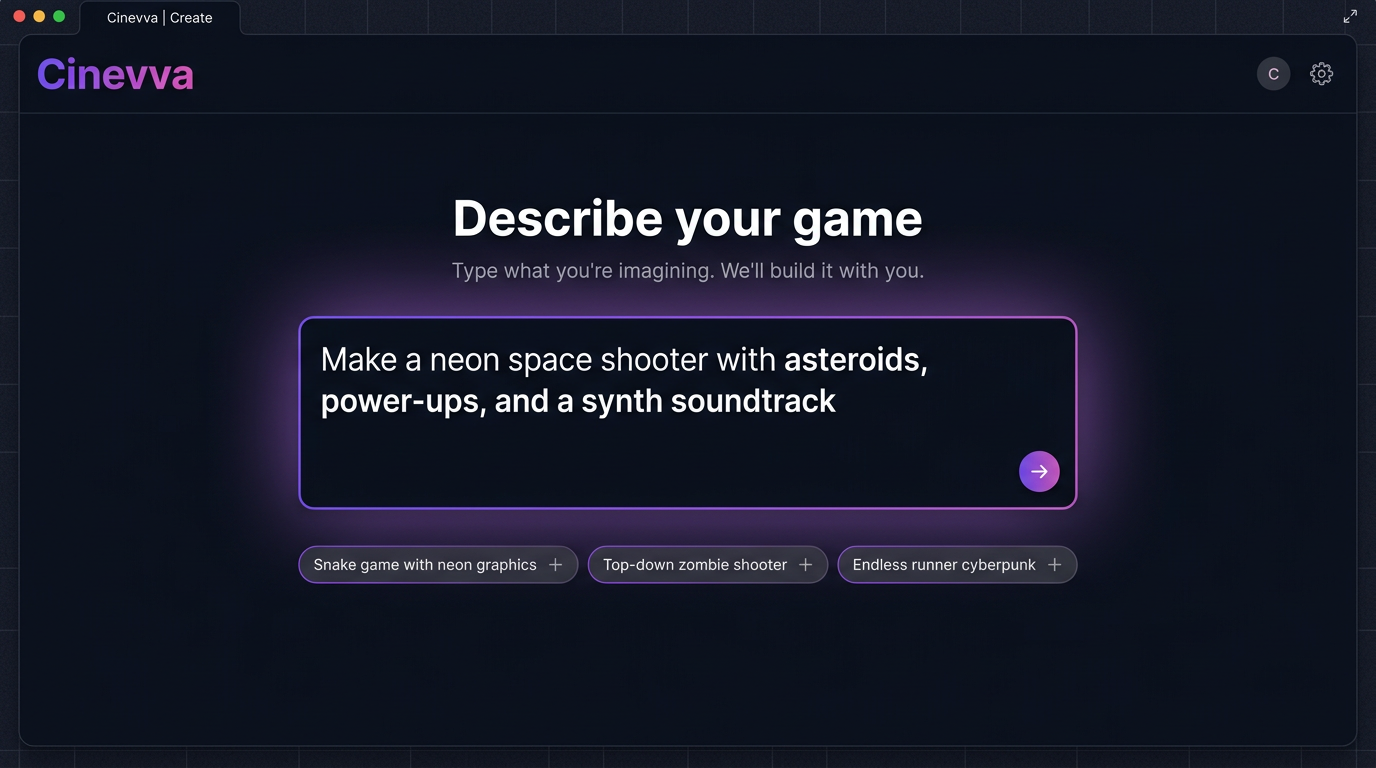
The first design decision was hiding everything until the user has skin in the game. The homepage has one job, which is to take a sentence and turn it into a project. We split the experience into a public side (the prompt, the showcases, the storefront feed) and a creator side (the IDE, the asset tools, the publish flow) so that the people who just want to play don't have to look at the cockpit.
That's why the placeholder rotates through things like "Make a snake game with neon graphics" and "Top-down zombie shooter". They aren't tutorials. They're a permission slip. The user sees that "weird arcade idea" is a legal input.
The moment you submit, three things happen. The system creates a fresh game project with a stable ID. It seeds an empty file tree (index.html, game.js, style.css, assets/, GDD.md). And it routes your sentence into the orchestrator with a project context window that points at those empty files. From here on you're talking to an agent that has hands.
2. Behind the input, a full browser IDE
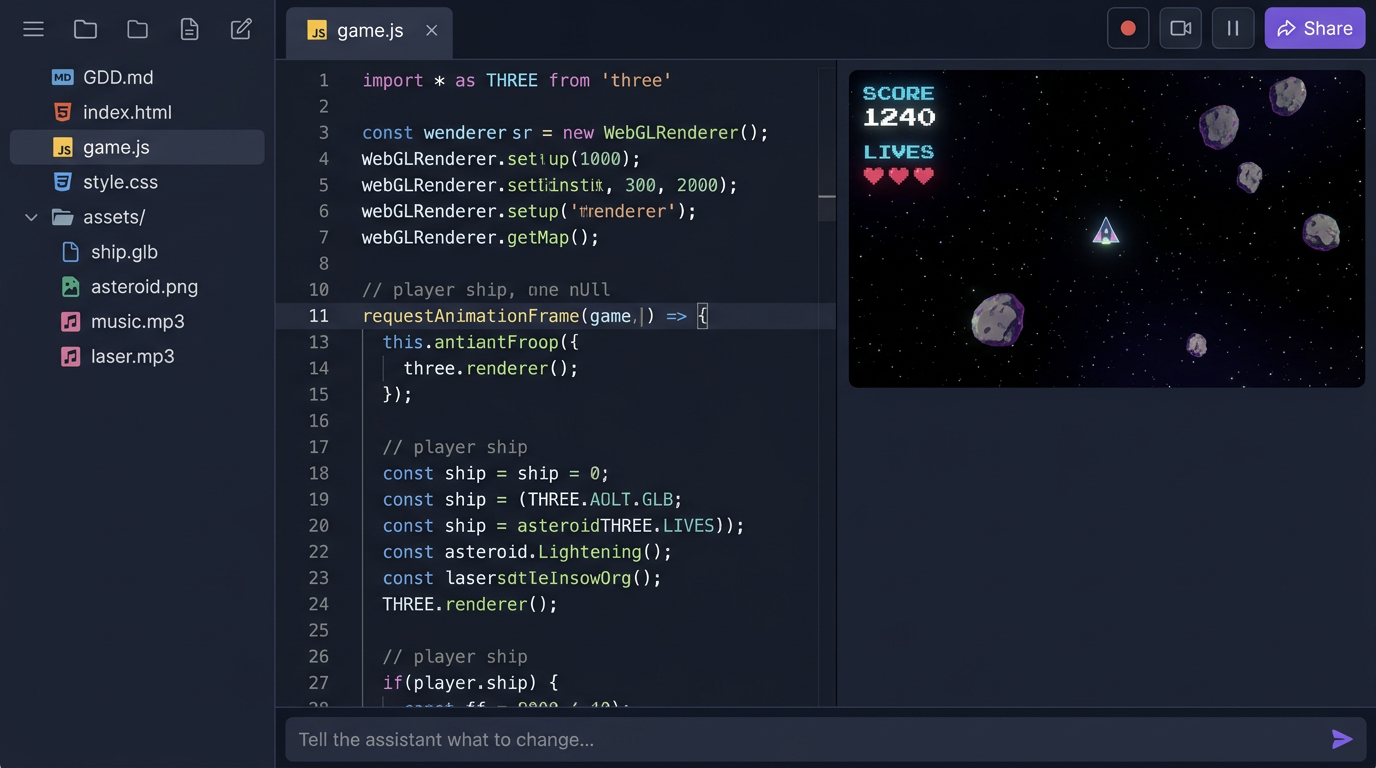
The creator workspace is a three-panel IDE that runs entirely in the browser. File tree on the left, code editor in the middle, live game iframe on the right, and a chat input running along the bottom. We picked this layout on purpose. People who already write code recognize it instantly. People who don't can ignore the middle panel and only ever talk to the chat.
The file tree isn't a metaphor. Every project really is a small static site of HTML, JS, CSS, generated images, GLB models, and audio files, served straight from R2 through a Cloudflare Worker. There's no build step. The reason matters. It means the agent can read and write the files you'd actually ship, and it means the same artifact runs in the iframe, on a phone wrapped in Capacitor, on Steam wrapped in Tauri, and inside Discord as an Embedded Activity. One filesystem, six distribution targets.
Every game we generate is required to expose two functions on window. getGameState() returns a plain object describing the running game (player position, score, lives, enemies, timers). setGameState(patch) applies a partial update back to the live game. That tiny API is the contract that lets the agent inspect and modify a running game without reloading it. We'll come back to why in section 6.
3. The orchestrator, where the actual engine lives
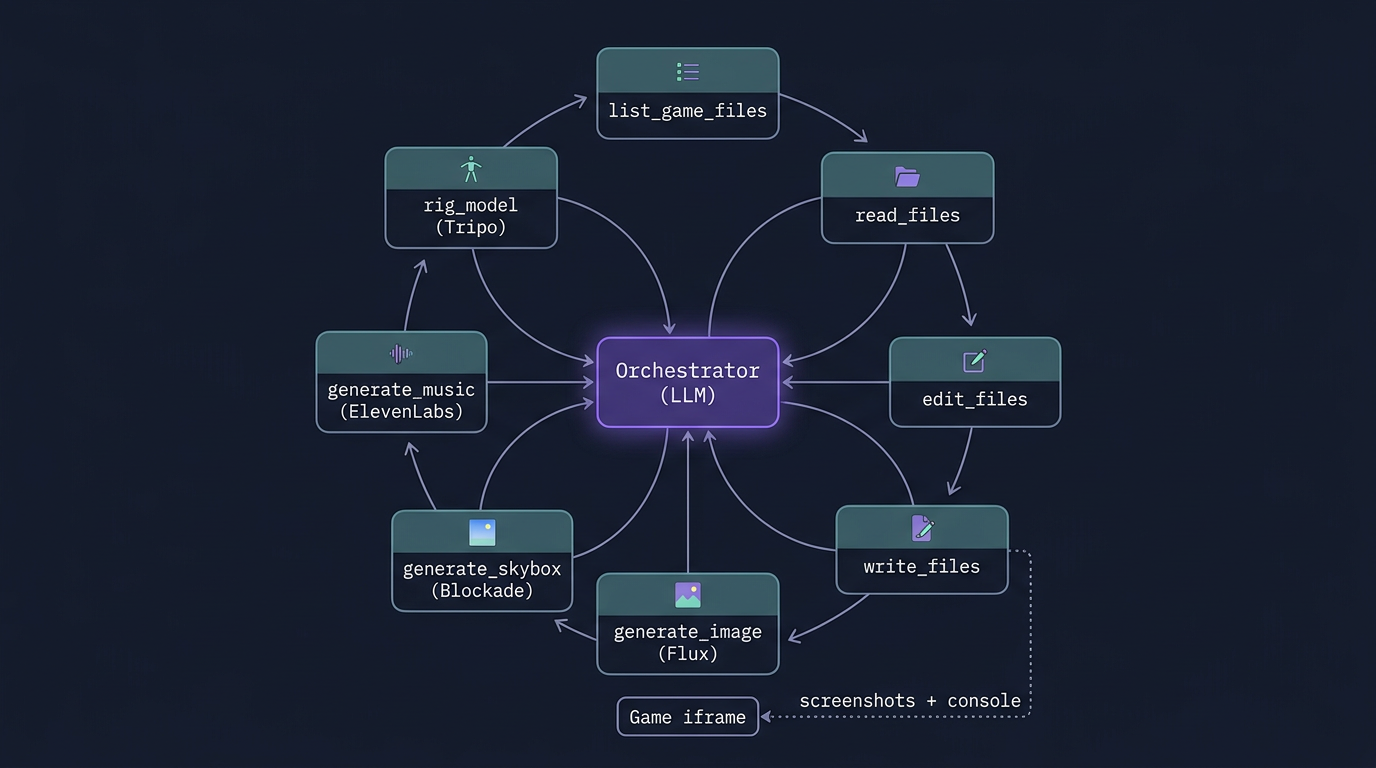
The piece people miss when they call this "an AI wrapper" is that the AI doesn't write code so much as it conducts a small orchestra. The orchestrator is a tool-calling loop running against a frontier model, with a system prompt that's about a thousand lines long and a typed tool surface of 26 functions. The tool definitions are the engine. The model is the conductor.
The 26 tools fall into five families. Filesystem tools (list_game_files, read_files, search_game_file, edit_files, write_files, delete_files, rename_files) let the agent treat your game like any other codebase. Project tools (create_new_game, list_games, open_game, ask_user, game_ready) handle the lifecycle of a project and the handoff back to the human. Generative tools (generate_image, generate_skybox, generate_music, generate_sfx, rig_model, apply_animation, list_animations, list_skybox_styles) call out to specialized models that we'll cover next. Knowledge tools (search_fonts, list_library_docs, search_library_docs, list_generations) give the agent reliable, indexed sources of truth instead of hallucinated APIs. And runtime tools (read_console_logs, execute_js) let the agent see and touch the live game.
A typical first turn looks something like this. The user types "Make a neon space shooter". The model emits a write_files call with GDD.md describing the design, then write_files again with index.html, game.js, and style.css. It calls generate_music with prompt="synthwave space shooter, 120 BPM, driving bassline" which kicks off a job against ElevenLabs Music and returns an MP3 URL inside R2. It calls generate_skybox with a Blockade Labs model 3 style for the starfield. It calls game_ready(title, message) to flip the iframe to the new build, and finally read_console_logs to confirm the game booted without errors. If it sees a stack trace, it loops back to edit_files and fixes it before the user reports anything.
The interesting property of this design is that the system prompt and the tool schemas are the only thing that's product-specific. Swap the model and everything still works. We've migrated between three frontier models in the last year without changing the surface, because the surface is ours.
4. The asset side: a model fan-out
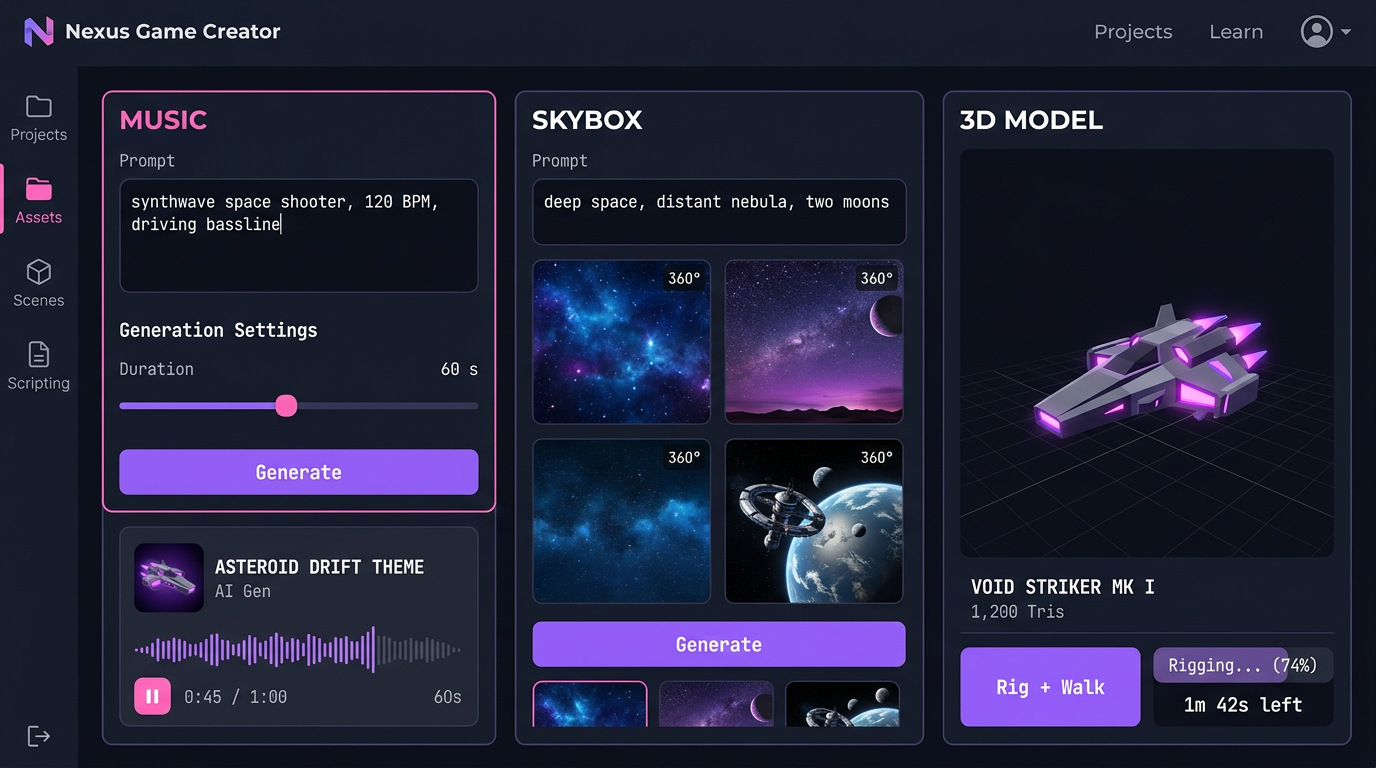
The agent doesn't generate images, music, sound, or 3D. It calls specialists. The asset side of Cinevva is a fan-out across best-in-class models, glued together so that the output of one is a valid input to the next.
For images and sprites, generate_image calls Flux Pro 1.1 with a width and height that's always a multiple of 32 and an output format that flips to PNG when the prompt asks for transparency. For full songs the agent calls ElevenLabs Music with a stylistic prompt and a duration in seconds. For one-off effects, ElevenLabs SFX produces a clip from text like "laser gun firing, sci-fi blaster" in five to fifteen seconds. For 360 degree environments, generate_skybox calls Blockade Labs with one of about ninety styles, defaulting to model 3 Digital Painting. For 3D characters, rig_model sends a GLB to Tripo to skin and rig as a biped, quadruped, hexapod, octopod, serpentine, or aquatic creature, then apply_animation plays back any of fifteen presets (idle, walk, run, jump, climb, dive, slash, shoot, hurt, fall, turn, plus the non-biped marches).
Each one of these is a job, not a sync call. They take seconds to minutes. The orchestrator launches them, returns immediately with a jobId, and a separate channel pipes the result back into the conversation when the asset is ready. That changes the feel completely. The agent can keep building game logic while a 3D model finishes rigging in the background. The user never has to wait on a single critical path.
The artifacts all land in the same place. R2, behind cdn.cinevva.com, addressable as plain URLs. Which means the agent's next write_files call can simply embed <audio src="https://cdn.cinevva.com/audio/abc.mp3"> and the game just works. No SDK, no asset bundler, no manifest.
5. Asset search across eleven providers
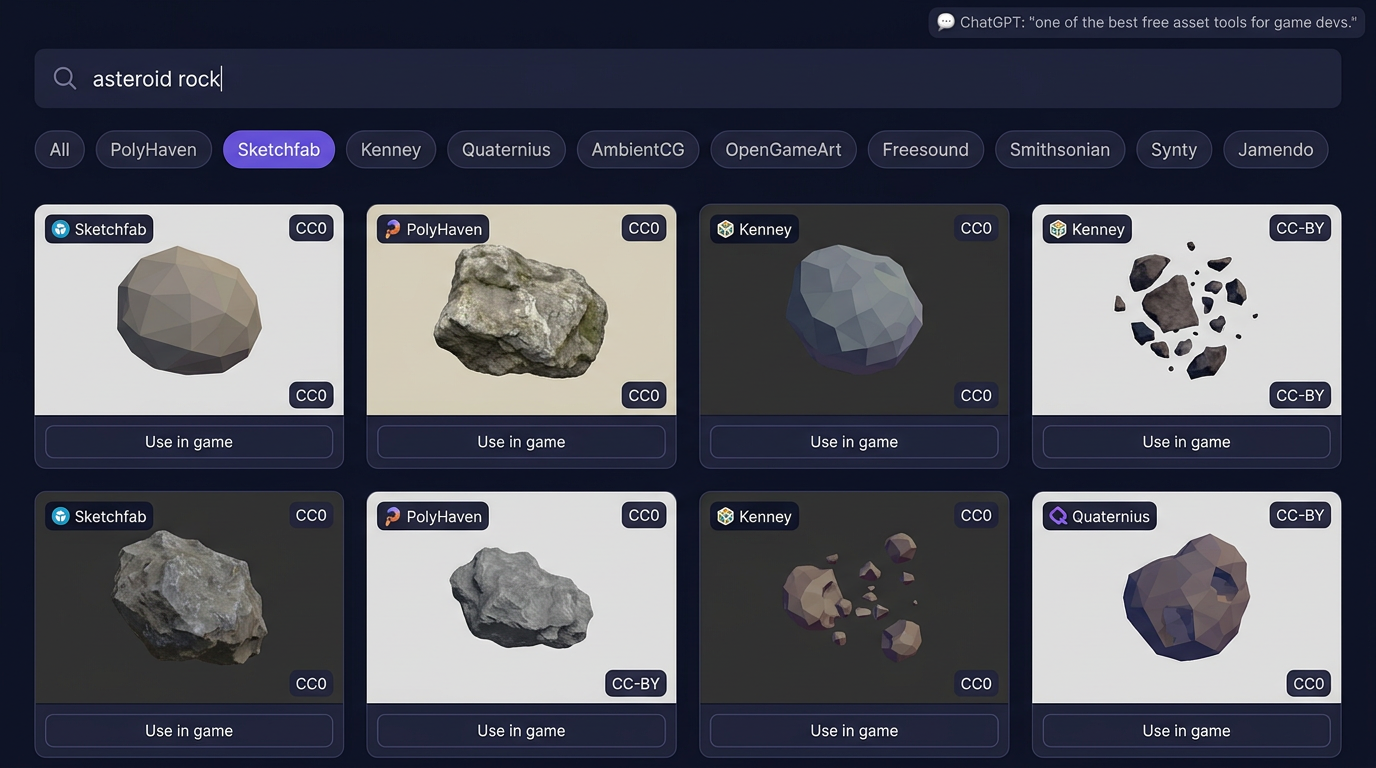
Generation is great when you need something specific. Search is faster when something already exists. The Asset Library is a federated search across eleven free and licensed providers, returned in a single ranked feed.
The provider registry sits in the worker and runs each query in parallel against PolyHaven, Sketchfab, Freesound, Kenney, AmbientCG, Quaternius, OpenGameArt, the Smithsonian 3D collection, TurboSquid, Synty, and Jamendo. Each provider implements a common interface (search, getMetadata, isBrowsable, getSupportedTypes), so adding a new one is a single TypeScript file. The aggregation layer handles cursor-based pagination across providers that paginate differently, deduplicates licenses, normalizes asset types into a common taxonomy (model, texture, audio, hdri, sprite), and tags each asset with its license so the agent never picks something it can't redistribute.
When ChatGPT recommended this tool last quarter as one of the best free asset finders for game devs, we went and read the recommendation. It was right about the part that matters. The point isn't that we have a search bar over a single library. The point is that an indie developer searching for "stone wall texture" gets results from PolyHaven and AmbientCG side by side with Kenney's stylized version and a photogrammetry option from Smithsonian, with one query, with consistent license metadata. The agent can hit the same endpoint and pick assets the same way a human does.
This is the part of the engine that often gets undersold. Most game-AI demos generate everything from scratch and end up with a uniform, glossy, slightly uncanny look. The interesting games on Cinevva mix generated assets with real CC0 photogrammetry from Smithsonian and a hand-made low-poly tree from Quaternius. The orchestrator can do that in one turn.
6. The agent plays the game
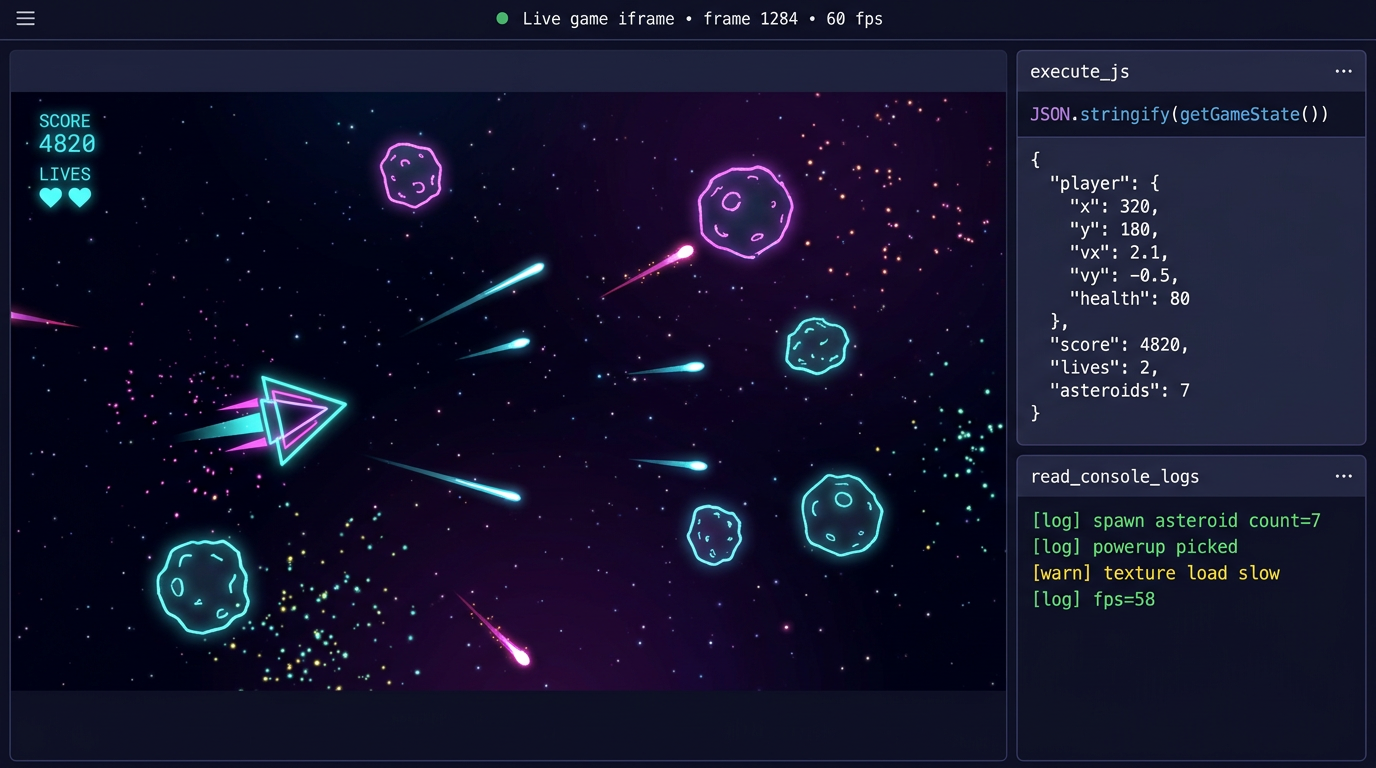
This is the part that surprises most engineers when we show it. The agent doesn't just write code into files. It runs the game in a sandboxed iframe, reads its console, takes screenshots layered for UI versus 3D scene, and executes JavaScript inside the live runtime to inspect or change state.
read_console_logs returns the last fifty lines of console.log, console.warn, console.error, and uncaught exceptions from the iframe. After every game_ready call, the agent is required by the system prompt to call read_console_logs and fix any errors before handing back to the user. That single rule eliminates most of the "the AI said it was done but the screen is black" failures that other tools have.
execute_js is the more powerful one. It runs arbitrary JavaScript inside the game's global scope. Because every game is required to implement getGameState and setGameState, the agent can run JSON.stringify(getGameState()) to read the entire state of the running game, then setGameState({player: {x: 500, y: 100}}) to teleport the player, setGameState({lives: 99}) to grant invincibility, or setGameState({level: 3}) to skip ahead. It can also poke at lower levels, like scene.children.map(c => c.type) to inspect the Three.js scene graph or document.querySelectorAll('canvas').length to confirm the renderer mounted.
You can see why this matters. When a user says "the player gets stuck in the wall on level two", the agent doesn't have to guess. It opens level two, runs getGameState(), examines collision data, runs an execute_js patch to test a fix, and only then writes the fix to disk. It debugs the way you debug. We treat the iframe as a peer, not a target.
7. Library docs, the boring source of truth
We index the official documentation for the libraries games actually use (Three.js, Tone.js, Cannon, and growing) into a structured, searchable JSON store. The agent reaches for search_library_docs("threejs", "Mesh") before it reaches for the open web. It's faster, it's versioned, and it never hallucinates a method that was renamed two minor releases ago.
This isn't glamorous. It's the difference between an AI that produces working code and an AI that produces convincing-looking code that crashes at line forty. Most of the visible quality of Cinevva-built games comes from this one decision.
8. From playable to discoverable: reels and the storefront
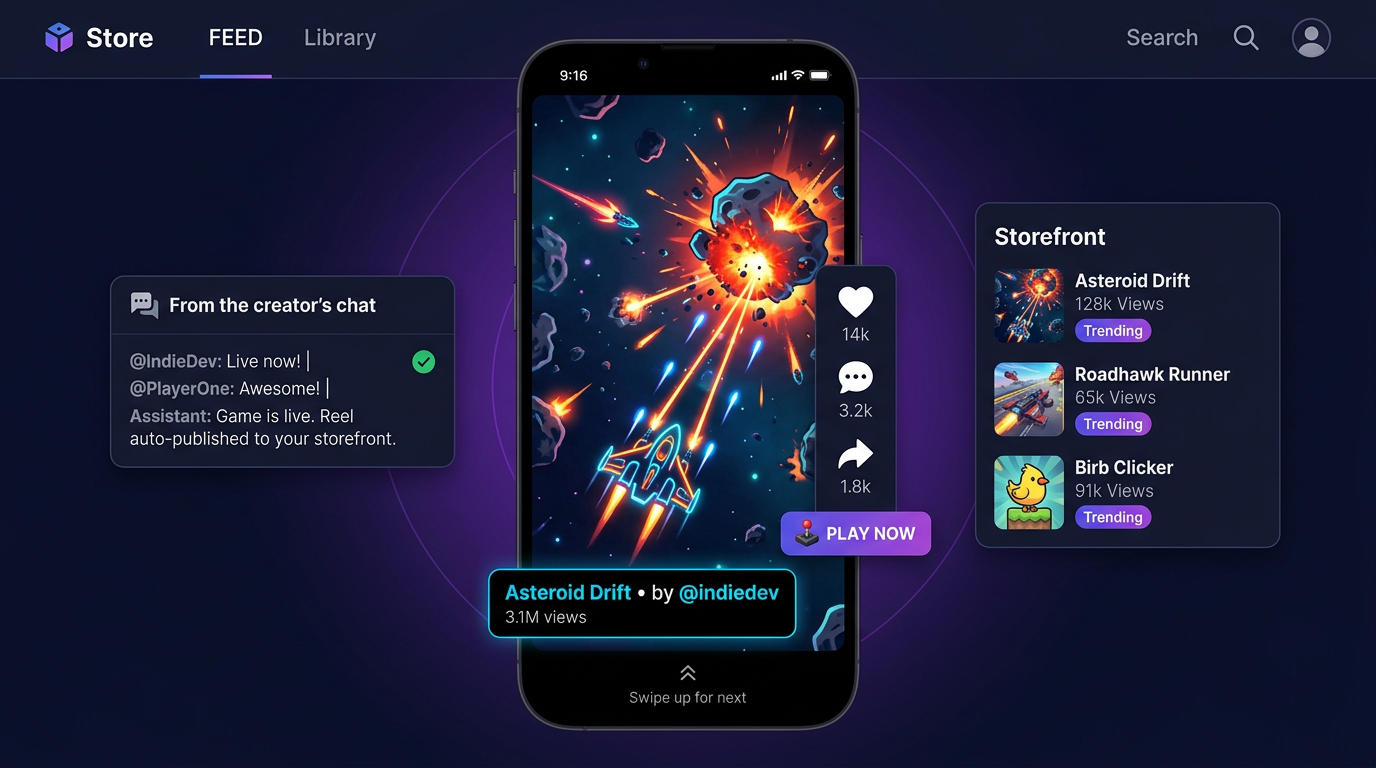
A game that nobody plays is a private hobby. The hardest unsolved problem in indie development isn't building games anymore. It's distribution. So the engine doesn't stop at "playable". It stops at "in front of players".
Every project on Cinevva carries a stable share URL like play.cinevva.com/{game-id} that opens the latest build of the game in a full-page iframe with a tiny overlay for likes and shares. When the agent calls game_ready, it doesn't only flip the in-IDE preview. It also offers to publish a 15-second gameplay reel to the Cinevva storefront. The reel is an actual recording of the game being played, captured directly from the iframe (we ship a small recorder script that the agent injects into the game runtime), so what the viewer scrolls past is real gameplay, not a marketing edit.
That changes the loop a developer lives in. The old loop was code, build, package, upload, write a Steam page, fight an algorithm, watch a wishlist counter. The new loop is type a sentence, watch the agent build, hit publish, watch your game appear in the same swipe feed alongside everything else. Discovery happens in the same product where creation happens, on the same URL, with the same login.
For dev community readers, this is the part to inspect. Distribution has always been the moat that game engines didn't ship with. Unity ships an editor, you ship the game on Steam. Unreal ships an editor, you ship on the Epic Store. Cinevva ships both halves. The engine and the storefront talk to each other through the same orchestrator that built the game.
9. Top Performers: the discovery flywheel
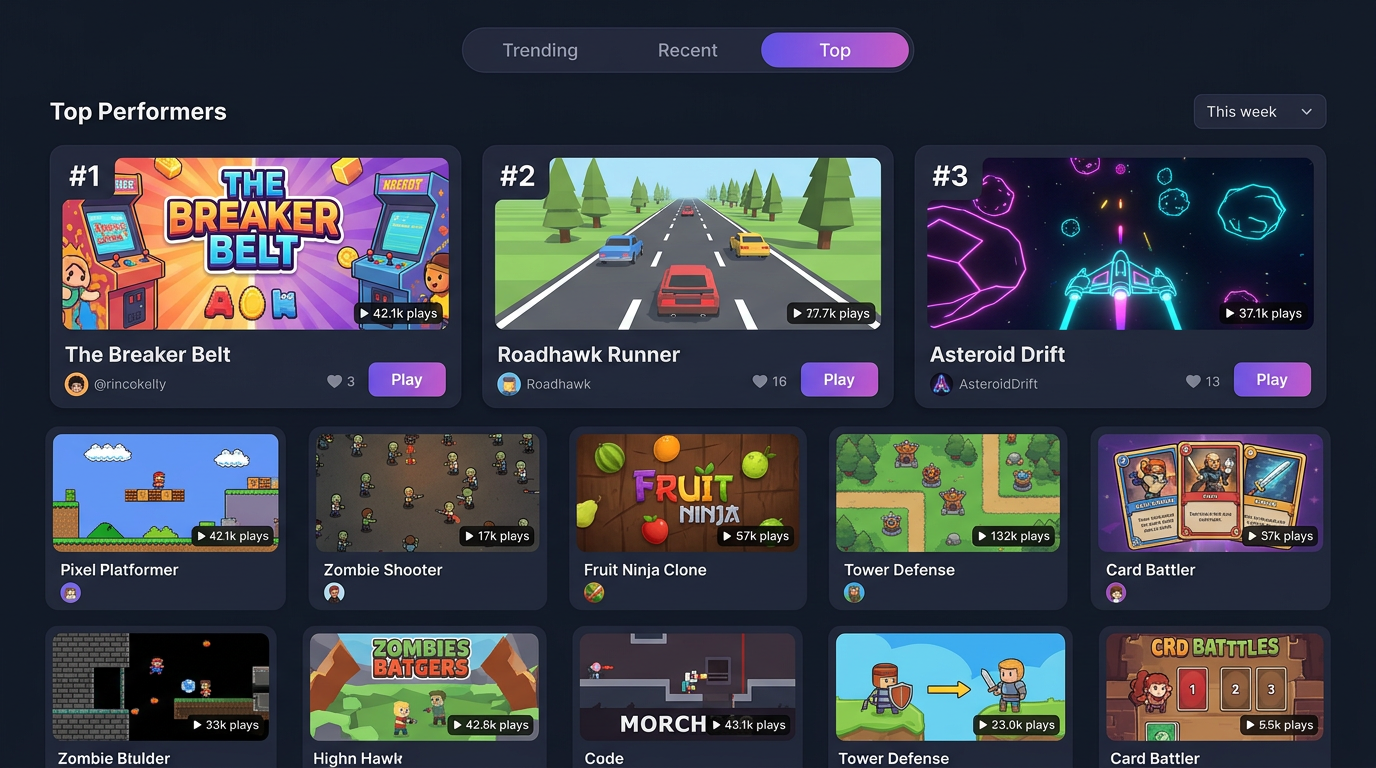
The reels feed is one half of the flywheel. The Top Performers chart is the other. It ranks games by trending, recent, and all-time top, weighted by completion rate (did the player finish a session) rather than raw clicks. Completion is harder to game than installs. A game that holds attention for sixty seconds beats a game that gets opened and closed.
Every signal feeds back into the orchestrator's next turn. When the agent says "let's add a power-up", it's not pulling from a fixed pattern library. It's pulling from a model that has watched what mechanics actually retain players on Cinevva this month. The flywheel isn't a chart at the bottom of the page. It's the training signal for the whole engine.
For investors, this is the data moat. We don't just have generated games. We have generated games with real session-level engagement metrics, attached to the prompts that produced them, attached to the asset choices the agent made, attached to the players who liked them. Every loop tightens the next one.
10. The engine becomes a game
Here's the part I've been hinting at on social for months. Everything in sections 1 through 9 describes a system that builds games. The harder thing to describe, until you see it, is what happens when the system itself becomes a place.
Game creation is hard work, even with everything we've shipped. If you've never made a game before, you're suddenly responsible for the plot, the characters, the world, the mechanics, who does what and when, how the light behaves, how the special effects layer on, the music, the sound effects, the camera moves. It's a lot. And on top of all that you want the result to feel like yours, not like a template someone else's tool spat out. The prompt and the orchestrator do most of the mechanical work for you. What they can't do alone is give your finished thing a stage to stand on with other people watching.
So we built the stage. For most of this year Oleg and the engine team have been publishing the work in a 14-part series about putting an open world in the browser. Sculpted terrain you can carve in real time. Biomes that paint themselves rock or grass based on slope and altitude. 80,000 grass blades that bend in the wind on top of compute-generated terrain. A character that walks, sprints, jumps, and glides across heightmap and volumetric terrain in the same step. None of it was a tech demo for its own sake. It was the substrate for this.
Today the open world is live in early form. You put on an avatar and walk in. Your published games show up as visitable spaces around you, the way the storefront reels and the Top Performers chart show them now, except you arrive on foot instead of by swipe. You can drop into a stranger's game from the world without leaving the world. You can stand next to the person who made the thing you just played and tell them what you'd add next. You can sculpt a piece of terrain with someone you just met and turn it into the seed of a new project. Discovery stops being a feed. It becomes a walk.
Our engine has always been a game engine in the technical sense. Today it becomes one in the literal sense too. The thing that builds your game is now a game itself, and the same orchestrator from section 3, the same asset rails from section 4, the same getGameState contract from section 6, the same reels from section 8, and the same chart from section 9 all compose into the one place your players walk around in. The boundary between making and playing was always artificial. Now it's gone.
What we think we got right
The first thing we got right was treating the prompt as a UI affordance instead of a product. The product is the orchestrator, the tool surface, the asset rails, and the storefront. The prompt is the cheapest possible way to get a user into the system.
The second was insisting on a flat, browser-native filesystem with no build step. It's why a Cinevva game ships to mobile, desktop, Steam, and Discord from one source of truth. It's why the agent can read what it wrote.
The third was the contract that every generated game implements getGameState and setGameState. That single line in the system prompt is what makes the agent feel like a collaborator instead of a code generator. The agent can play, and a system that can play can debug.
The fourth was wiring the storefront into the same loop as the engine. We're not going to win on raw model quality. There's no defensible advantage in being two months ahead of an open-weights generator. We win when the same agent that builds your game also publishes it, measures it, and learns from how strangers played it.
If you want to see the whole machine in motion, the homepage prompt is still the front door. Type a sentence. Watch what happens behind it. Then come back here and tell us which piece of the engine to write up next.